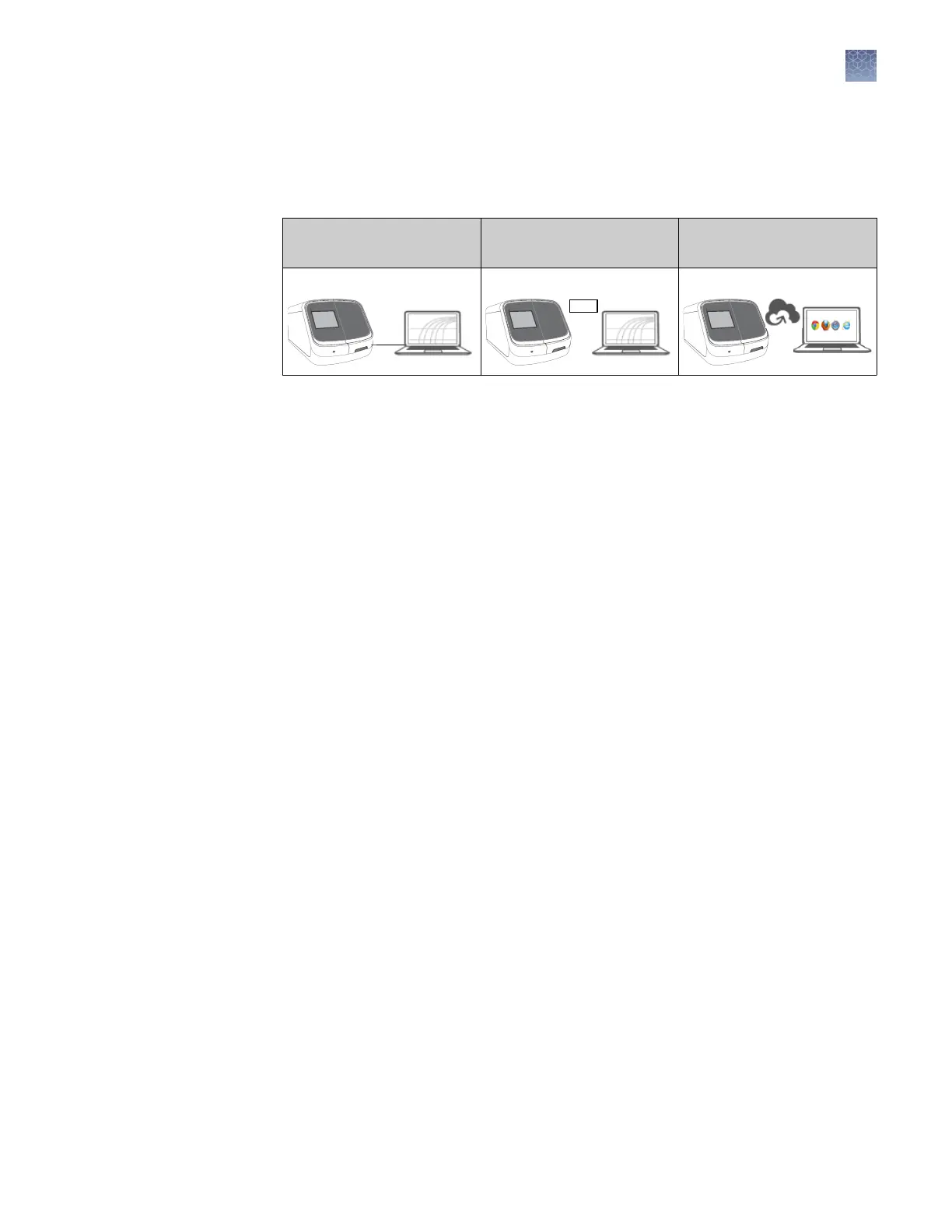
Network connection options
The SeqStudio
™
Genetic Analyzer can be connected to a network or computer in the
following congurations:
Direct connection
Local area network (LAN)
connection
Connect platform
connection
Wired Wired or wireless
Wired or wireless
Network and password security requirements
The network conguration and security seings of your laboratory or facility (such as
rewalls, anti-virus software, network passwords) are the sole responsibility of your
facility administrator, IT, and security personnel. This product does not provide any
network or security conguration les, utilities, or instructions.
If external or network drives are connected to the software, it is the responsibility of
your IT personnel to ensure that such drives are congured and secured correctly to
prevent data corruption or loss. It is the responsibility of your facility administrator,
IT, and security personnel to prevent the use of any unsecured ports (such as USB,
Ethernet) and ensure that the system security is maintained.
Thermo Fisher Scientic strongly recommends that you maintain unique passwords
for all accounts in use on this product. All passwords should be reset upon rst sign
in to the product. Change passwords according to your organization's password
policy.
It is the sole responsibility of your IT personnel to develop and enforce secure use of
passwords.
Network
configuration and
security
Password security
Chapter 1 Product information
Network connection options
1
SeqStudio
™
Genetic Analyzer Instrument and Software User Guide
27













 To Next Page