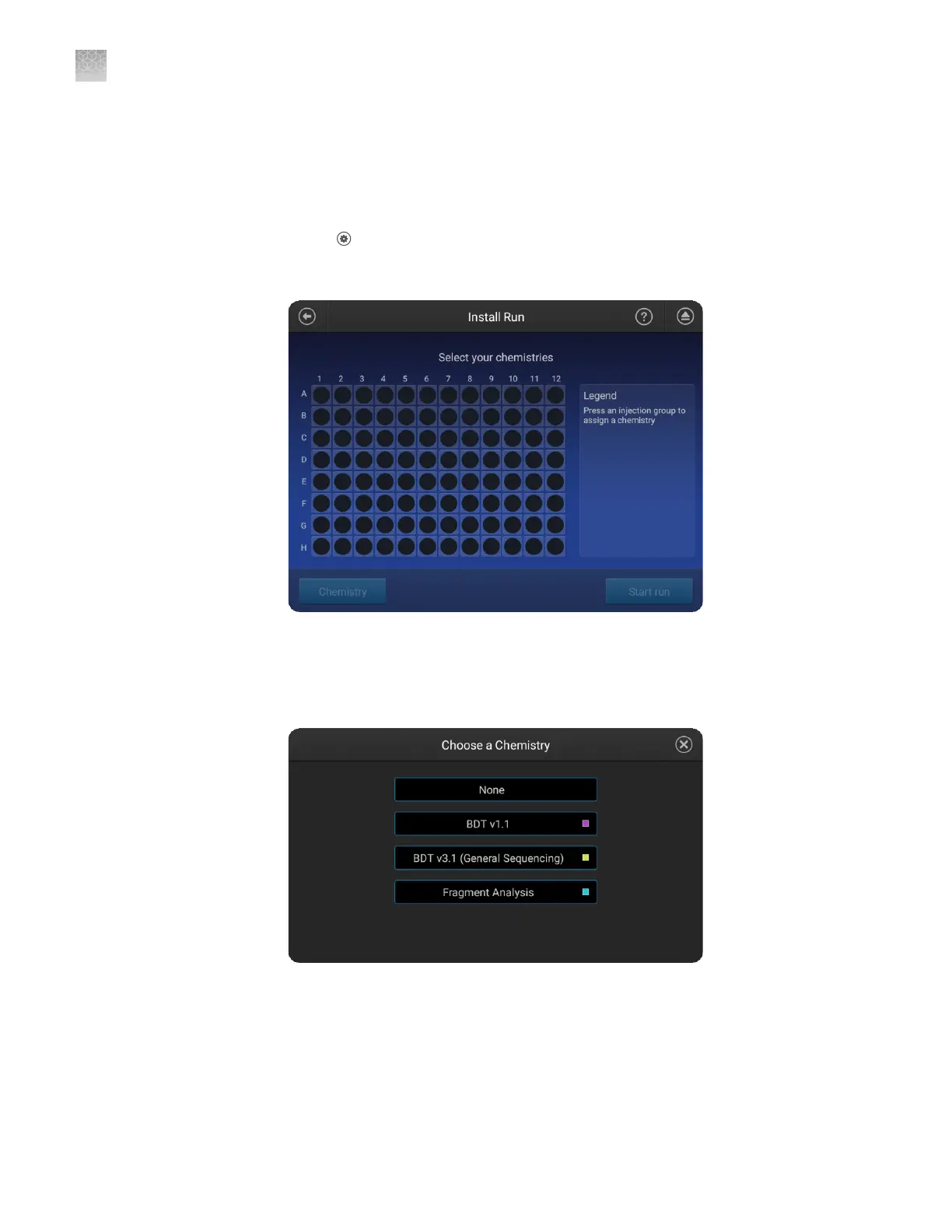
An install run requires ~45 minutes to complete each injection group.
Prepare the installation standard and plate as described in the product information
sheet for the installation standard.
In the home screen:
1.
Touch Seings4Maintenance and service4Install run4Install run.
2.
Touch an injection group on the plate to select a location for the install standards.
A plate can be set up with dierent injection groups for one install run.
3.
Touch Chemistry, then select the type of install run.
Select None to cancel the selection.
4.
Repeat the steps above for additional injection groups and/or multiple
chemistries.
5.
Touch Start Run.
Perform an install
run
Appendix C Dye calibration and install standard checks
Perform an install run
C
204
SeqStudio
™
Genetic Analyzer Instrument and Software User Guide













 To Next Page