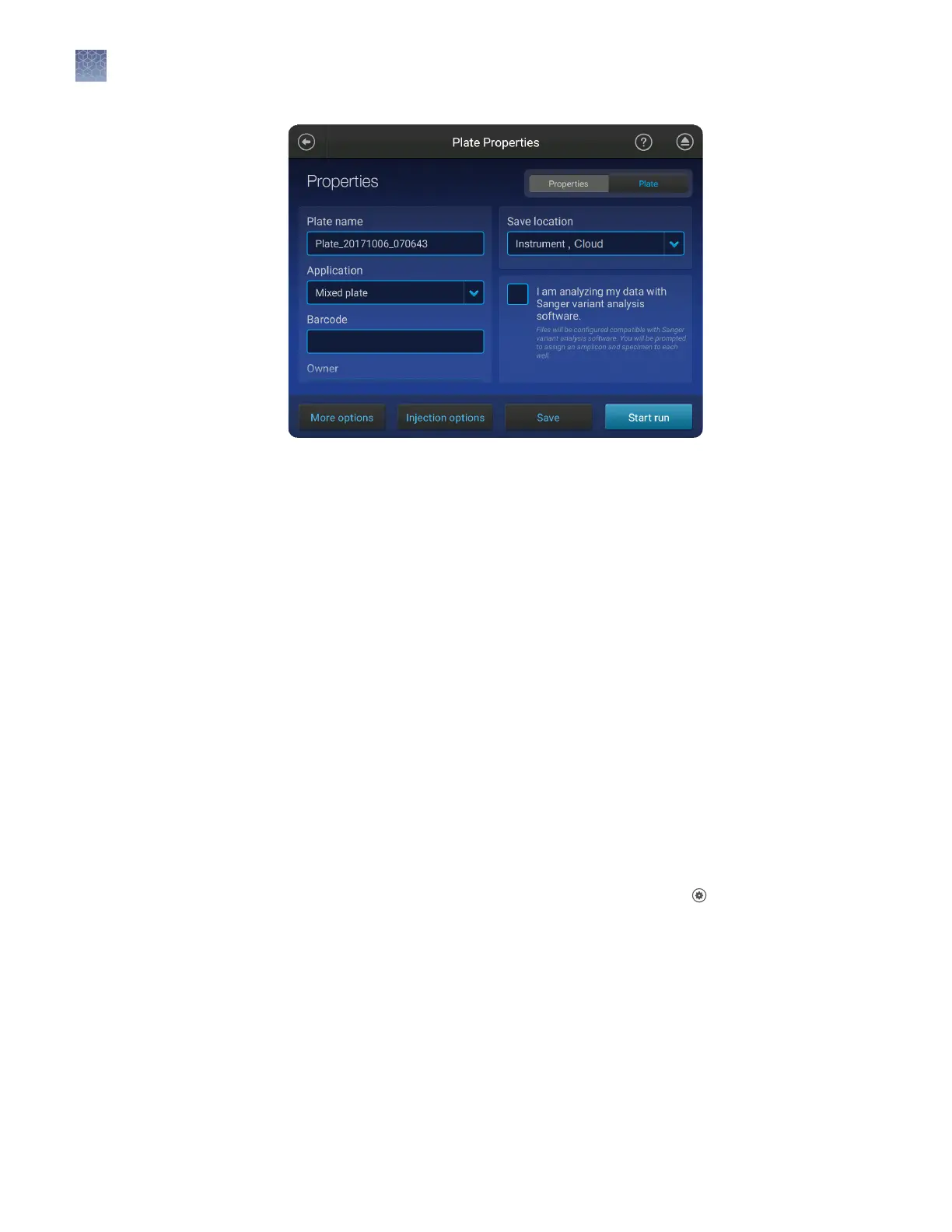
4.
Touch Start run.
• If a new cartridge was inserted before the run, the instrument performs an optical
alignment before starting the run.
• During the run, the instrument performs an automatic spectral calibration
adjustment (auto calibration) for each sample to correct for spectral overlap.
• During a run, the user who started the run or an administrator can lock the
touchscreen to prevent other users from using the instrument. If the touchscreen
is locked, only the user who started the run or an administrator can sign in to the
instrument.
Proceed to:
• “Monitor a run from the Connect cloud-based platform“ on page 95
• “Monitor a run from a mobile device“ on page 103
• “Monitor a run from the instrument“ on page 105
Before starting a run, the instrument calculates the total amount of storage space
required to save the run to the instrument. If the required storage space is not
available, the instrument deletes les associated with the oldest exported plates until
sucient space is available.
Note: Only complete plates that have been auto exported (saved to Connect cloud-
based platform, network, or USB) or manually exported (using Seings4Run
History4plate name4Export) are deleted.
If the required storage space is not available and no plates have been exported, the
instrument displays a notication indicating that there is not enough storage space.
You can export plates and delete plates, then start the run again.
Automatic
file
cleanup
Chapter 7 Start and monitor a run
Select a plate setup and start a run
7
94
SeqStudio
™
Genetic Analyzer Instrument and Software User Guide













 To Next Page