1.
Access the File name convention screen:
From Action
Plate properties screen Select the Properties tab, then touch More options4File
name convention.
Home screen Touch Settings4Run settings 4File name convention.
2.
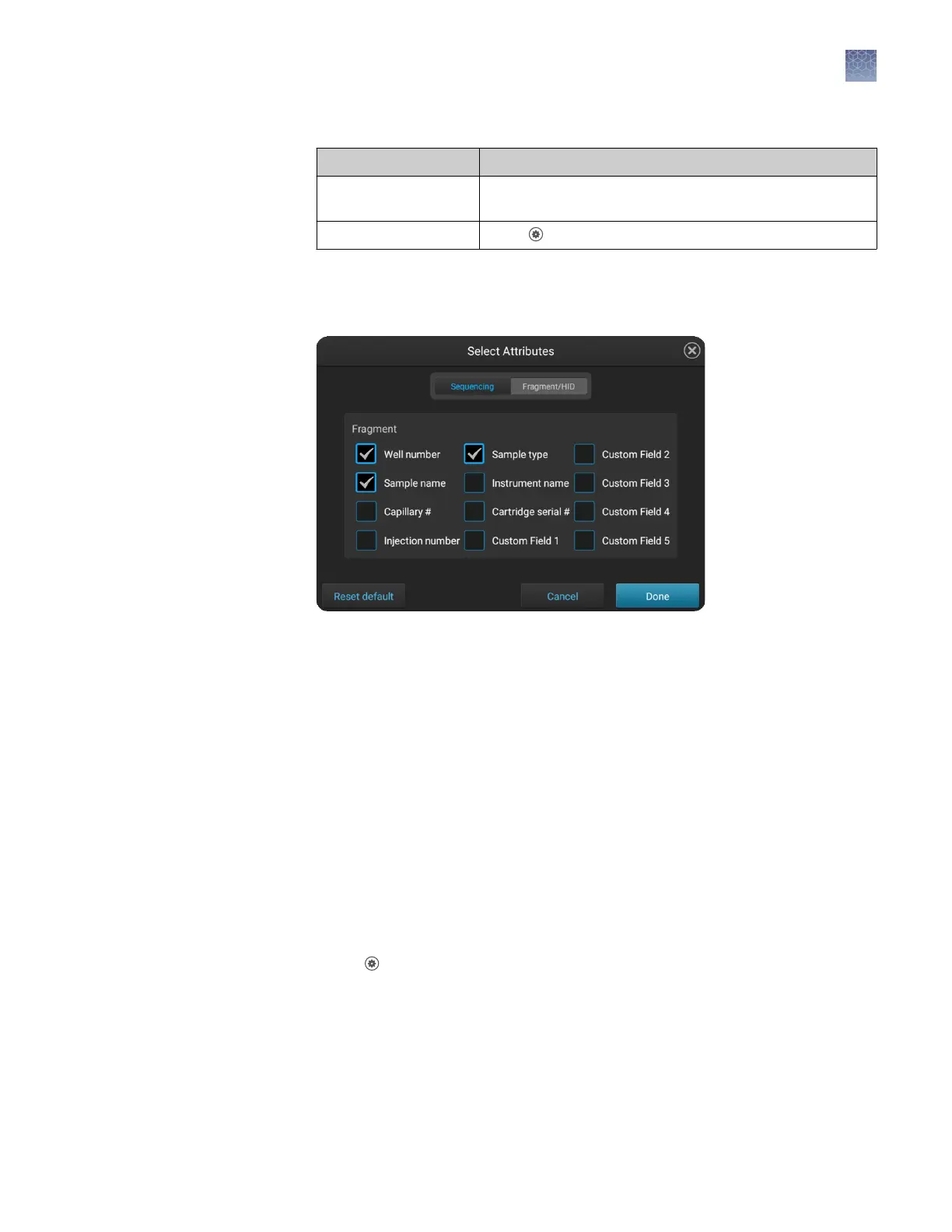
Touch Aributes.
3.
Select the aributes to include in the data le name.
For information on creating custom elds to include in le name conventions, see
“Dene custom elds“ on page 89.
Note: The timestamp aribute cannot be deselected; it is always included in the
data le name.
4.
Touch Done.
5.
Touch and drag aributes up or down in the list.
6.
Touch Done.
Manage instrument settings
In the home screen:
1.
Touch
Seings4Instrument seings 4About to access the instrument
information:
• Model name
• Ethernet IP address
• Ethernet MAC address
• Wireless IP address
• Wireless MAC address
Display
instrument
hardware and
software
information
Chapter 10 Manage the software (instrument)
Manage instrument settings
10
SeqStudio
™
Genetic Analyzer Instrument and Software User Guide
147













 To Next Page