Pull-up reduction feature
The software includes two pull-up reduction features:
• Automatic pull-up reduction feature that is applied with all dye sets.
• (HID analysis only for Applied Biosystems
™
dyes) Marker-to-marker pull-up
reduction that is optimized for the markers in each kit.
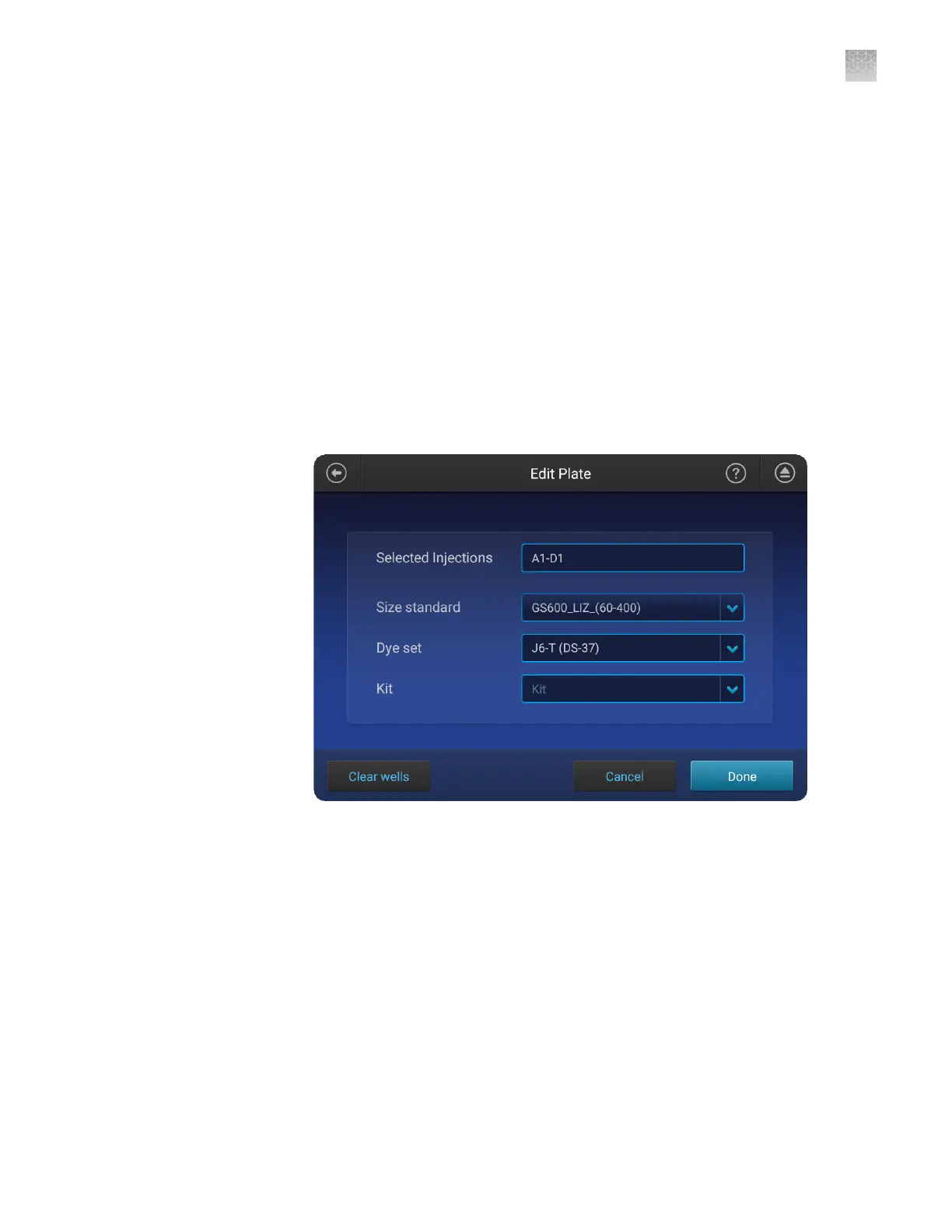
You can enable/disable this feature for each injection group when you create an
HID plate.
– To enable, select the appropriate kit from the Kits list.
– To disable, select None from the Kits list.
Note: "Kit" is displayed when None is selected.
To display this screen where you select a kit: Select or create a plate set up, touch
the Plate tab, then select Edit. In the Edit Plate screen, swipe up to nd the Kit
eld, then select a kit from the dropdown list.
Note: You can also select a kit from the Plate Manager.
Appendix D Create and run an HID plate
Pull-up reduction feature
D
SeqStudio
™
Genetic Analyzer Instrument and Software User Guide
213













 To Next Page