EasyManua.ls Logo

Thermo Scientific Applied Biosystems SeqStudio Genetic Analyzer - Page 104

Thermo Scientific Applied Biosystems SeqStudio Genetic Analyzer
242 pages
Print Icon
To Next Page IconTo Next Page
To Previous Page IconTo Previous Page
Loading...
4.
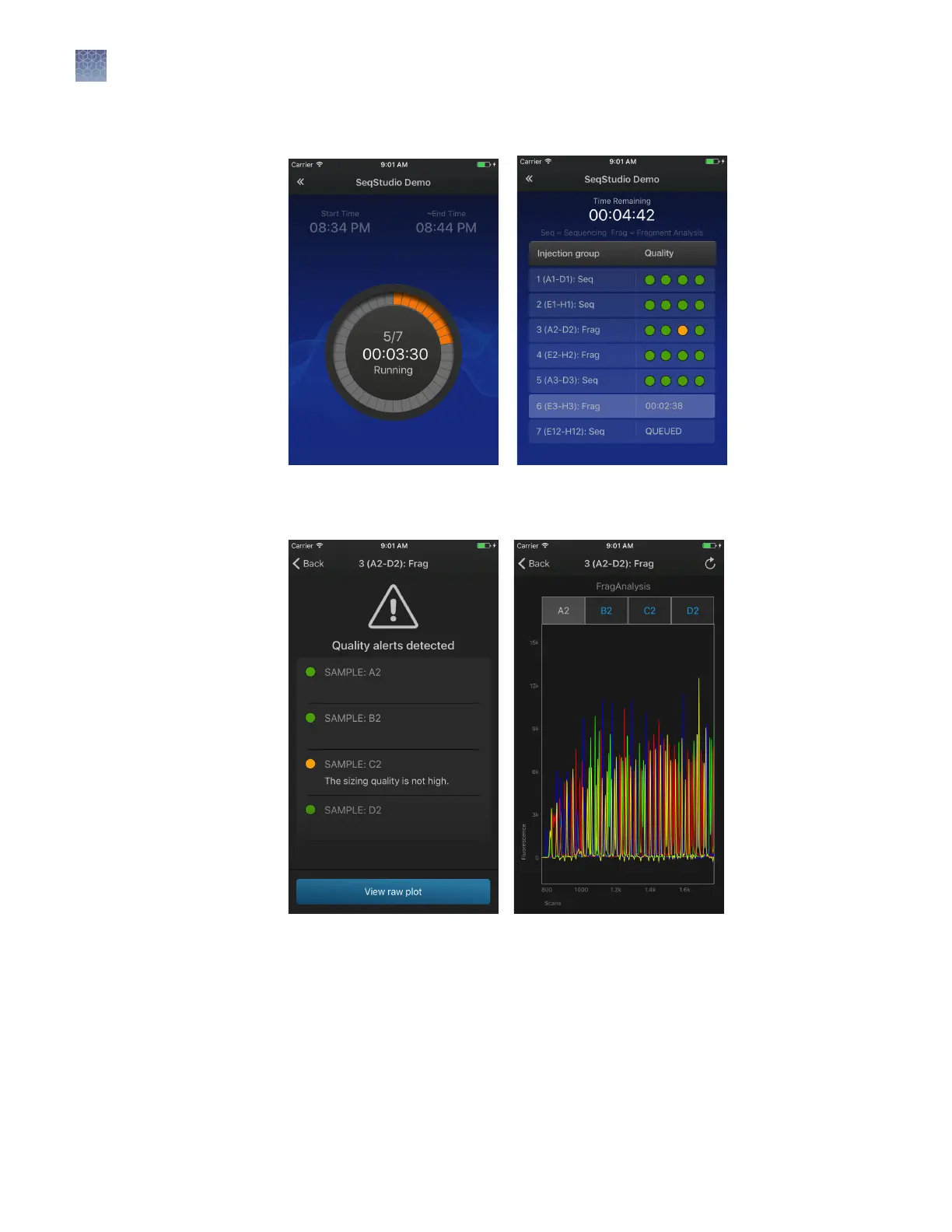
Touch the status dial to view the injection list.
5.
Touch an injection group to display quality alerts, then touch View raw plot to
view the data.
Swipe left to view the entire trace.
Pinch-zoom to expand the trace.
Chapter 7 Start and monitor a run
Monitor a run from a mobile device
7
104
SeqStudio
Genetic Analyzer Instrument and Software User Guide

Table of Contents

Other manuals for Thermo Scientific Applied Biosystems SeqStudio Genetic Analyzer

Related product manuals