2.
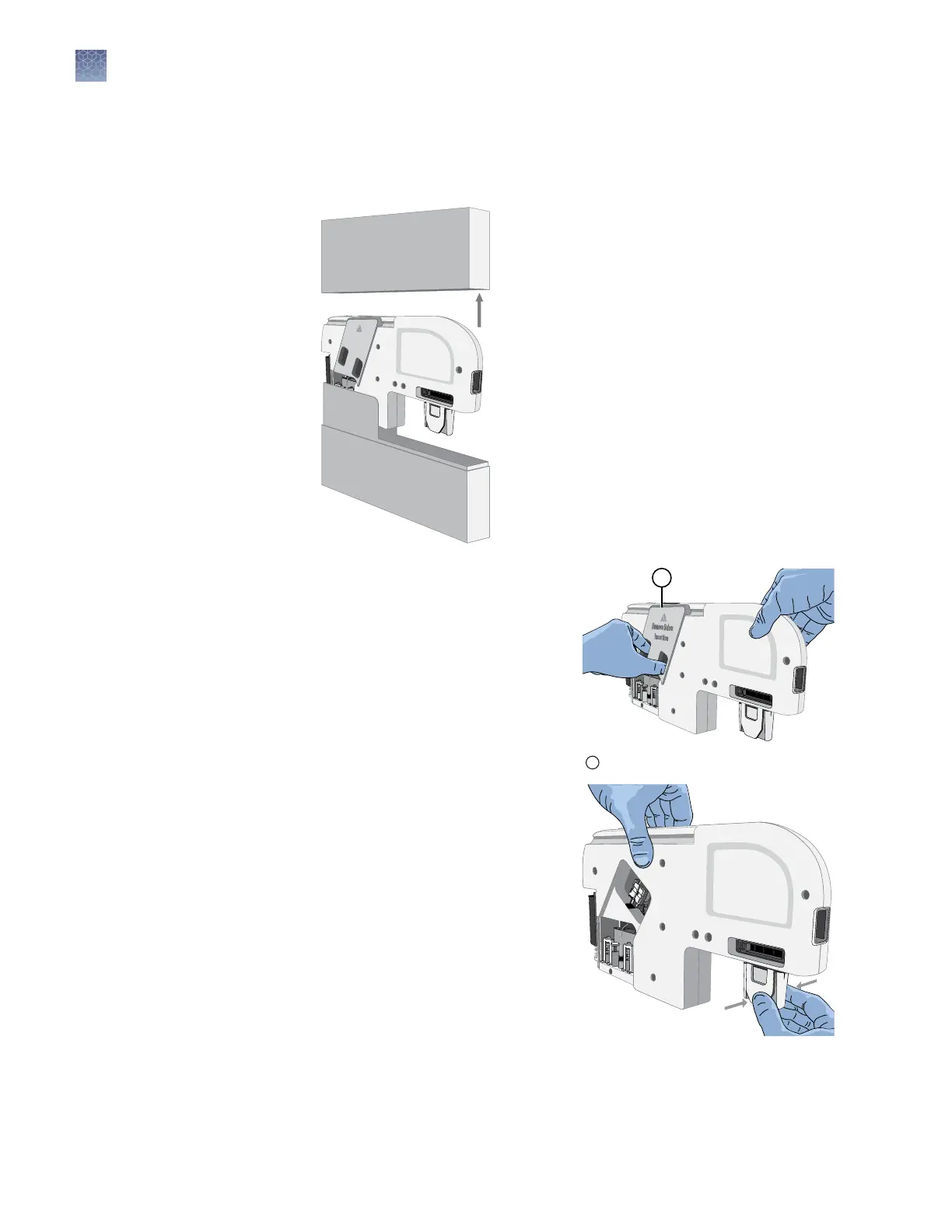
Prepare the cartridge.
a.
Remove the cartridge from the box.
Note: Save the box for o-instrument cartridge storage.
b.
Remove the optical cover from the
cartridge by grasping the nger
holds, then pulling toward you.
Note: Save the optical cover for
o-instrument cartridge storage.
Avoid touching the capillaries that
are protected by the optical cover.
c.
Pinch the clamp on the
SeqStudio
™
Integrated Capillary
Protector, then pull down.
Discard the SeqStudio
™
Integrated
Capillary Protector. The
SeqStudio
™
Integrated Capillary
Protector is single-use. Use a new
SeqStudio
™
Integrated Capillary
Protector if you store the
cartridge.
1
Optical cover
Chapter 11 Maintain the instrument
Manage the cartridge
11
162
SeqStudio
™
Genetic Analyzer Instrument and Software User Guide













 To Next Page