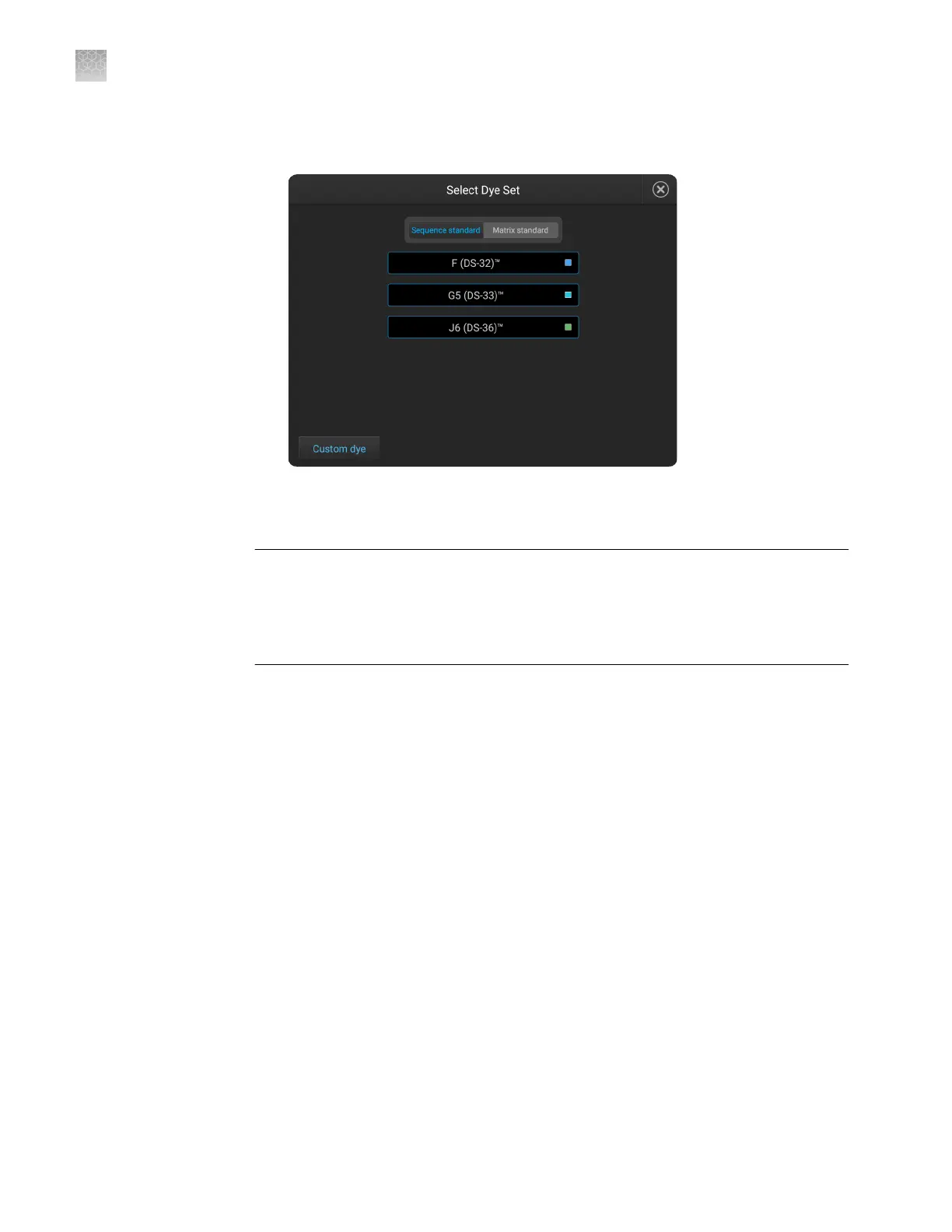
3.
Touch Sequence Standard or Matrix Standard, then select a system dye
calibration standard provided with the instrument.
4.
Touch Calibrate.
The calibration run starts.
IMPORTANT! If the dye calibration fails:
·
The results of the calibration are not saved, and the calibration plate is not moved
to Run History.
·
The instrument does not allow you to rerun the plate setup for a failed calibration.
Close the calibration screen, then start a new calibration.
Spectral Quality Value
A spectral Quality Value reects the condence that the individual dye emission
signals can be separated from the overall measured uorescence signal. It is a
measure of the consistency between the nal matrix and the data from which it was
computed. A Quality Value of 1.0 indicates high consistency, providing an ideal
matrix with no detected pull-up/pull-down peaks.
In rare cases, a high Quality Value can be computed for a poor matrix. This can
happen if the matrix standard contains artifacts, leading to the creation of one or more
extra peaks. The extra peaks cause the true dye peak to be missed by the algorithm,
and can lead to a higher Quality Value than would be computed with the correct
peak. Therefore, it is important to visually inspect the spectral calibration prole for
each capillary.
Appendix C Dye calibration and install standard checks
Calibrate dyes
C
196
SeqStudio
™
Genetic Analyzer Instrument and Software User Guide













 To Next Page