HYDRAULIC TESTING
9-17TX525 Service Manual Rev. 000
Fig 1876 g. 38a
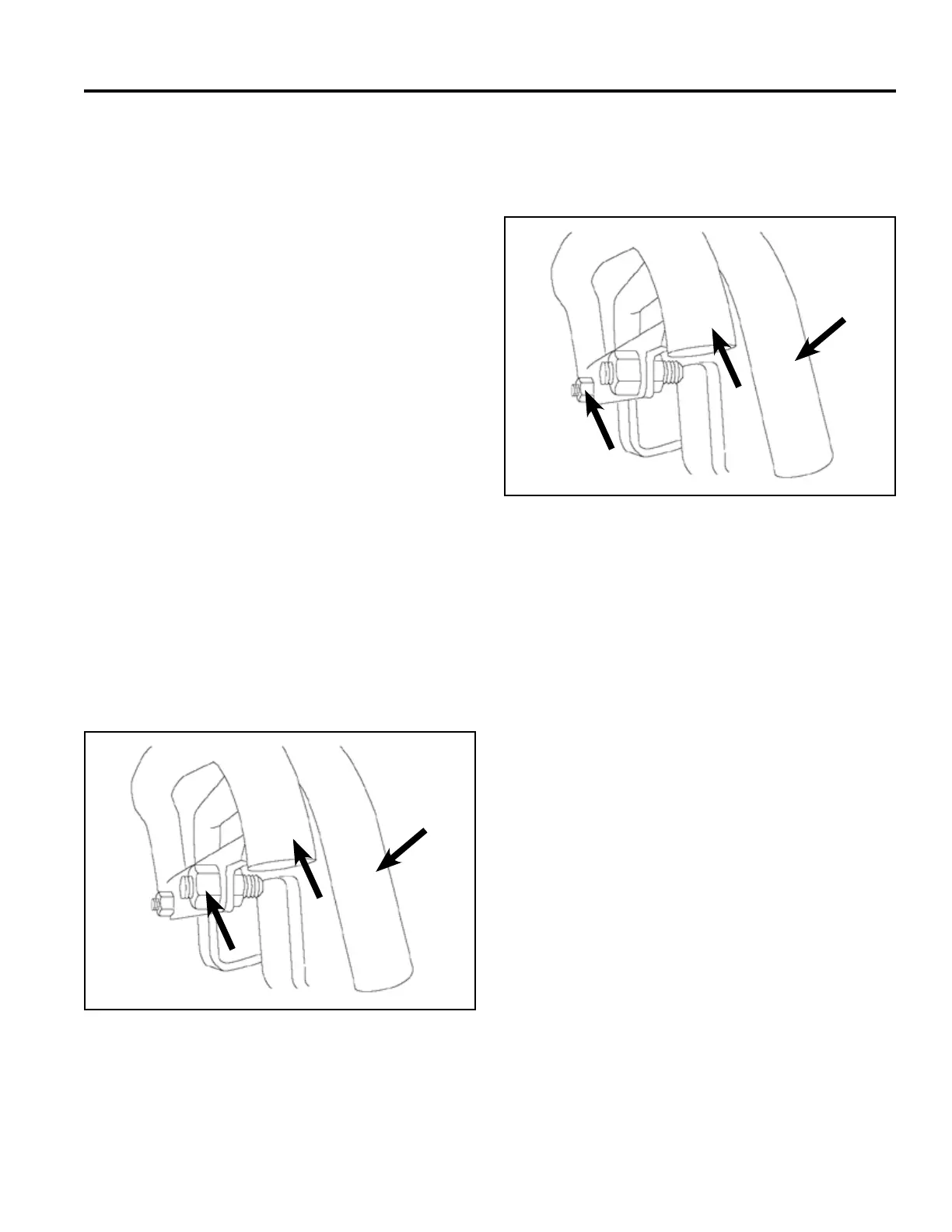
4. If the traction unit veers right, loosen the left jam
nut and adjust the tracking set screw on front of the
traction control (Fig. 1876).
A. Left jam nut B. Operator handle
C. Reference bar
C
B
A
5. Repeat steps 1 through 4 until the traction unit drives
straight in the full forward position.
Fig 1875 g. 38a
If the traction unit does not drive straight when you hold
the traction control against the reference bar, complete
the following procedure:
Note: Whenever an adjustment is made, check to
make sure the set screws contact stops in the
full forward position.
1. Drive the traction unit with the traction control
against the reference bar, noting in which direction
the traction unit veers.
2. Release the traction control.
Note: When the traction control is stroked fully
forward and the unit has severe pull to the
left or right, a problem with the pump control
linkage or a hydraulic component is indicated.
Note: When the traction control is stroked fully and
a gradual pull happens, the tracking adjust-
ment can be made. A very slight tracking error
is considered normal.
3. If the traction unit veers left, loosen the right jam
nut and adjust the tracking set screw on the rear of
traction control (Fig. 1875).
A. Right jam nut B. Operator handle
C. Reference bar
C
B
A
Traction Control Tracking Adjustment, Full
Forward Position



 To Next Page