DRIVE SYSTEM
7-83TX525 Service Manual Rev. 000
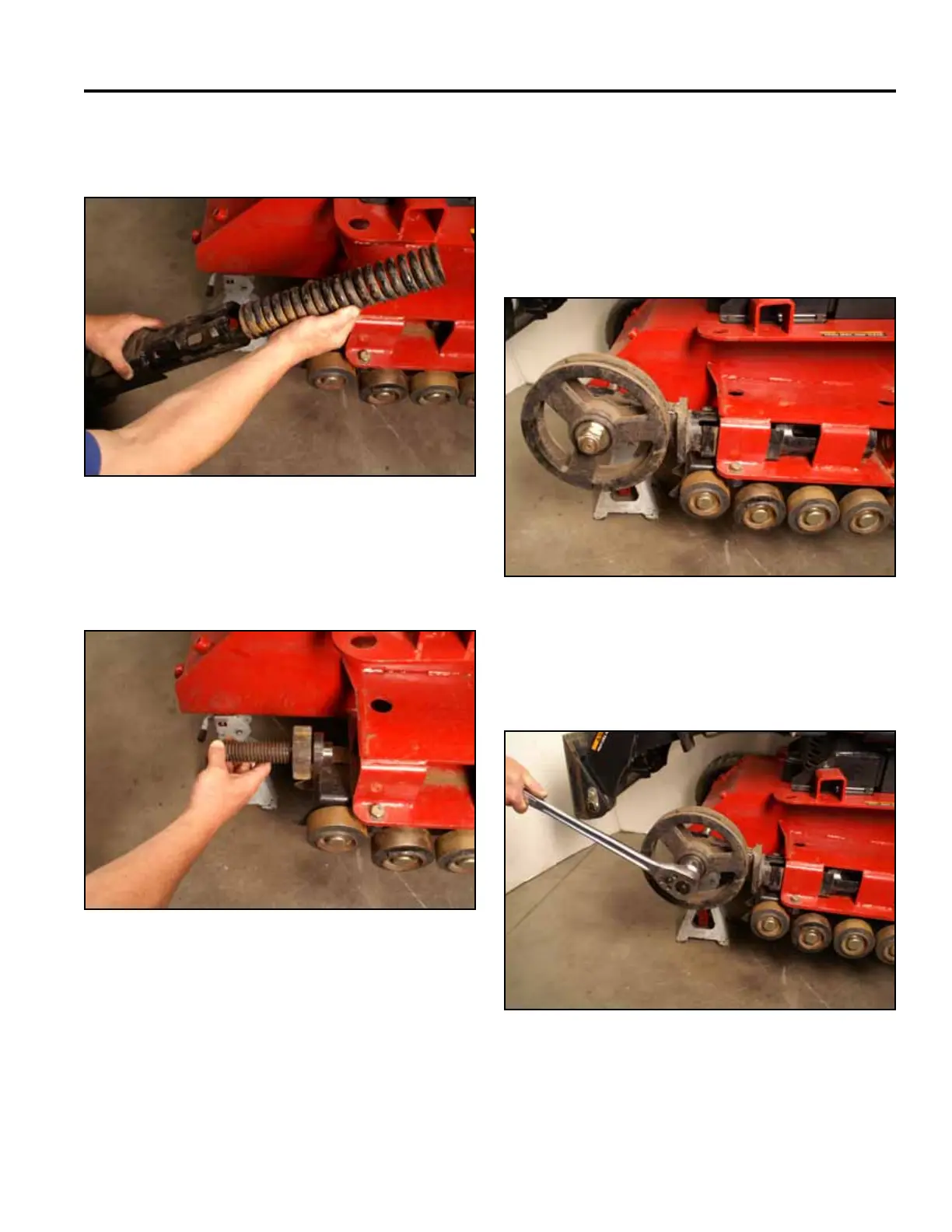
5. Remove the spring from the tensioner arm (Fig.
1570).
Fig 1570 PICT-4569
6. Remove the tensioner bolt and tensioner block from
the mainframe (Fig. 1571).
Fig 1571 PICT-4570
Tensioner Arm Rebuild - Wide Track
1. Rotate the tensioner arm so the bottom of the
tensioner arm is facing up and slide it back into
the mainframe so that the square portion of the
tensioner arm is inserted into the mainframe (Fig.
1572).
Fig 1572 PICT-4571
2. Using a 1-1/2” socket, remove the nut securing ten-
sioner wheel to the tensioner arm shaft (Fig. 1573).
Fig 1573 PICT-4572



 To Next Page