BRAKES
8-48 Rev. 000 TX525 Service Manual
Brake Handle Replacement
Brake Handle Removal
Note: 2007 models have a brake switch located in
the brake handle support bracket inside the
control panel. 2008 and later models do not
have a brake switch located in the brake han-
dle support bracket inside the control panel.
The following procedure was performed on a
2008 model (no switch).
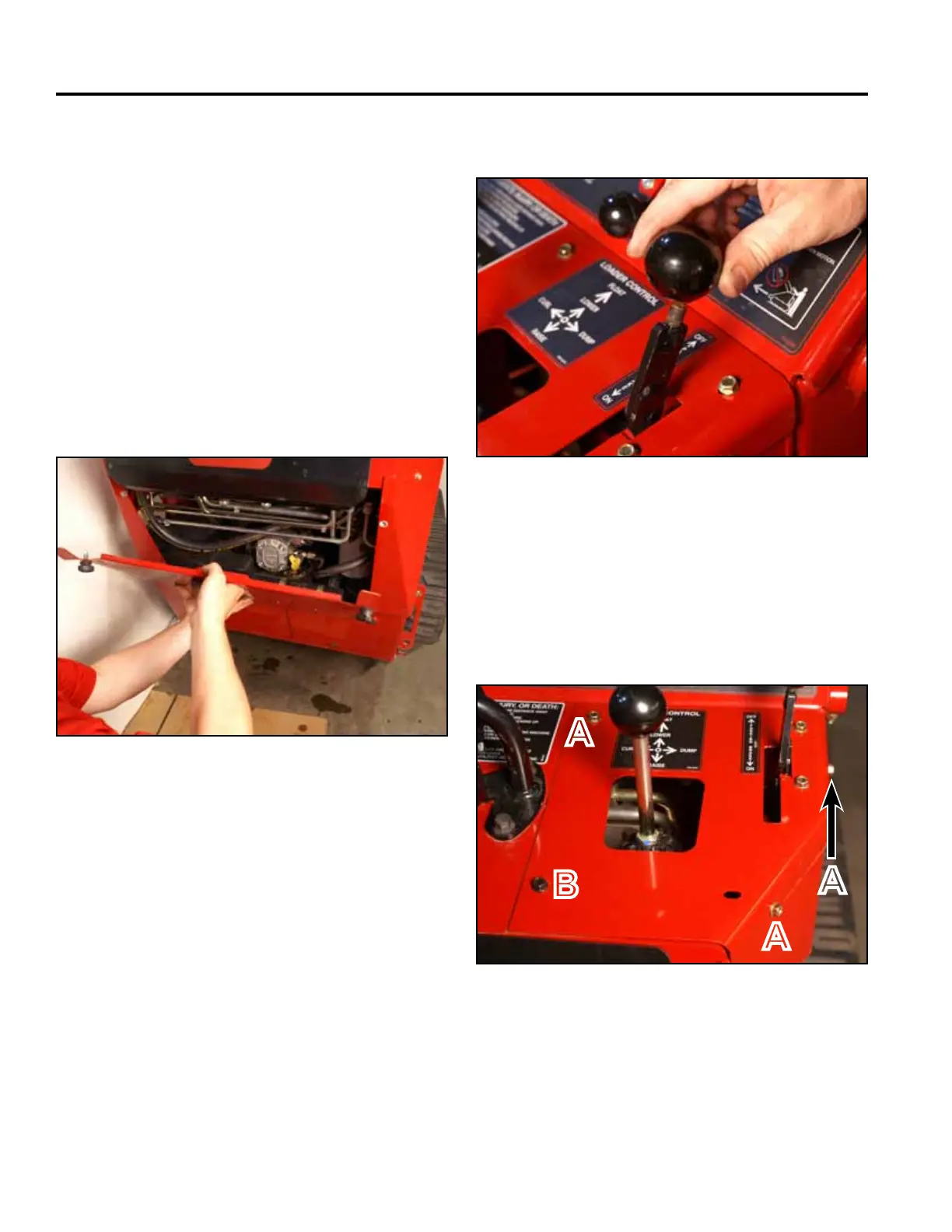
2. Remove the knob from the brake handle (Fig. 1814).
Fig 1814 PICT-4342
3. Using a 3/8” socket, remove the 3 self tapping
screws that secure the top right panel to the control
panel assembly. Using a 3/8” socket and a 7/16”
socket, remove the bolt and nut securing the lower
left corner of the top right panel to the control panel
assembly (Fig. 1815).
1. Remove the rear access panel (Fig. 1813).
Fig 1815 PICT-4341
Fig 1813 PICT-4505a
A. Self-tapping screw (3) B. Bolt and nut
A
B
A
A



 To Next Page