BRAKES
8-18 Rev. 000 TX525 Service Manual
Brake Assembly Removal 280000100 &
higher
1. Raise the machine and set it on jack stands. Refer to
“Lifting the Machine for Service” on page 7-1.
2. Place the brake handle in the “OFF” position.
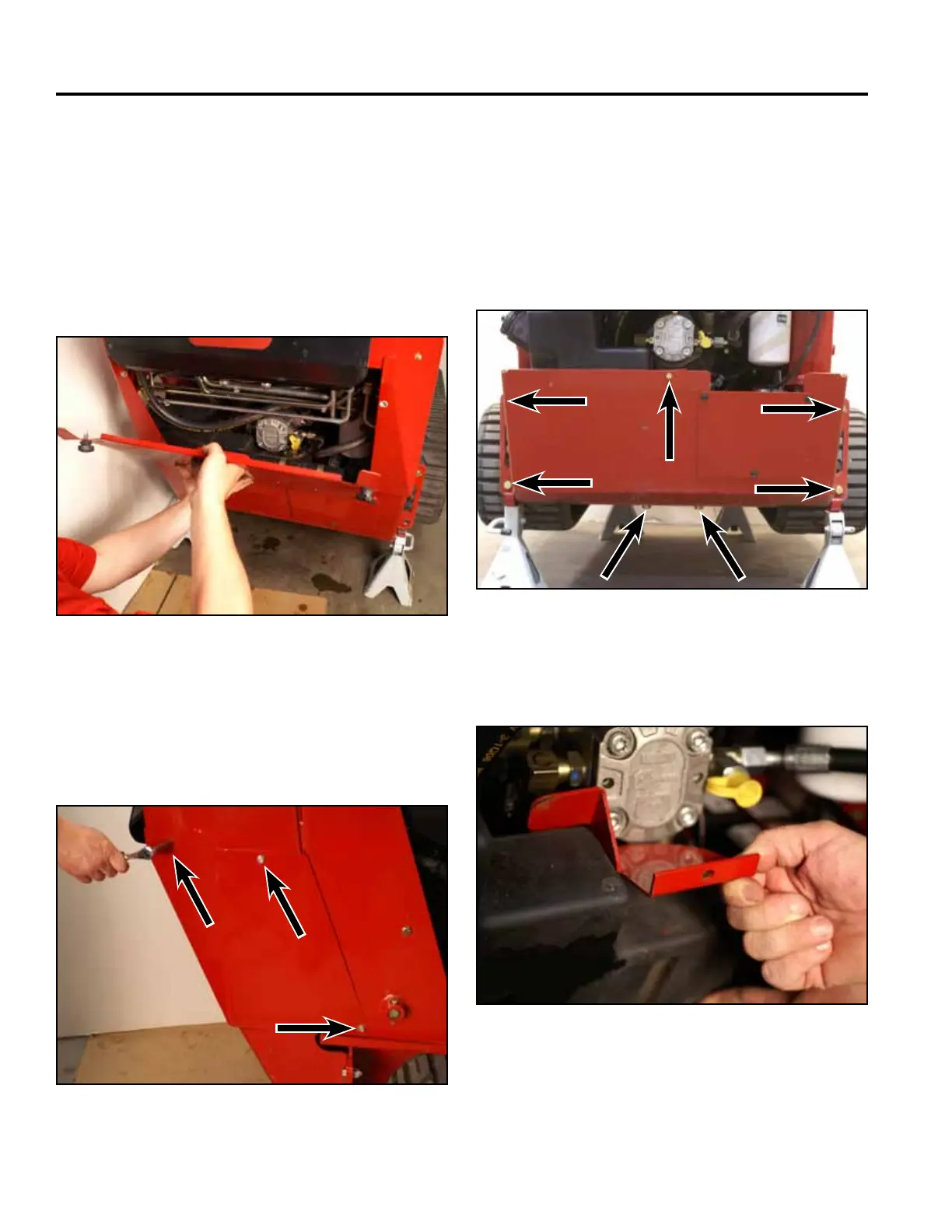
3. Remove the rear access panel (Fig. 1700).
Fig 1700 PICT-4505
4. Using a 3/8” socket, remove the 6 screws that
secure the left and right rear cover support panels to
the tower assembly (3 screws per panel). Remove
the panels (Fig. 1701).
Fig 1701 PICT-4365a
5. Using 3/4” and 1/2” sockets, remove the 7 bolts and
nuts securing the rear frame cover to the frame and
fuel tank bracket. Remove the rear frame cover (Fig.
1702).
Note: The rear of the machine may have to be lifted
to reposition the jack stands so that the rear
frame cover can be removed.
Fig 1702 PICT-4259
6. Remove the fuel tank bracket (Fig. 1703).
Fig 1703 PICT-5626



 To Next Page