1-9
FEATURES
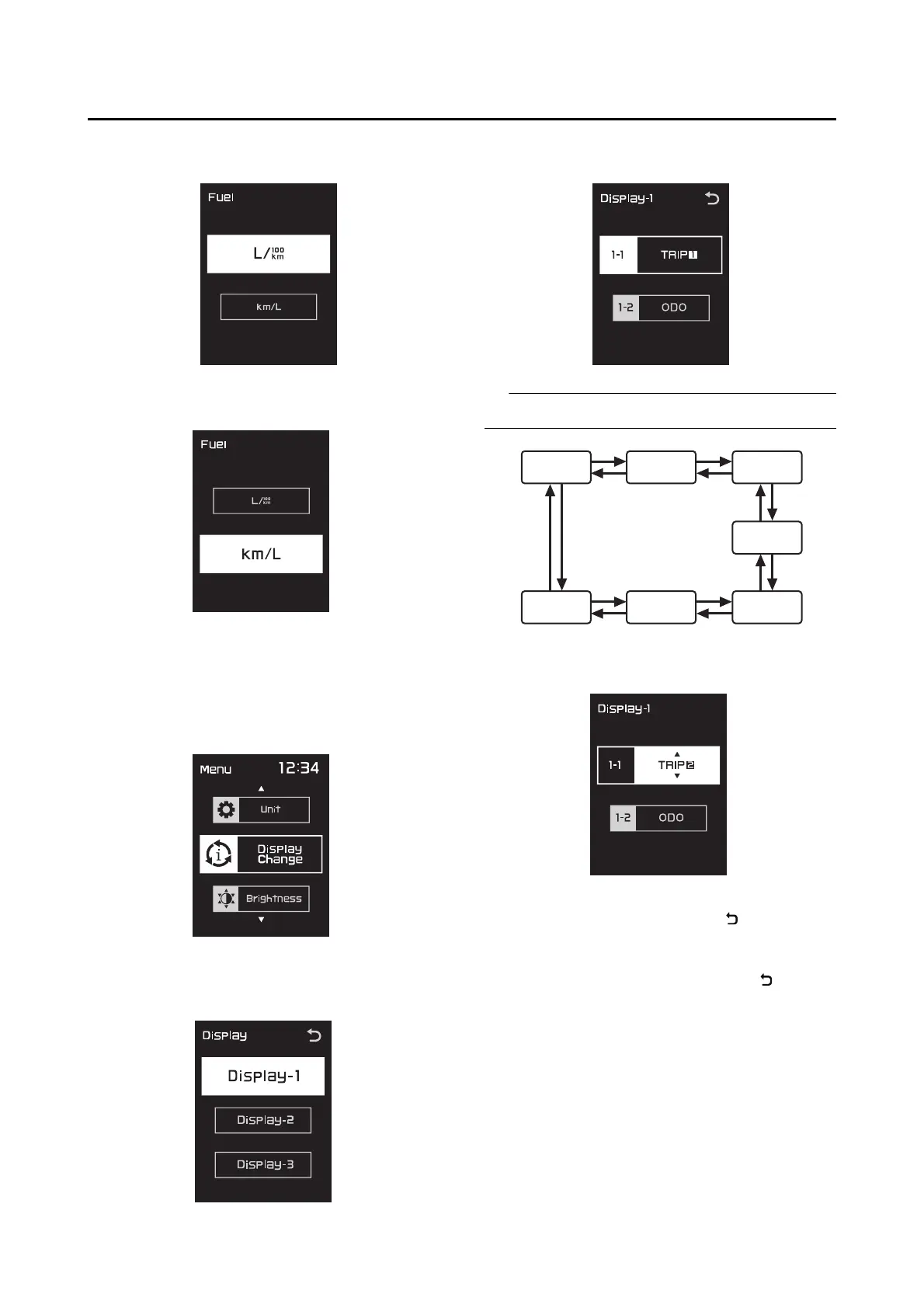
2. Push the “MENU” switch. The unit setting dis-
play will be shown.
3. Use the select switch to select “L/100km” or
“km/L”.
4. Push the “MENU” switch to make the selec-
tion and return to the menu screen.
Selecting the display items
1. Use the select switch to highlight “Display
Change”.
2. Push the “MENU” switch, use the select
switch to highlight the display to change, and
then push the “MENU” switch again.
3. Use the select switch to highlight the item to
change, and then push the “MENU” switch.
Display item order is as follows.
4. Use the select switch to select the item to
show, and then push the “MENU” switch.
5. When you finished changing the settings, use
the select switch to highlight “ ”, and then
push the “MENU” switch to return to the pre-
vious display.
6. Use the select switch to highlight “ ”, and
then push the “MENU” switch to return to the
menu screen.
A.TEMP TRIP-1 TRIP-2
ODO
CRNT.F F.AVG RANGE



 To Next Page