Description and Basic Operation of the SDA-5500 and 5510: Basic Modes of Operation
242
13
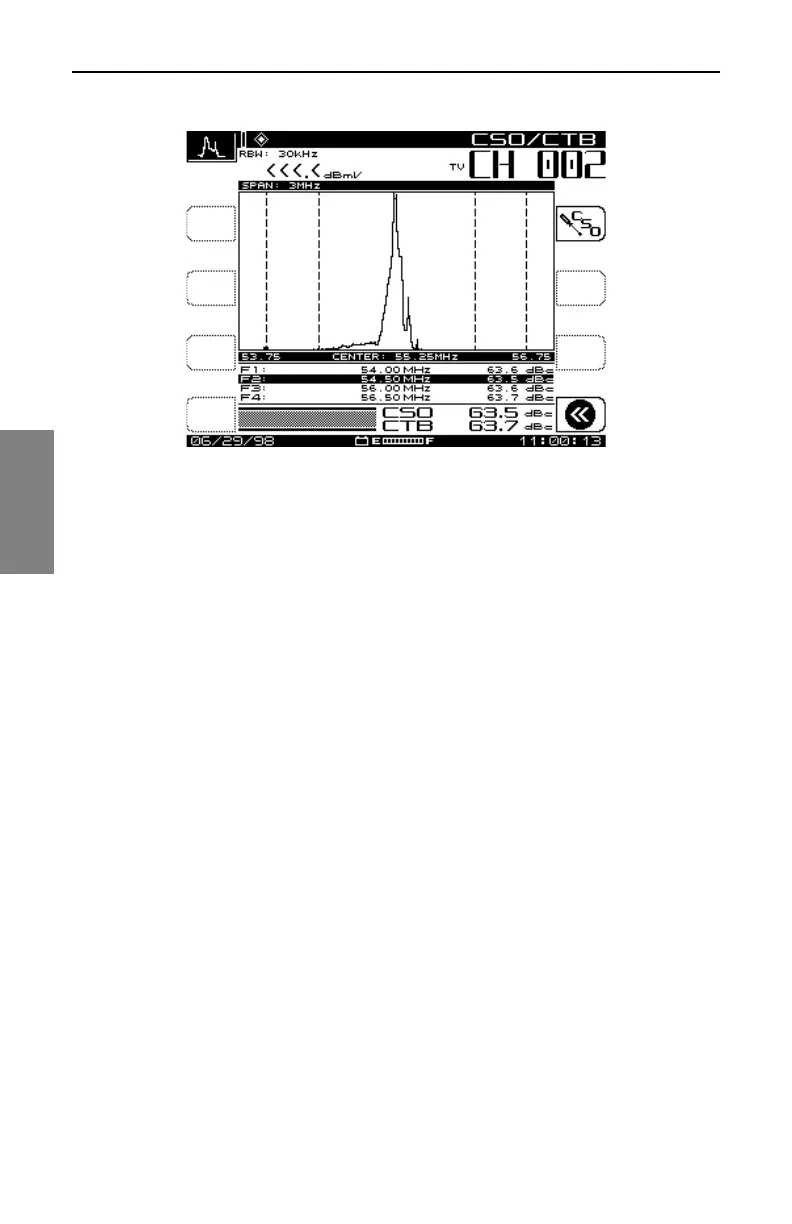
Fig. 13-17 The CSO/CTB Measurement Screen
The light trace represents the carrier prior to it being turned off. The dark
trace represents the distortion products. The measurement value is
computed as a ratio of the peak level of the video carrier to the peak of the
distortion products of the second and third order beats. The "worst case"
CSO value is highlighted and is the overall CSO value. Press the CSO
Setup soft key to adjust the offset values for the CSO measurement (Fig 13-
18).
Using the up and down arrow keys, select the CSO Offset number you want
to change. Use the numeric entry keys or the up and down arrow keys to
enter a new CSO Offset value.



 To Next Page