Description and Basic Operation of the SDA-5500 and 5510: Using Auto Test
263
13
next to the reading indicating the direction that the measurement was out of
specification.
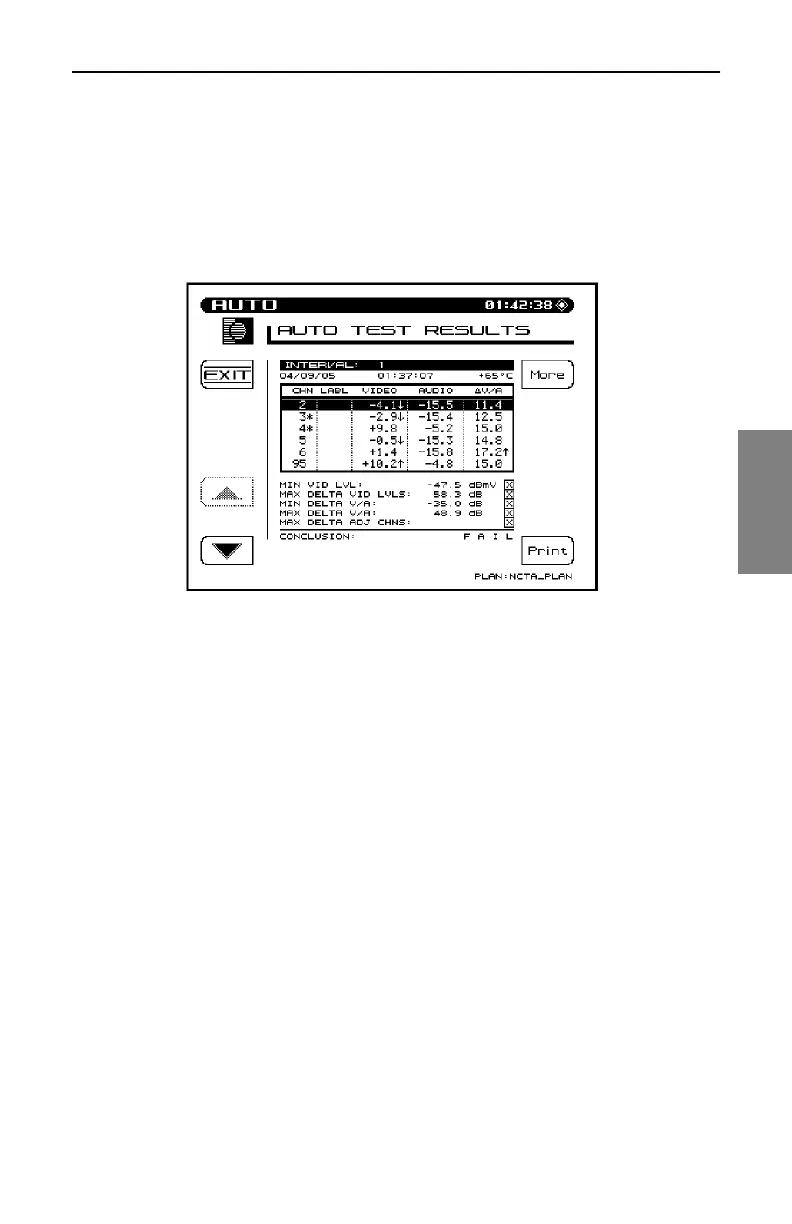
Each interval can be selected and viewed as desired. Use the up and down
arrow keys followed by the View soft key to view specific interval test results
(Fig.13-38).
Fig. 13-38 Viewing Interval Test Results
The test results along with the limits comparison is displayed. The asterisks
and up and down arrows have the same meaning as on the single interval
report printout. The limit that was exceeded along with the measurement
reading is displayed on the lower portion of the screen.
When you’re viewing the list of Level measurements, the following symbols
will appear to the right of the measurement if an error occurred:
• < under range
• > over range
• E synthesizer unlocked
Use the More soft key to toggle between Level measurements, C/N, Hum,
and Modulation measurements (Fig. 13-39).



 To Next Page