Page 128 – 6. Shapes and Pixel Mapper effects
TitanUniversal_Man_v10_QU.doc 15 March 2016
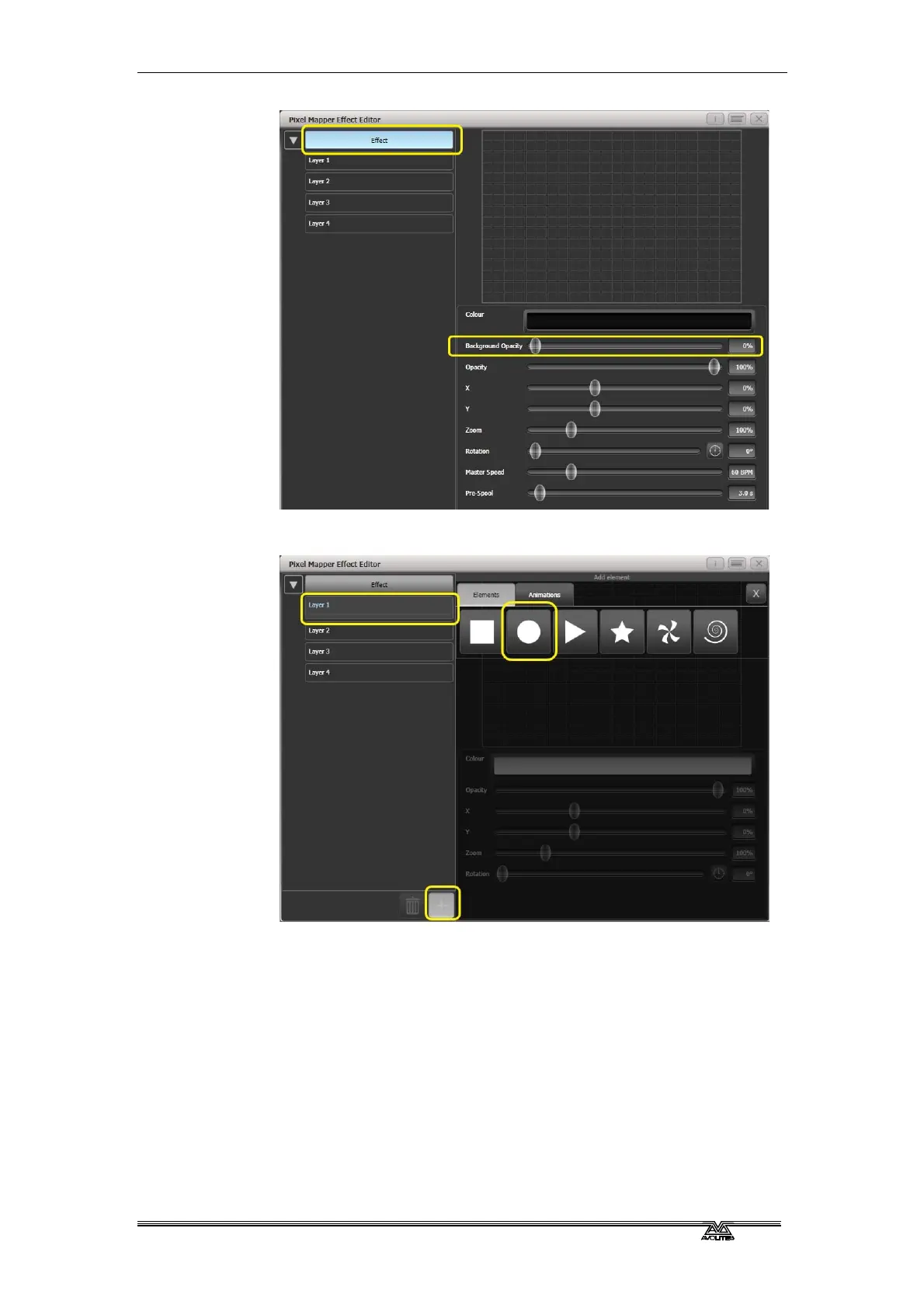
6> Select [Layer 1], click [+] at the bottom of the screen and then
choose Circle from the elements that appear.
7> Drag the 'Zoom' slider until the circle covers approximately one
cell. You can also use the 'Width' and 'Height' sliders to turn
the circle into an oval if that helps.
Then drag the 'X' and 'Y' sliders to position the circle roughly in
the centre of your fixtures if it is not already.


 To Next Page