6. Shapes and Pixel Mapper effects - Page 129
TitanUniversal_Man_v10_QU.doc 15 March 2016
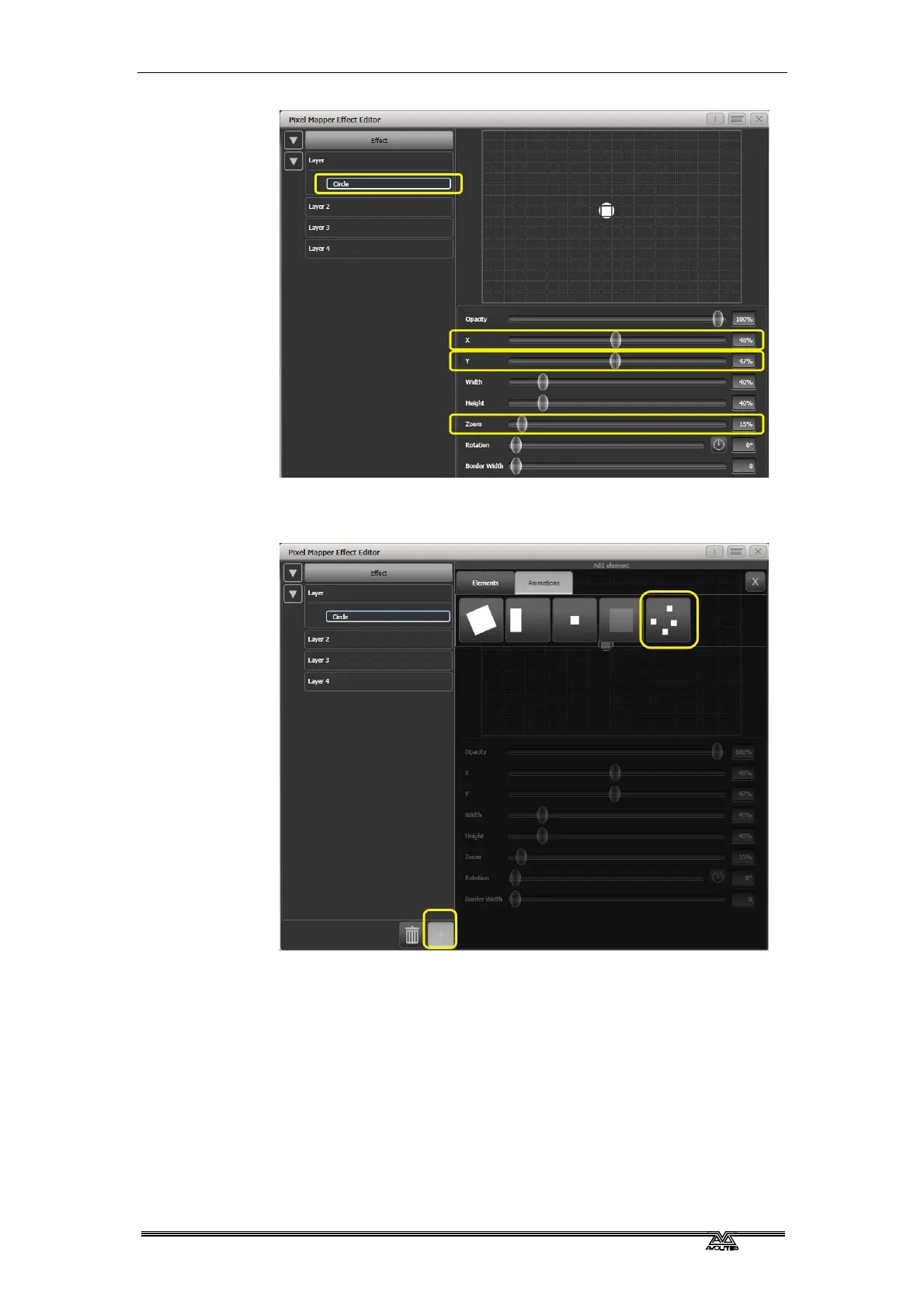
8> Select [+] again and choose Displacement from the animations
that appear (this is represented as a few static blocks). (Note
that nothing changes yet.)
9> Select [+] and this time choose Opacity animation (represented
as a block fading in).
The displacement acts on the opacity animation causing it to
appear at random locations each time it is drawn.
Drag the 'In Time' and 'Out Time' sliders to 0%. (This will cause
the effect to snap on/off instead of fade.)
Increase the 'Speed' and 'Spawn Rate' settings to make the
effect run quicker and with more circles respectively. (High
spawn rates are particularly useful for small randomised
elements like this.)


 To Next Page