Page 78 – 4. Controlling dimmers and fixtures
TitanUniversal_Man_v10_QU.doc 15 March 2016
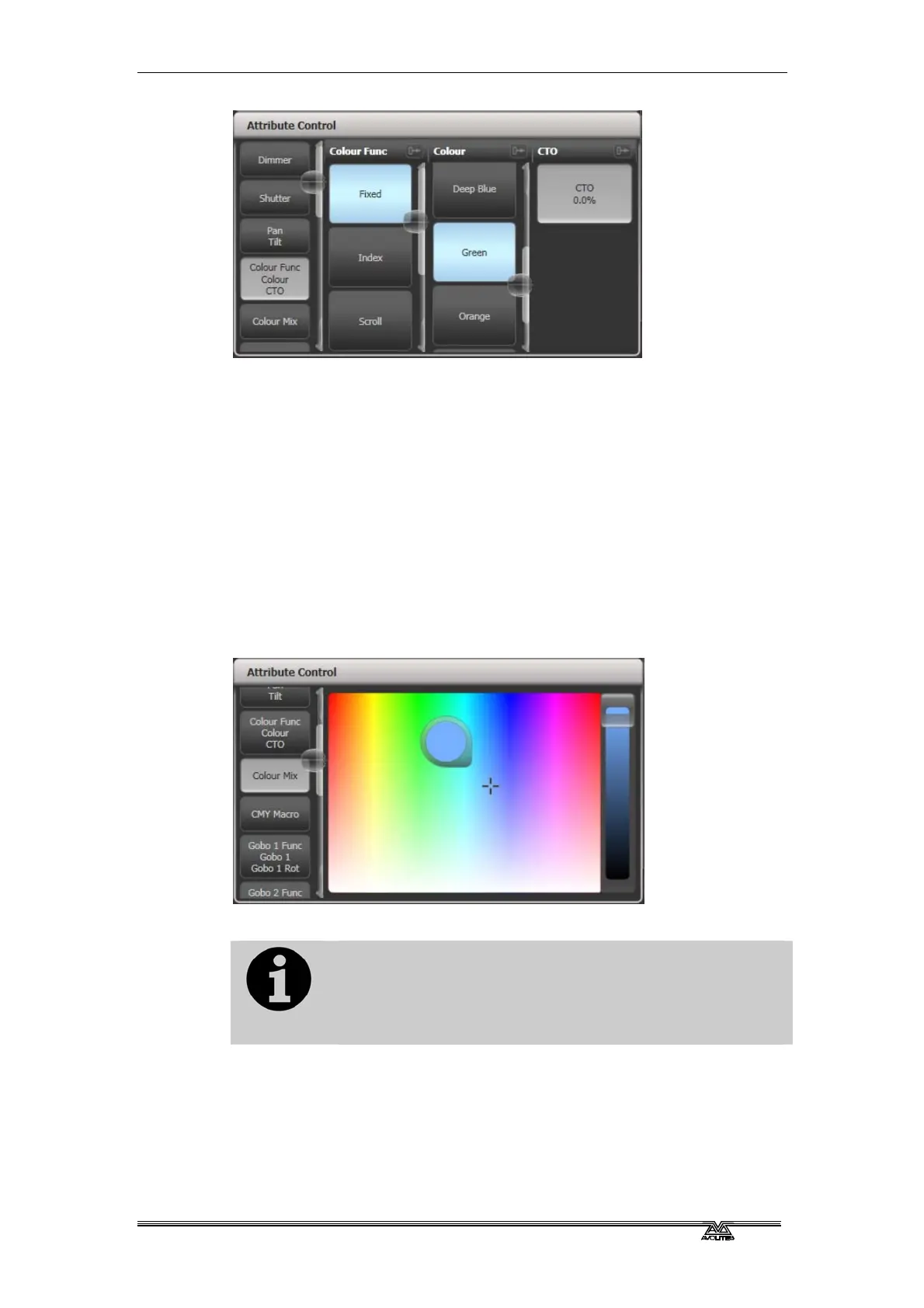
The rest of the window contains buttons or controls to set the
attribute value. For attributes such as gobos and fixed colours, a
button is provided for each one, making selection a lot quicker than
scrolling through on a wheel.
When you apply an attribute, the button turns blue to show that the
attribute is in the programmer. If you touch the button again, the
attribute will be removed from the programmer.
Touching the title of each attribute (such as “Colour Func”) expands
the attribute to the full window, displaying more buttons.
For fixtures which are capable of colour mixing, you can select a
colour from an onscreen palette of colours. The slider on the right
hand side sets the intensity.
For LED fixtures with RGBW, RGBA or WW/CW
attributes, the colour picker will also control the
White/Amber channels. In versions previous to Titan v9
the White/Amber elements were not controlled by the
colour picker and had to be set independently.
For variable attributes like Dimmer, holding down the button will
display a horizontal slider bar. You can then move your finger left or
right to change the value.



 To Next Page