4. Controlling dimmers and fixtures - Page 79
TitanUniversal_Man_v10_QU.doc 15 March 2016
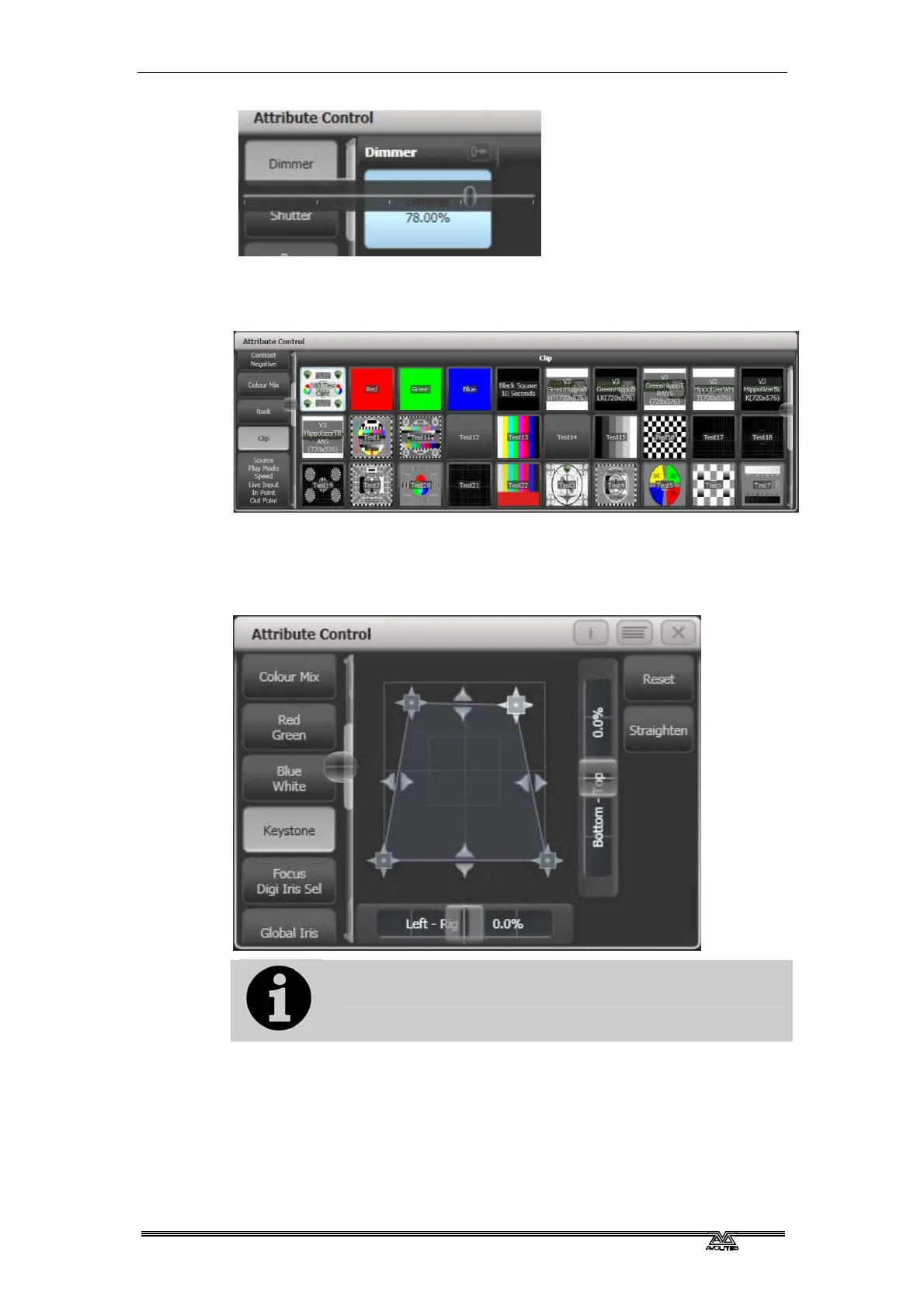
Active fixtures such as media servers will display a thumbnail of the
media clip in the button. The media server must support CITP and be
patched as an active fixture.
Fixtures which support keystoning or blades/shutters can be
controlled graphically in the attribute window. Select and drag the
corners or sides of the image to control the fixture.
Updated personality files may be required to support the
keystone/blade functions.
When the selected fixture has subfixtures, buttons appear at the top
of the attribute editor window allowing you to select the main fixture,
or individual cells for control.



 To Next Page