Chapter 2: The 2000X energy Power Supply
Module and Front Panel Controls
2-8 011-003-991 EN
2.5 Module and Front Panel Controls
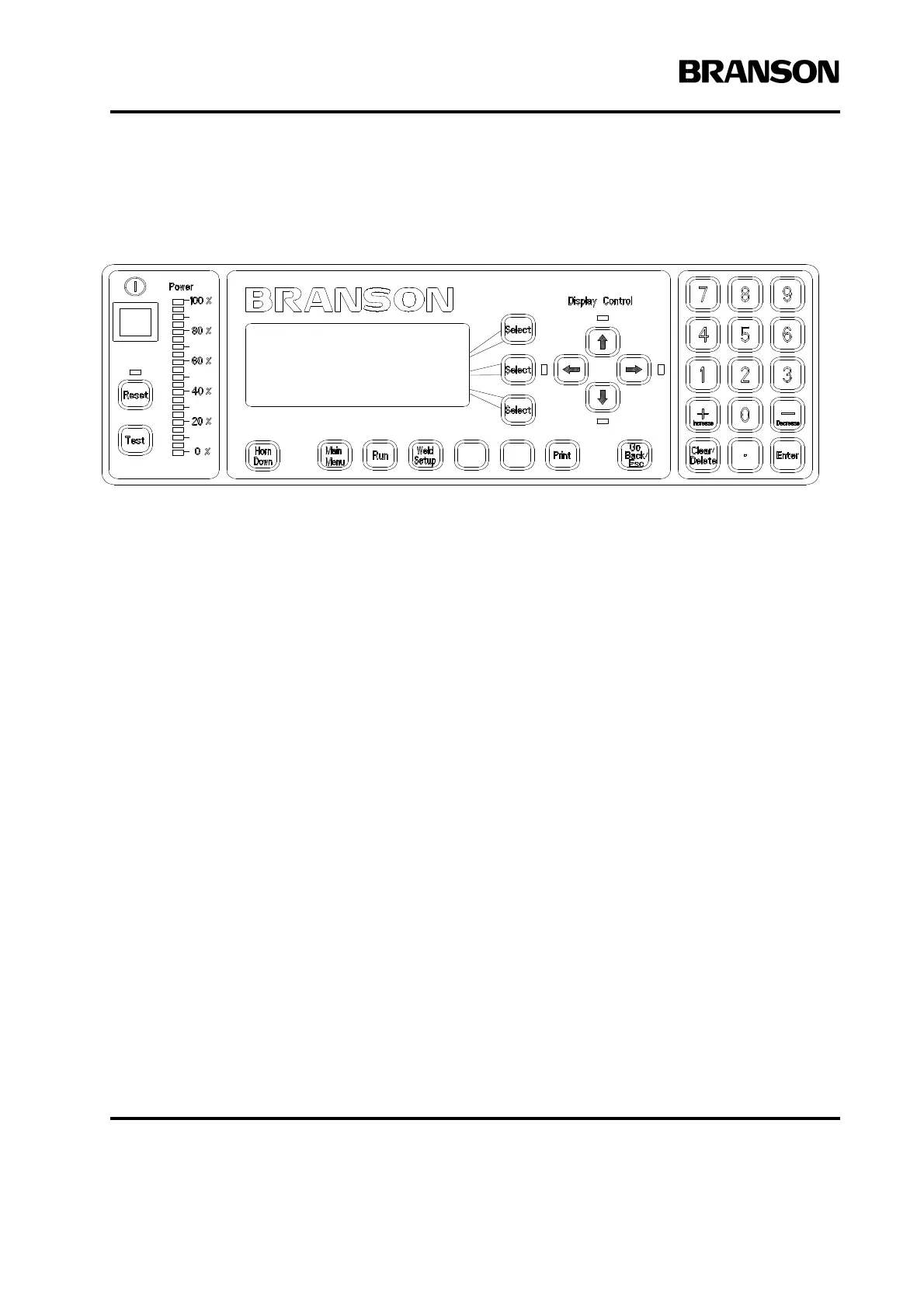
Figure 2.1 2000X Power Supply Front Panel Display after Power-Up
• Select Keys: Each key is associated with a Menu Item line. Press a key to select a line of the menu.
• Display Control keys and LEDs:
• LEDs adjacent to each control key indicate “more item lines exist” in the direction of the arrow
that is lit.
• Press the Up and Down arrow keys to scroll the menu page in increments of
one line.
• Press the Left and Right arrow keys to scroll across an extended menu screen (for example,
Weld Results).
• Numeric Keypad: Press to select values.
• Power Bar Graph: Indicates the percentage of rated power delivered either during the last weld cycle
or when Test is running. The indicator's scale can be increased for low-power settings.
• Power: Press to turn the system On and Off. When you depress the button, it lights to indicate power is
On.
• Reset: Press to clear alarms. Reset only functions on the Run screen.
• Test: Press to display a menu you can use to test the ultrasonic power supply, horn, booster, and con-
verter.
• Horn Down: Press to activate a menu for Horn Down and fixture alignment when the ultrasonics are Off.
Menus guide you through the process.
• Print: Press to display a menu of choices for printing and printer setup.
• Weld Setup: Press to go to the Setup menu.
• Run: Press to go to the Run screen.
RUN:TIME = 1.000
PRESET0 *
Adjust Weld>










 To Next Page