Chapter 4: Installation and Setup
Handling and Unpacking
4-6 011-003-991 EN
7. Unpack the toolkit from the insert box, and other parts (converter, booster, cables, manuals, etc.)
that may have shipped with the stand. Save the packing material.
8. Go to Take Inventory of Small Parts.
See Table 4.1.
4.2.4 Stand (Actuator on a Hub)
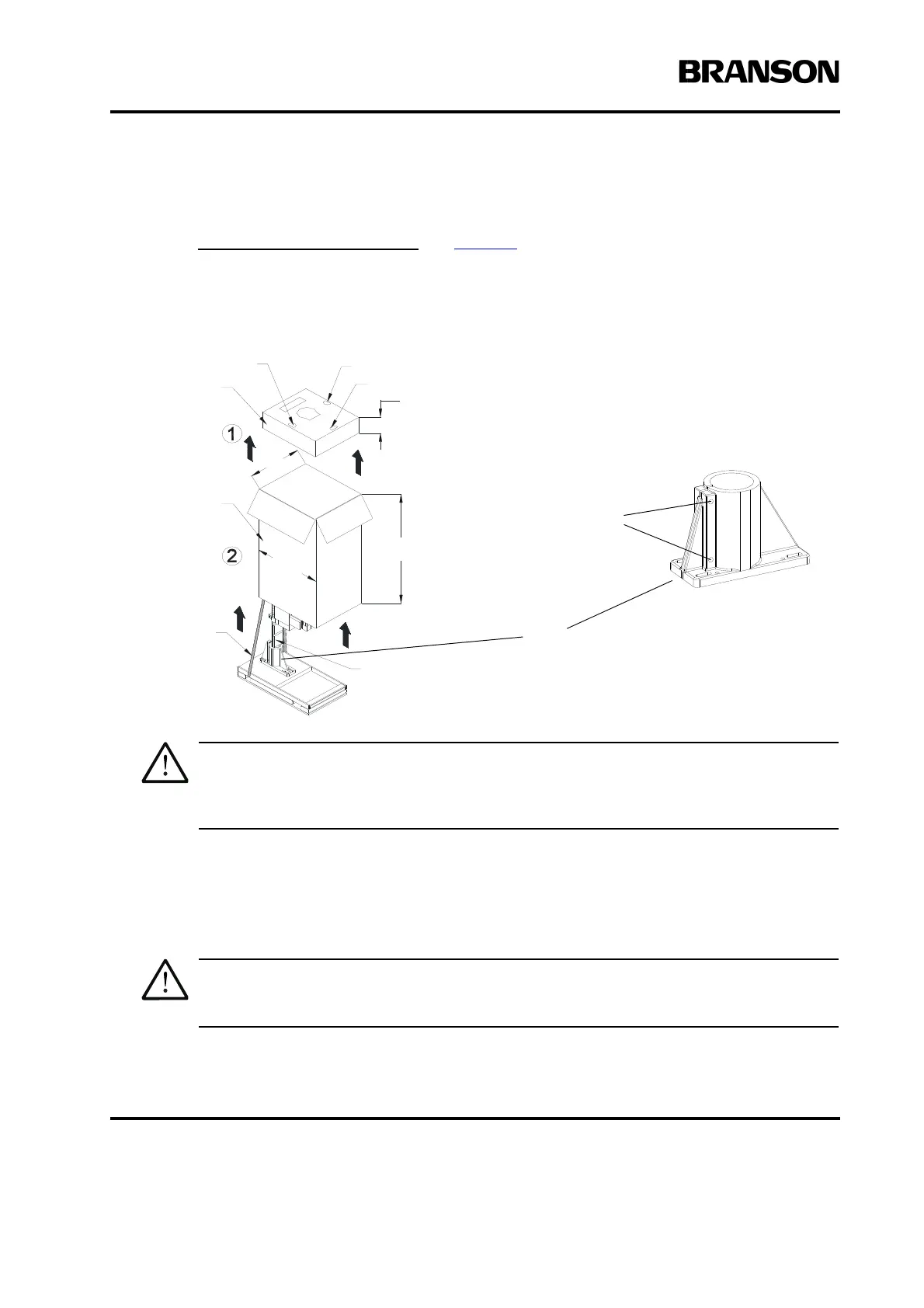
Figure 4.2 Unpacking the Stand (Actuator on a Hub); Hub shown separately
Heed the “This End Up” arrows and the “Open Top First” instructions. The packaging is
designed to be removed from the assemblies from an upright orientation only.
1. Move the shipping container close to the intended installation location, leave it on the floor.
2. Cut the two vertical packing straps, and open the top of the box. Remove the insert from the top of
the box, which can contain the booster, converter, and the toolkit. Set the insert box aside.
3. Remove the staples at the bottom of the protective box. Lift the protective box off the pallet. Flatten
the box and lay it next to the pallet (you will lay the stand on it soon).
The unit may tend to tip over. Stabilize the stand using the lifting hook or an assistant.
Converter
Tool Kit
Booster
6-1/2in.
18in.
Shipping
Strap
53 in.
Block of wood
for shipping
32-1/2in.
Insert Box
Protective
Box
Hub
(shipped in place
on column, on pallet)
Two Hub Bolts
(loosen to remove
Hub from Column)
Note: Hubs may be lag-bolted to the
pallet for shipping purposes.










 To Next Page