Chapter 4: Installation and Setup
Installing the Ultrasonic Stack in the Actuator
4-44 011-003-991 EN
4.10.2 40 kHz Stacks
1. Make sure the system power is turned off by disconnecting the power plug.
2. Place the converter/booster in the sleeve.
3. Loosen four carriage door screws.
4. Pull the door straight off and set it aside.
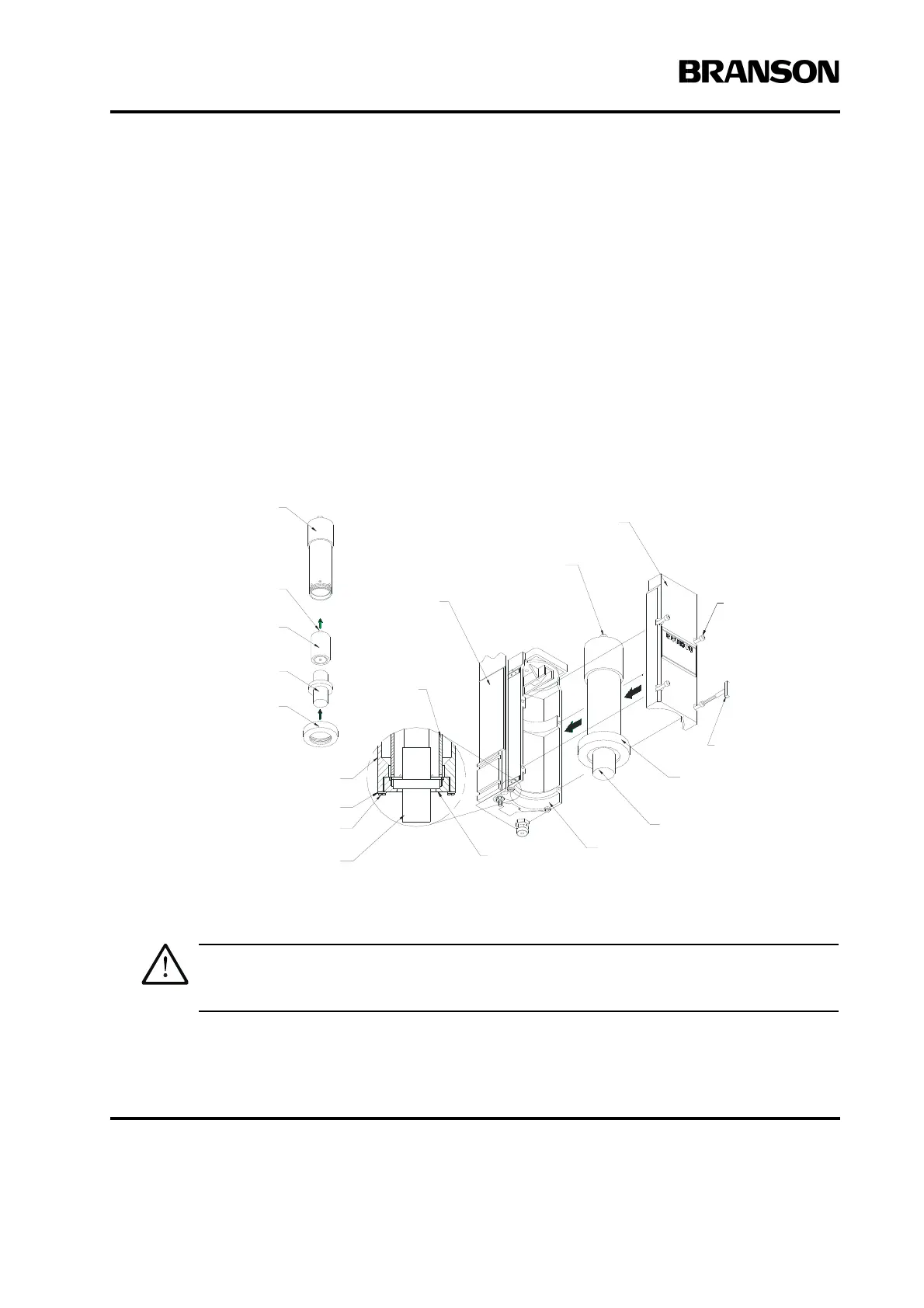
5. Take the assembled sleeve and align the ring nut on the booster just above the support washer in
the carriage. Firmly push the sleeve into place, with the acorn nut on the top of the sleeve making
contact with the contactor in the top of the carriage.
Figure 4.21 Installing the 40kHz Stack in a Branson Actuator
6. Reinstall the door assembly, and start the four door screws.
7. Align the horn by rotating it, if necessary. Torque the carriage door to 20 in-lbs to secure the stack.
Do not attempt to hold the sleeve in a vise. It can be easily crushed or damaged.
Converter
Carriage
Support Washer
Screw
Stack Assembly
Main Support
Assembly
Adapter Sleeve
T-Handle
Wrench
Stack Assembly
Carriage
Ring Nut
Ring Nut
Adapter
Sleeve
Contact Terminal
Booster
Adapter Sleeve
Adapter Sleeve
Contact Terminal
Carriage Door
Cap Screw
Ring Nut
(no Horn installed)










 To Next Page