2000X energy Power Supply Chapter 6: Operation
Instruction Manual Front Panel Controls
011-003-991 EN 6-3
6.1.2 Ethernet
Optional ethernet is available; standard 10/100 Mbps PCI Ethernet interface with RJ-45 connection for net-
working. It is IEEE 802.3 protocol.
6.2 Front Panel Controls
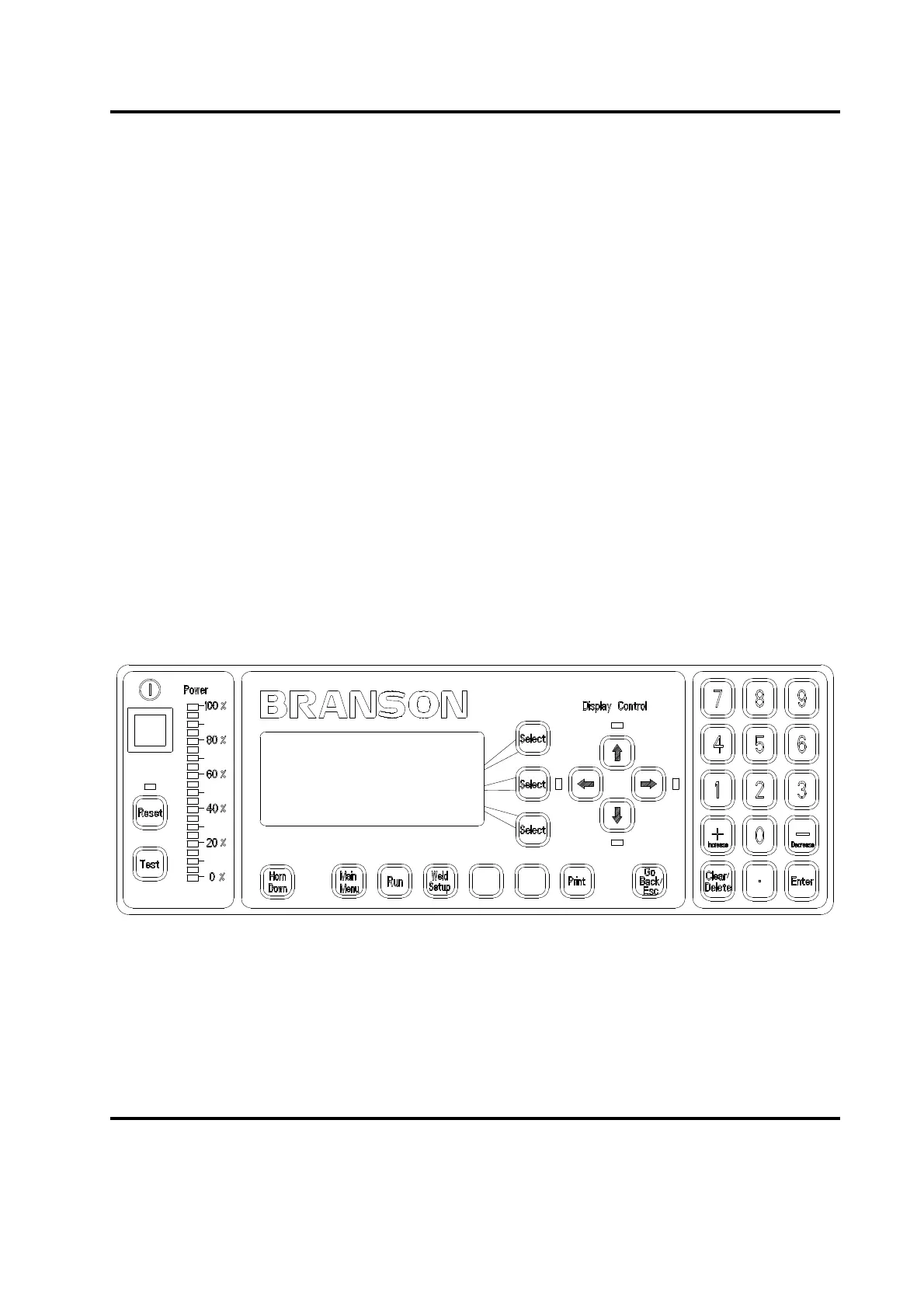
You can use the keys and vacuum fluorescent display (VFD) on the front panel of the 2000X Power Supply
to navigate through all of the menus, set welding values, view alarms, and print reports or information about
the most recently completed weld.
6.2.1 Front Panel Keypad and Indicators
You can perform the following navigational and operational functions on the Power Supply front panel:
• select an item from a menu
• change the value of a parameter using the numeric keypad
• increase or decrease a parameter value incrementally
• navigate up, down, right, and left through the items in each menu
This section details the navigation rules of the 2000X Power Supply.
Figure 6.1 Front Panel of the 2000X Power Supply
Any time that there is a light visible above, below, or next to a particular key on the front panel of the 2000X
Power Supply, you can use that key to make a selection or navigate the menu that is shown on the display.
Any time that you press a key that is not valid, you will hear an audible alarm if selected. This is not the type
of alarm that will require you to reset the Power Supply.
RUN:TIME = 1.000
PRESET0 *
Adjust Weld>
Weld Results>










 To Next Page