2000X energy Power Supply Chapter 7: Maintenance
Instruction Manual Parts Replacement
011-003-991 EN 7-59
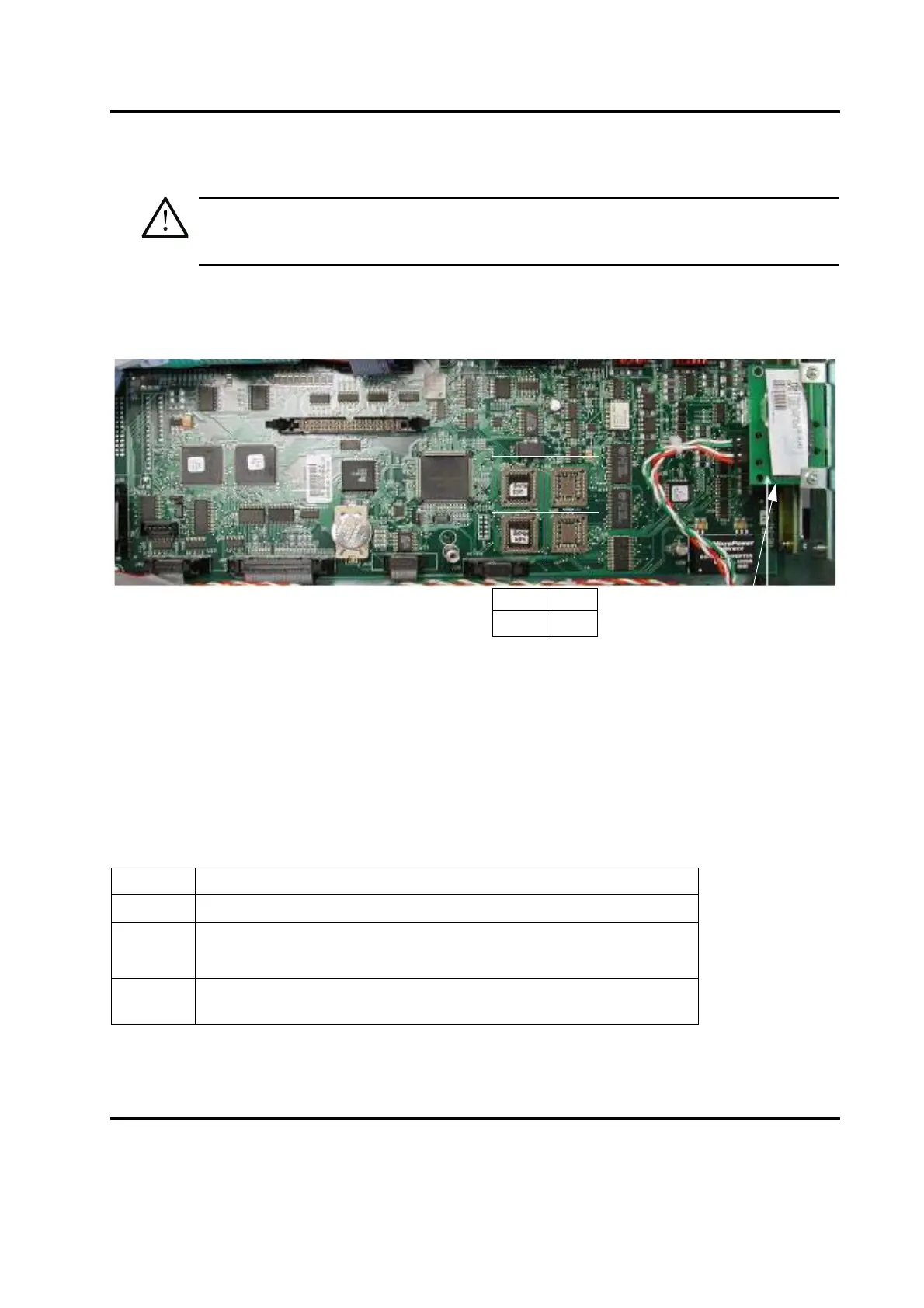
Do not rely on the paper label for IC orientation.
The triangle on the IC socket should be directly under the raised dot on the IC. The socket and IC also have
a truncated corner to aid in alignment. The raised dot may also be located on the beveled surface of the IC.
Figure 7.5 Location and Orientation of U53, U54
, U55, and U56, RJ-45 Ethernet Interface Board
For installation information, please contact Branson Product Support (203.796.0400, extensions 373 or
355) or your local Brasnson Representative.
7.7.10 Line Board
To remove the Line Board, take the following steps:
Table 7.18 Removing the Line Board
Step Action
1 Turn off the Power Supply.
2 Unplug the main power.
3 Allow at least two minutes for capacitor discharge.
4
Using a #2 Philips screwdriver, remove 7 screws from the 2000X cover
(3 on each side, 1 on the rear). Remove the cover.
U53 U56
U54 U55
RJ-45 Ethernet
interface board










 To Next Page