2-122
Confidential
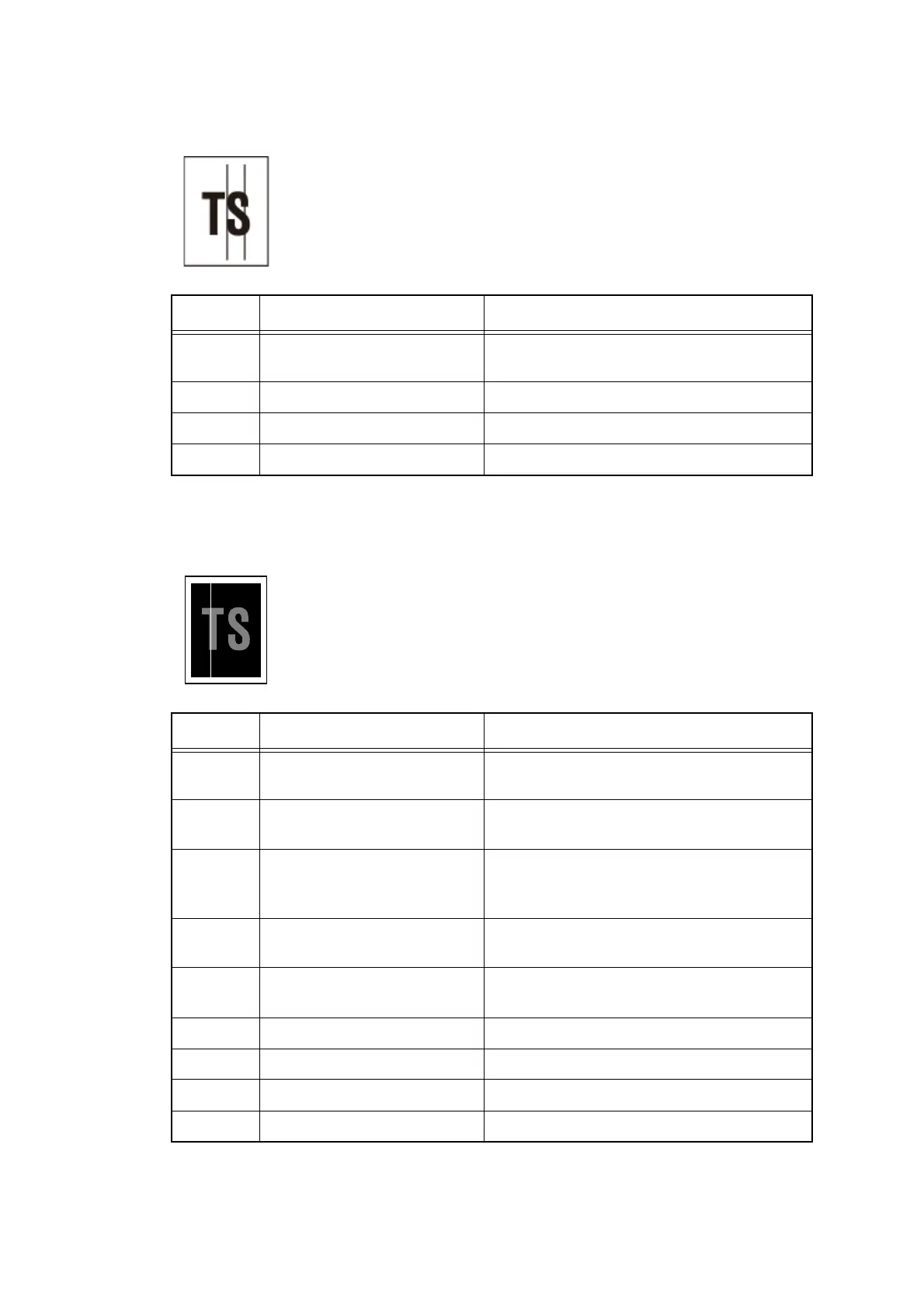
■ Vertical streaks
■ White vertical streaks
<User Check>
- This symptom might stop occurring after making several prints.
- Perform head cleaning.
Step Cause Remedy
1 Dirt in the paper feed system Refer to
"
Cleaning procedure using the
cleaning sheet
"
and perform cleaning.
2 Ink head failure Replace the ink head.
3 Engine PCB failure Replace the engine PCB ASSY.
4 Main PCB failure Replace the main PCB ASSY.
<User Check>
- Perform head cleaning.
Step Cause Remedy
1 Paper dust in the head and
platen
Perform special high-speed purge 2 (HP2) to
remove paper dust in the head and platen.
2 Dirt in the paper feed system Refer to
"
Cleaning procedure using the
cleaning sheet
"
and perform cleaning.
3 Dirt in the paper dust cleaning
roller
Refer to
"
Cleaning of the paper dust cleaning
roller
"
and clean the dirt in the paper dust
cleaning roller.
4 Head flat cable connection
failure
Reconnect the head flat cable.
5 Ink is adhered to the surface
around the head
Clean the head. (Refer to Fig. 2-8 (P2-121))
6 Ink head failure Replace the ink head.
7 Ink full sensor failure Replace the sub tank ASSY.
8 Engine PCB failure Replace the engine PCB ASSY.
9 Main PCB failure Replace the main PCB ASSY.



 To Next Page
 Loading...












