CONSOLE AI | Adding Devices (CP2) | 112
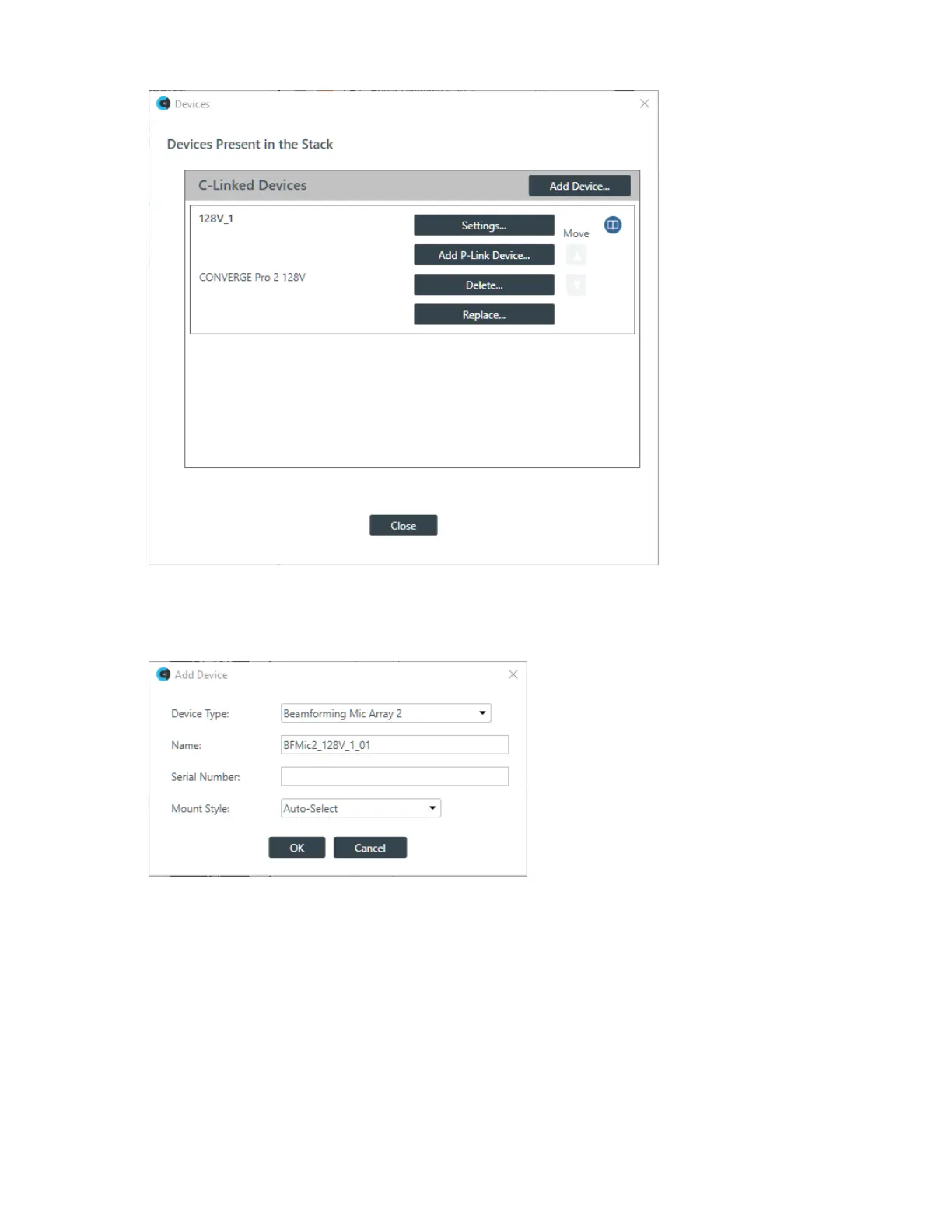
3. Click Add P-Link Device for the CONVERGE Pro 2 to which the BMA2 is attached.
CONVERGE Pro 2 connects to the BMA2 using a proprietary P-Link connection.
The Add Device dialog box appears:
4. If it’s not already selected, select Beamforming Mic Array 2 from the Device Type list.
5. Type a name in the Device Name field.
The Serial Number is filled in automatically if a device is detected.
6. Choose a mounting style from the Mount Style drop-down list.
If you choose Auto, the device attempts to detect the mounting orientation and adjust accordingly.
7. Click OK.
The device is added to the specified CONVERGE Pro 2.
CONSOLE AI User Manual









 To Next Page