CONSOLE AI | Introduction | 16
For more information about the different versions of a project file and how to synchronize project
changes, see About Projects and Commit Changes to Hardware (CP2).
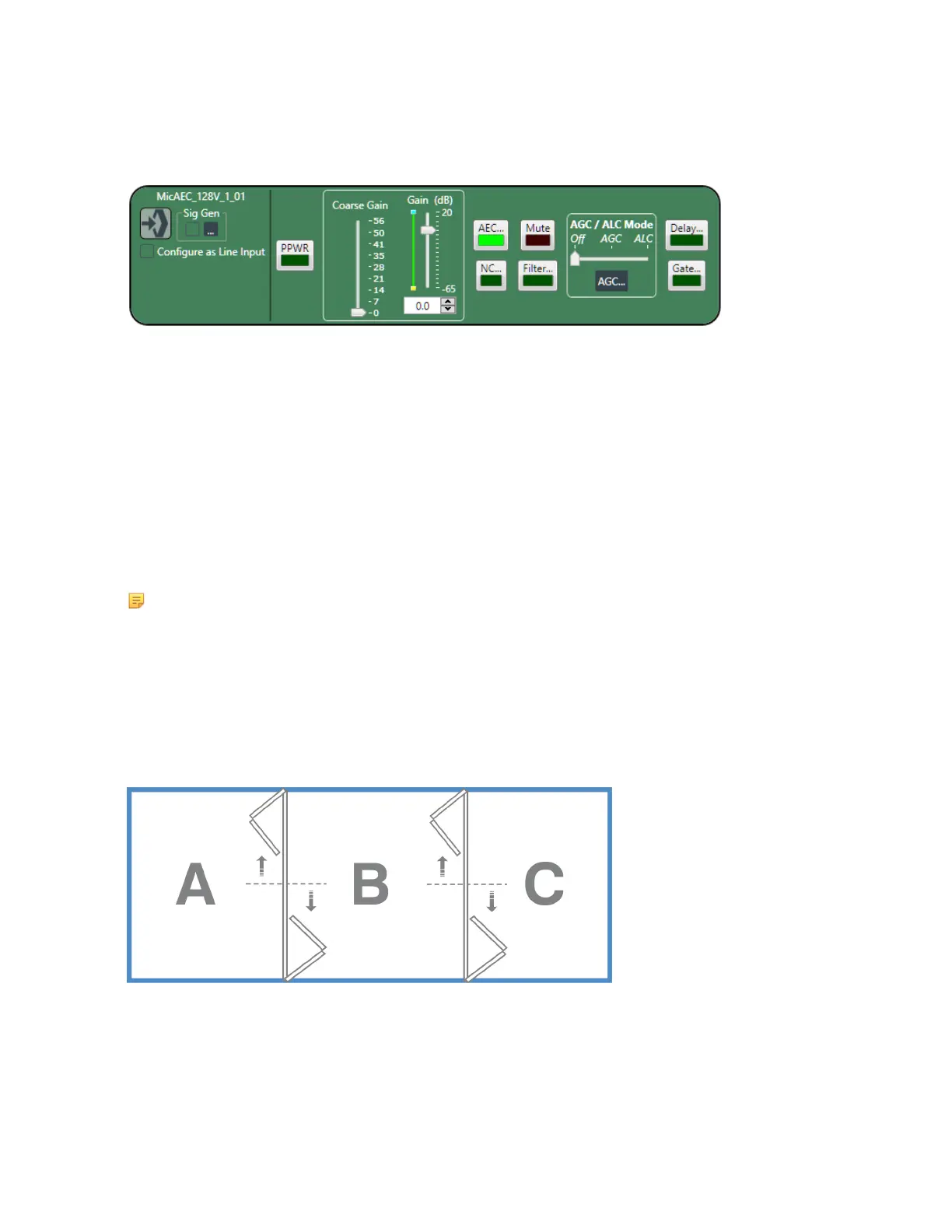
The following figure shows the same channel properties block, for a Mic/Line Input AEC channel, but in
offline mode:
Notice that the meters are missing, because the application can’t display any meter information when it
isn’t connected to a device.
There are a number of features that are unavailable when in offline mode. However, there are some
features that are available only when in offline mode.
About Workflow Checklist (CP2)
The Workflow Checklist gives you a simple way to:
• See the workflow used to configure a project
• Have quick and easy shortcuts to the parts of the CONSOLE AI interface used to complete each step
• Keep track of which steps you have completed by checking them off
Note:
The Workflow Checklist is available only for CONVERGE Pro 2 projects.
For more information about using the Workflow Checklist, see Using Workflow Checklist (CP2).
About Room Partitions
Rooms that have dividers can be divided into a number of room segments, called partitions.
The illustration below shows a top view of a room with two dividers:
By opening and closing the dividers, this room can be divided into six possible room partitions: ABC, AB,
BC, A, B, and C.
A room with three dividers has 10 possible room partitions: ABCD, ABC, BCD, AB, BC, CD, A, B, C, and D.
The CONSOLE AI application lets you specify how many partitions are in a room, but you must switch
the Operation Mode to Advanced Room (as opposed to Simple Room, which does not use partitions).
For more information about configuring an Advanced Room and managing partitions, see Using Partition
CONSOLE AI User Manual









 To Next Page