CONSOLE AI | Interface | 42
15.Click Yes to delete all templates.
Updating Touch Panel Controller Firmware
You can update the Touch Panel Controller Firmware using the CONSOLE AI application.
CAUTION:
Updating the Touch Panel Controller firmware removes all settings, phone book entries, contacts,
connections, or other data stored in the device.
To update the Touch Panel Controller firmware:
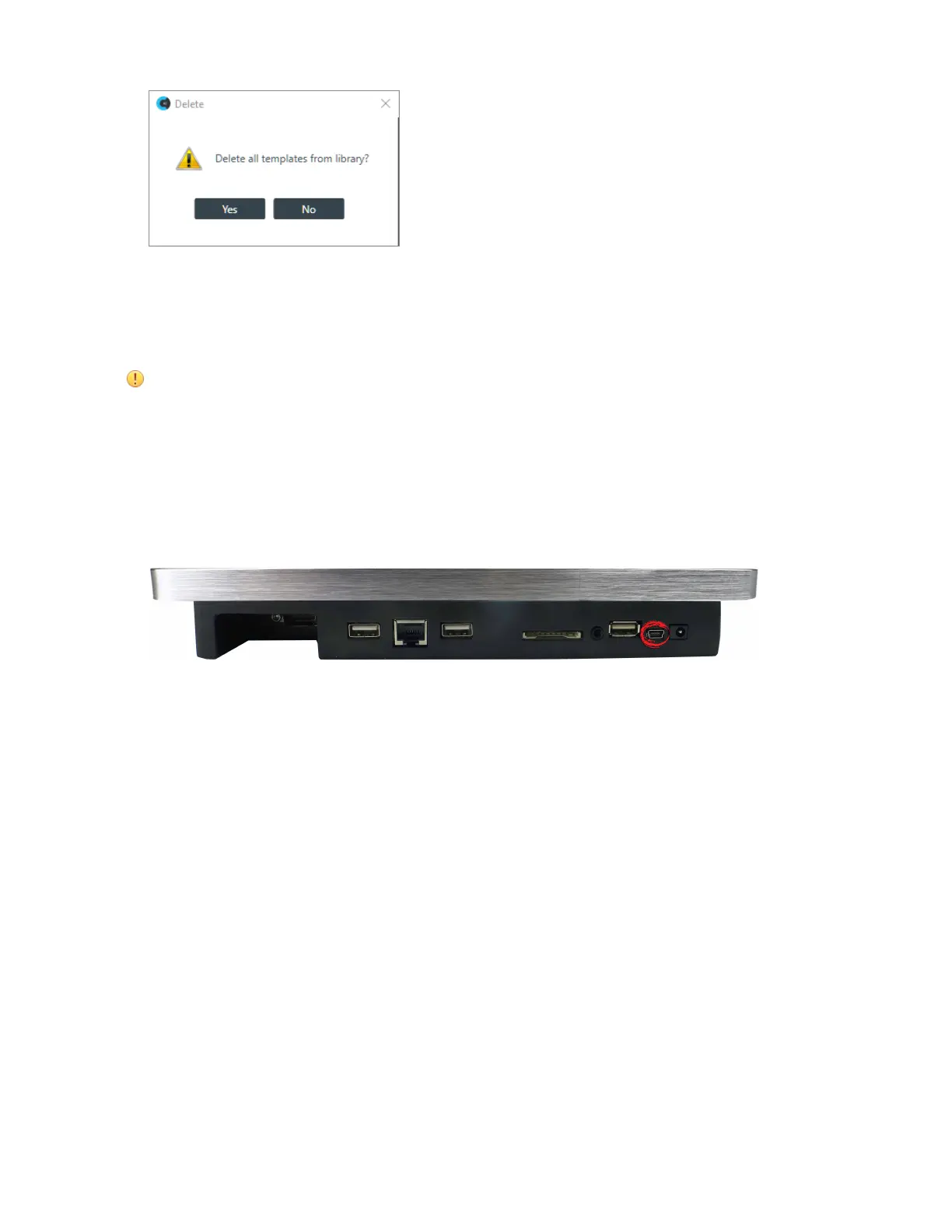
1. Using a USB cable with a Mini USB connector on one end (to connect to the TPC) and a Type A USB
connector on the other end (to connect to a PC), connect the Touch Panel Controller to a PC that has
CP2 CONSOLE installed.
Connect the TPC using the Mini USB port shown below:
2. If it’s not already open, launch the CONSOLE AI application.
3. From the Tools menu, chooseTouch Panel Controller Updater.
The Touch Panel Controller Firmware Update Utility appears:
CONSOLE AI User Manual









 To Next Page