CONSOLE AI | Interface | 41
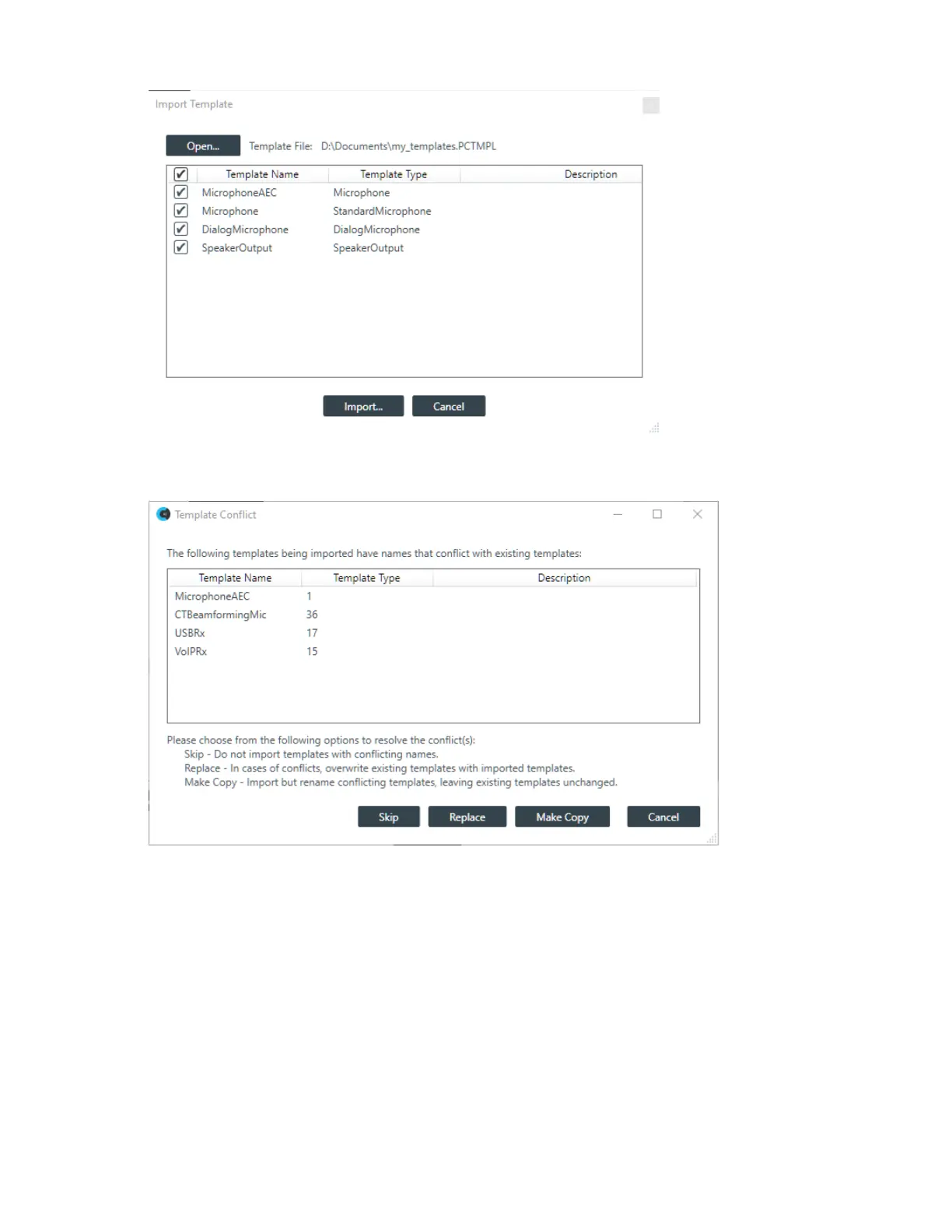
12.Place a check mark next to each template you want to import, then click Import.
If any of the templates being imported has the same name as existing templates, a warning appears:
13.Click Skip to skip the import of templates with conflicting names. Click Replace to replace the existing
templates with those being imported. Click Make Copy to keep existing templates and import the
templates with the conflicting names under a different name.
The templates are imported.
Delete All Templates
14.To delete all existing templates, click Delete All Templates.
A confirmation dialog box appears:
CONSOLE AI User Manual









 To Next Page