CONSOLE AI | Online Mode (CP2) | 299
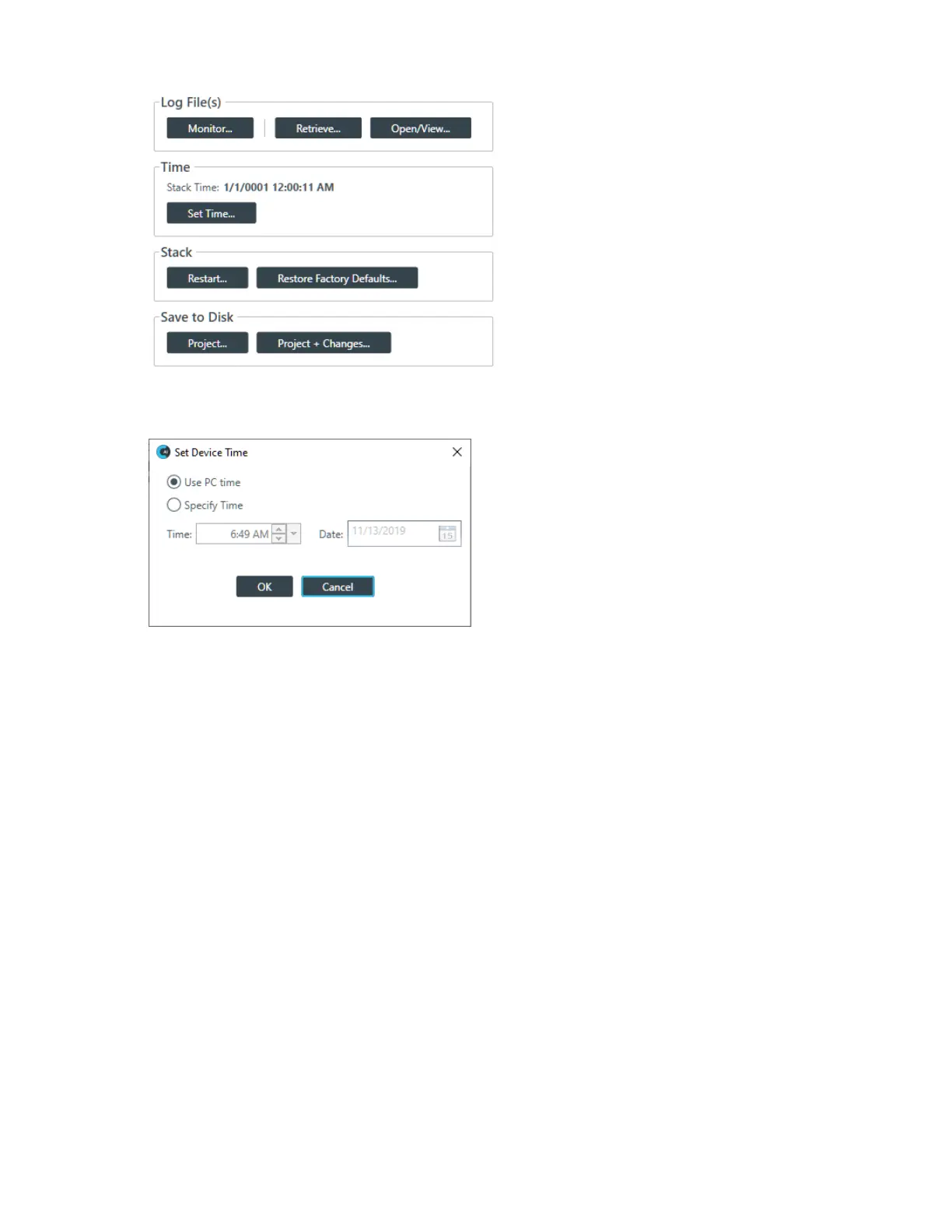
3. Under Time, click Set Time.
The Set Device Time dialog box appears:
4. To use the system time from the computer running the CONSOLE application, select Use PC Time.
5. To specify a time, select Specify Time.
6. Specify a time and date using the provided controls.
You can type in the time and date directly, use the incrementer and decrementer buttons to set the time,
or use the time drop-down menu to choose a time and the date control to choose a date.
7. Click OK.
Restarting a Stack (CP2)
You can restart all the devices in a stack.
To restart a stack:
1. If you have not already done so, connect to a stack.
For more information about connecting to a stack, see Connecting to a Device or Stack (CP2).
2. From the Navigation Panel, select Admin.
The Admin screen appears:
CONSOLE AI User Manual









 To Next Page