CONSOLE AI | Configuration - Offline (Huddle) | 67
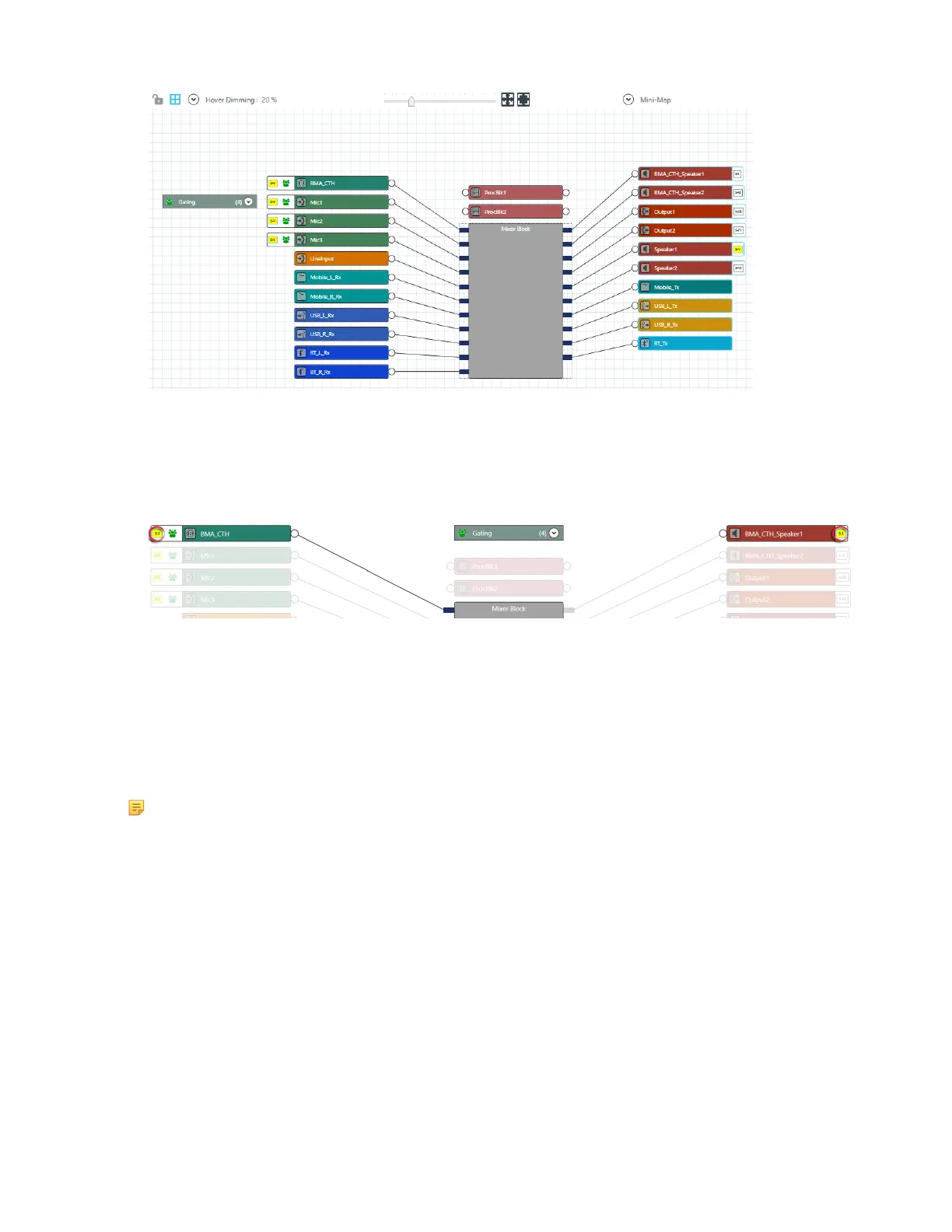
Notice that there are both assigned and unassigned references already.
2. Choose an input channel you want to assign to the standard reference. Drag a connection between the
empty box at the left side of the input channel and the reference on an output channel.
If you have successfully made a connection, a matching reference box appears on both the input and
output channels and the reference boxes on each turn yellow:
3. Repeat step 3 for each standard reference you want to assign.
Connecting Channels Using MatrixView (Huddle)
You can use MatrixView to make connections between Huddle audio channels. MatrixView is designed
to let you visualize connections between channels as a matrix, with output channels in columns and
input channels in rows, and the connections between them shown as crosspoints that can be selected or
deselected.
Note: MatrixView and FlowView are alternative methods of visualizing the connections between
audio devices. Therefore, when you make connections in MatrixView, those connections are
reflected in FlowView as well.
To make connections between channels using MatrixView:
1. In the Navigation panel, choose MatrixView
™
.
The MatrixView screen appears:
CONSOLE AI User Manual









 To Next Page