CONSOLE AI | Configuration - Offline (Huddle) | 60
Changing Device Settings (Huddle)
You can change the settings for a Huddle device.
To change the device settings:
1. In the Navigation Panel, choose Settings.
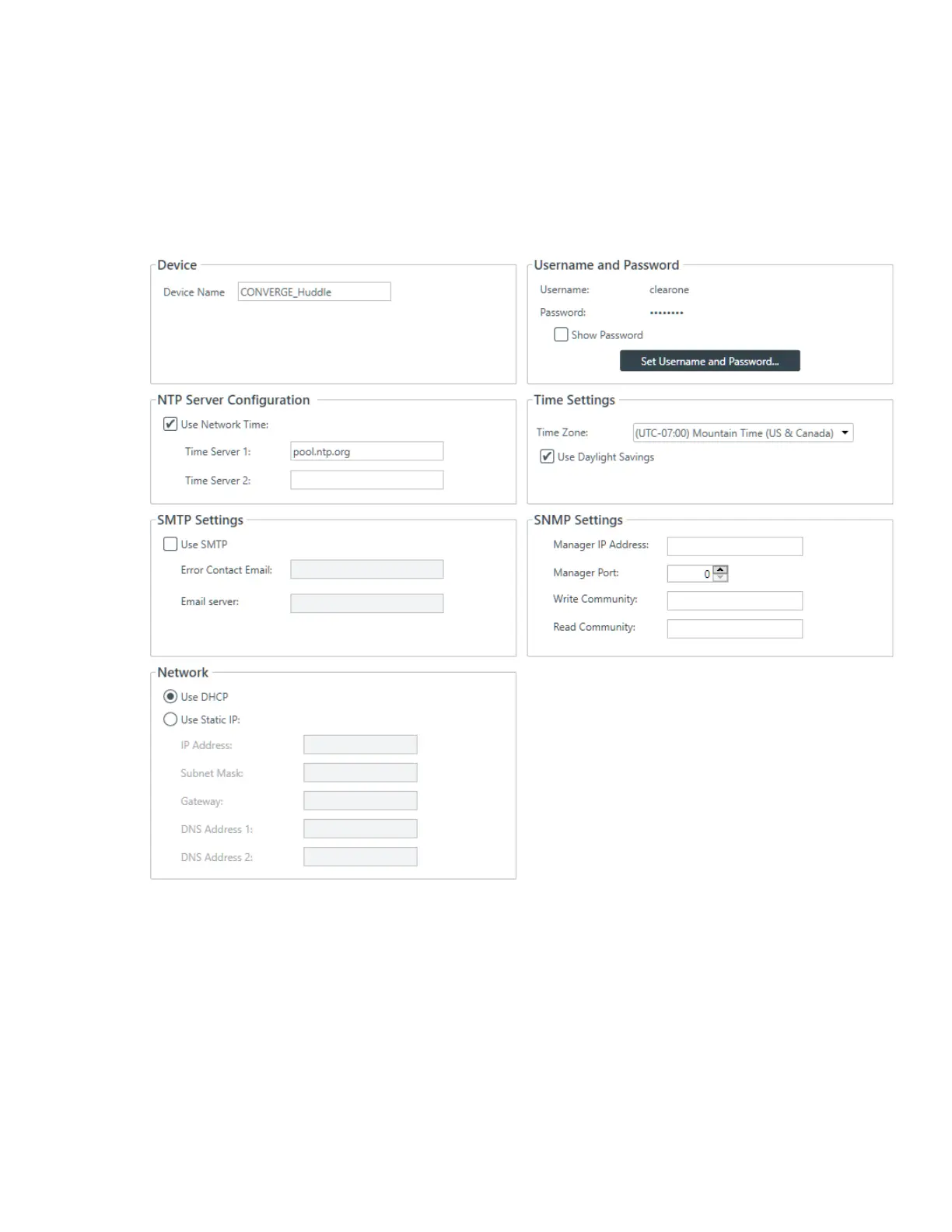
The Settings screen appears:
Device Name
2. (Optional) Type a name in the Device Name box.
Username and Password
3. To view the current password, check the Show Password check box.
4. To change the username and password, click Set Username and Password.
The Username and Password dialog box appears:
CONSOLE AI User Manual









 To Next Page