CONSOLE AI | Managing Channels (CP2) | 200
References are numbered consecutively using Roman numberals, with an “S” at the front of standard
references and a “C” in front of custom references.
Adding Custom References (CP2)
You can add custom references to stop acoustic echo while excluding specific input channels from being
blocked. See About References for more information.
To assign a custom reference to an input channel, or to exclude certain input channels from a custom
reference, see Assigning References (CP2).
To create a standard reference, see Adding Standard References (CP2).
To add a custom reference:
1. If you are not already in FlowView, from the Navigation panel, choose FlowView
™
.
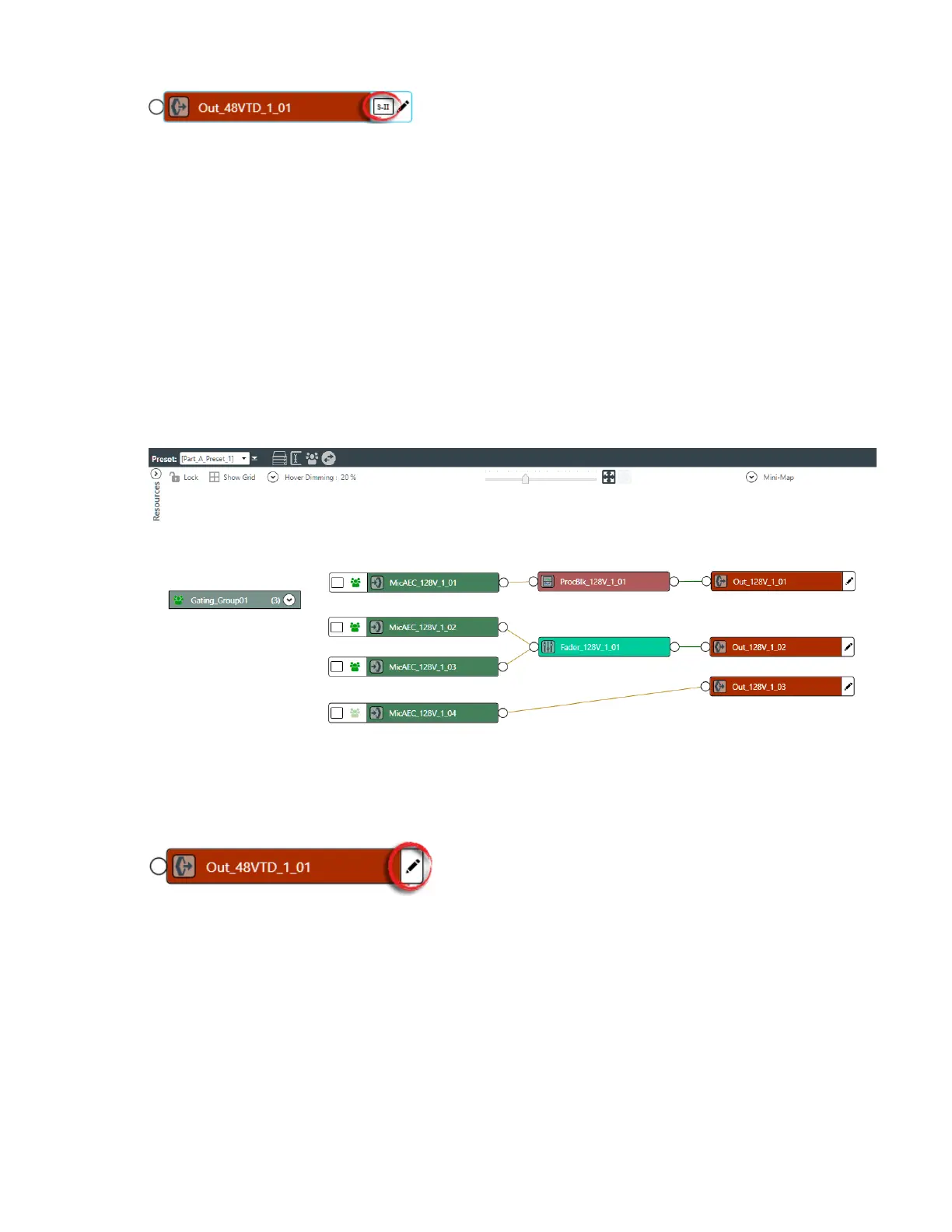
The FlowView screen appears:
2. To add a custom reference to an output channel, click the pencil icon on the right side of the output
channel icon, as shown in the example below:
The Output References dialog box appears:
CONSOLE AI User Manual









 To Next Page