CONSOLE AI | Managing Channels (CP2) | 199
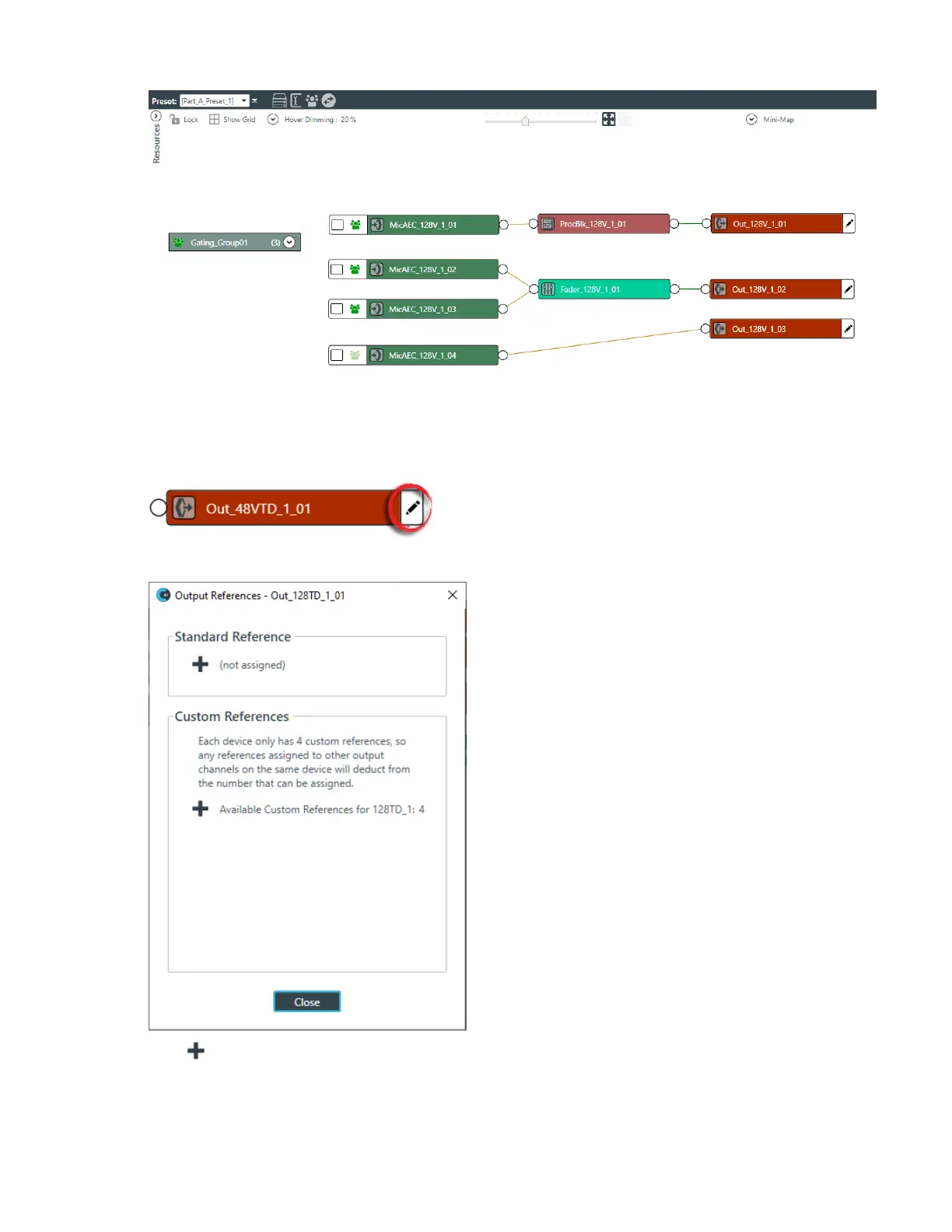
2. To add a standard reference to an output channel, click the pencil icon on the right side of the output
channel icon, as shown in the example below:
The Output References dialog box appears:
3.
Click under Standard Reference to add a standard reference.
4. Once you have added a standard or custom reference to the output channel, a reference box appears
on the channel icon:
CONSOLE AI User Manual









 To Next Page