CONSOLE AI | Configuration - Offline (Huddle) | 70
Note:
For more detailed information, see Using MatrixView Modes.
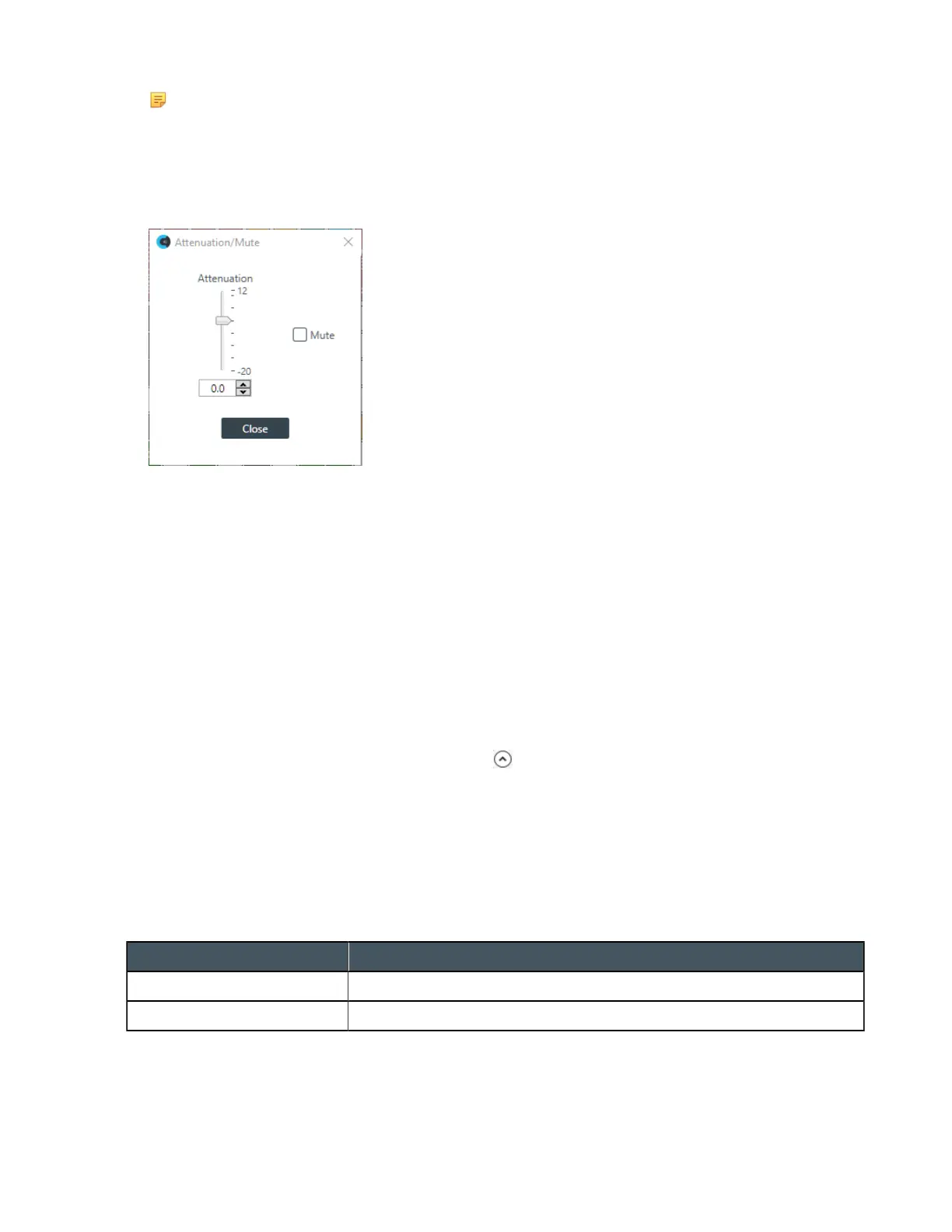
Mute or Attenuate a Crosspoint
7. To mute or attenuate a crosspoint, right-click it.
The Attenuation/Mute dialog box appears:
8. To mute this crosspoint, click the Mute check box.
The crosspoint will appear with a red 0 inside, to show that it is muted.
9. You can change the Attenuation in any of the following ways:
• Drag the slider
• Type a value in the text box
• Click the incrementer and decrementer arrows beside the text box to set the value
10.Click Close.
Make a Reference Connection
11.To choose a reference for the mics, select an option from the Mic Output Reference drop-down list.
View/Change Properties
12.To view or change the properties for a channel within MatrixView, double-click the channel OR select
the channel and click the Show Properties control at the bottom of the MatrixView screen..
The Properties block for that item appears at the bottom of the MatrixView screen. You can make any
changes you want in the Properties block.
Changing Channel Properties - BMA CTH (Huddle)
You can use channel properties to modify a BMA CTH channel.
You can make any of the following changes:
Feature Description
BFM Config Button Use to change a number of BMA CTH configuration settings.
Gain Gain adjusts the input volume level for a BMA CTH input.
CONSOLE AI User Manual









 To Next Page