CONSOLE AI | Interface | 44
8. The selected firmware file is sent to the Touch Panel Controller, and update details appear under
Messages.
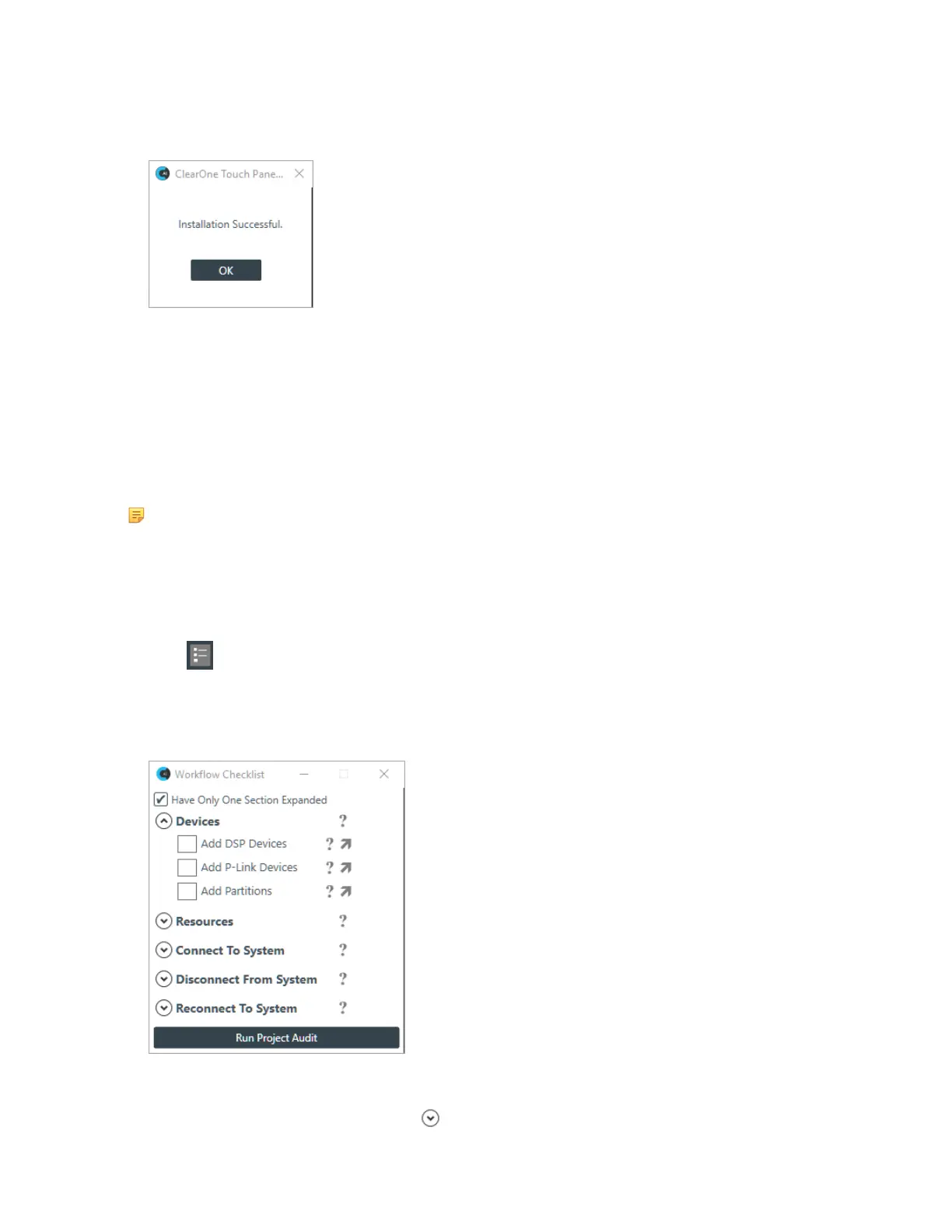
9. If the firmware update is successful, the following dialog box appears:
The Touch Panel Controller restarts using the updated firmware.
10.Click OK.
The firmware update is complete.
Using Workflow Checklist (CP2)
The Workflow Checklist is a great way to keep track of the steps needed to set up a project and get to the
relevant portions of the CONSOLE AI interface.
Note:
The Workflow Checklist is available only for CONVERGE Pro 2 projects.
To use the Workflow Checklist:
1. If you have not already done so, open a CP2 project.
For more information about opening a project, see Opening a Project.
2.
Click in the toolbar.
You can also use the preferences to have the Workflow Checklist opened every time you create or open
a project file. See Changing CONSOLE AI Preferences for more information.
The Workflow Checklists appears:
3. To allow more than one section of the checklist to be open at a time, deselect the Have Only One
Section Expanded check box.
4.
To open a section in the checklist, click next to that section heading.
CONSOLE AI User Manual









 To Next Page