CONSOLE AI | Adding Partitions, Channels, and GPIO Settings (CP2) | 165
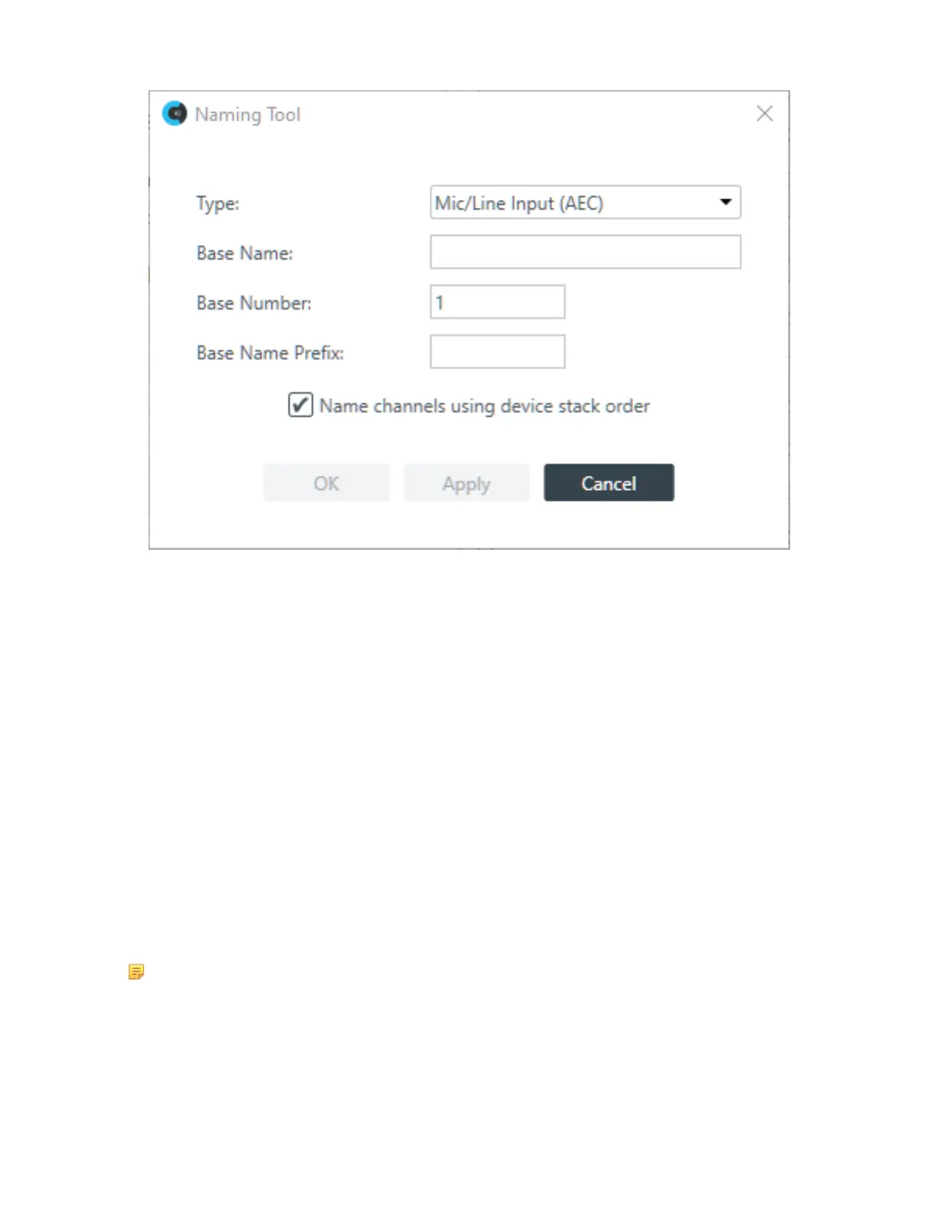
5. (Optional) Choose an asset type from the Type drop-down list.
6. (Optional) Type a base name (the text that makes up the first part of the asset name) in the Base Name
field.
7. (Optional) Type a base number (the first number you want to use; the rest will be numbered sequentially
starting with the base number) in the Base Number field.
Using the Naming Tool can significant speed up the process of naming many assets. For example, if the
line input microphones attached to a particular CONVERGE Pro 2 device were all in a conference room
called “Patagonia,” you could use the Naming Tool to give all Mic/Line Input channels a base name
of Patagonia and then number them consecutively (Patagonia01, Patagonia02, etc.). If you wanted to
divide a large room with several partitions and eight ceiling mics per partition, you could use a naming
scheme that recognized the partitions (Patagonia_P1, Patagonia_P2) or you could start numbering the
microphones in the first partition at 1 and start numbering the mics in the second partion at 9.
8. (Optional) Check the check box to name the channels using the device stack order.
9. Click OK.
Assigning Channels to Channel Groups
You can assign channels to channel groups to make it easier to configure multiple channels as a group
instead of individually. There are several ways to add channels to groups.
Note:
Keep in mind that you can add only resources of the same type to groups. You cannot, for example,
add a Mic/Line Input channel and a Speaker channel to a group, because these are not channels
that can be routed in similar ways.
To assign assets to channel groups:
1. From the Navigation Panel, select FlowView
™
.
The FlowView screen appears:
CONSOLE AI User Manual









 To Next Page