CONSOLE AI | Managing Channels (CP2) | 251
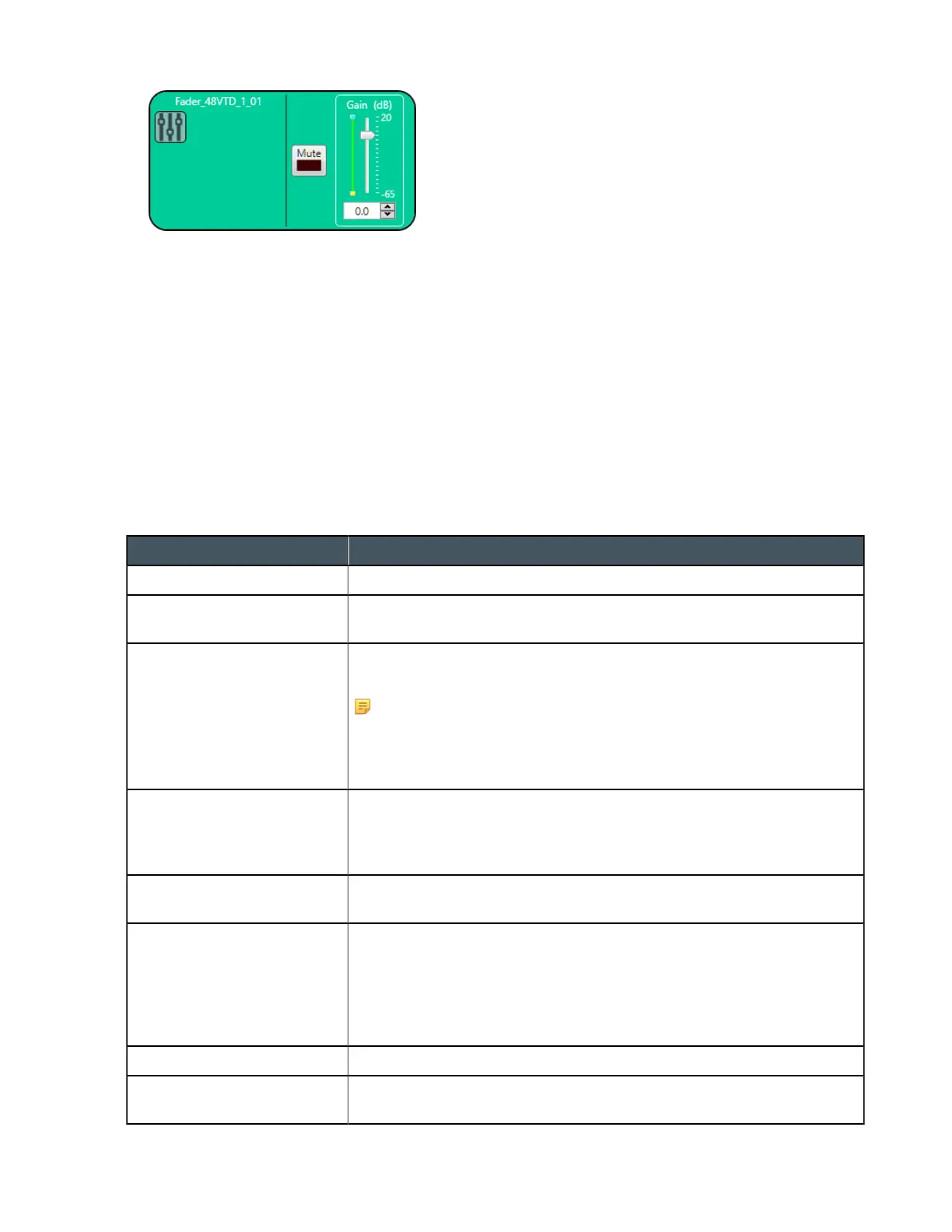
Mute
6. To mute this channel, click the Mute button (the button changes to red if the channel is muted).
Gain
7. You can change the gain in any of the following ways:
• Drag the slider
• Type a value in the text box
• Click the incrementer and decrementer arrows beside the text box to set the value
Changing Channel Properties - Mic/Line Output (CP2)
You can use channel properties to modify a Mic/Line Output or Mic/Line Output (Group) channel.
You can make any of the following changes:
Feature Description
Active (Group only) Lets you choose which member of the group to show or modify.
Sync All (Group only) Lets you synchronize all the members of the group to match the settings
of the active member.
Delivery (Dante only) Lets you associate a Mic/Line Input channel with a Dante channel, so
you can use the Mic/Line Input channel as a digital input.
Note:
This feature is available only if you have a Dante-enabled device
in your stack (a device that has a “D” at the end of the model
name).
Filter Filters enable you to shape the audio signals from mic inputs channels
for improved audio quality. Up to four filters can be added to a mic input
channel. Available filter types are All Pass, High Pass, Low Pass, Notch,
and Parametric Equalizer (PEQ).
Compressor A compressor lets you change the gain transfer characteristics of the
signal path and control the dynamics of a signal.
Delay Delay lets you add a specified amount of delay into specified channels.
Introducing an appropriate amount of delay to the forward-mounted
driver(s) re-establishes the acoustical alignment necessary for proper
sound imaging in a room. The same principle of introducing delay applies
to separate speakerenclosures located various distances from the
listening area.
Mute Mute a microphone.
Gain Gain adjusts the volume level for a processing block in increments of
0.5dB.
CONSOLE AI User Manual









 To Next Page