CONSOLE AI | Managing Channels (CP2) | 252
Feature Description
Polarity Reverses the polarity of an output channel.
EQ Filter Adjusts specific frequency bands within a +/-12db range.
Limiter Establishes a ceiling level for the channelFader output.
Mic/Line Switch Lets you switch between line level output and mic level output.
To change the properties for a Mic/Line Output channel:
1. From the Navigation Panel, choose Channel Properties.
The Channel Properties screen appears.
Note:
You can also view and change the channel properties in FlowView. See Connecting Channels
Using FlowView
™
(CP2) for more information.
2. (Optional) If you’re using Advanced Room mode, choose a partition from the Partition drop-down list.
3. (Optional) Choose a preset from the Preset drop-down list.
4. Click Mic/Line Output to open the channel list.
5. Select the channel you want to change.
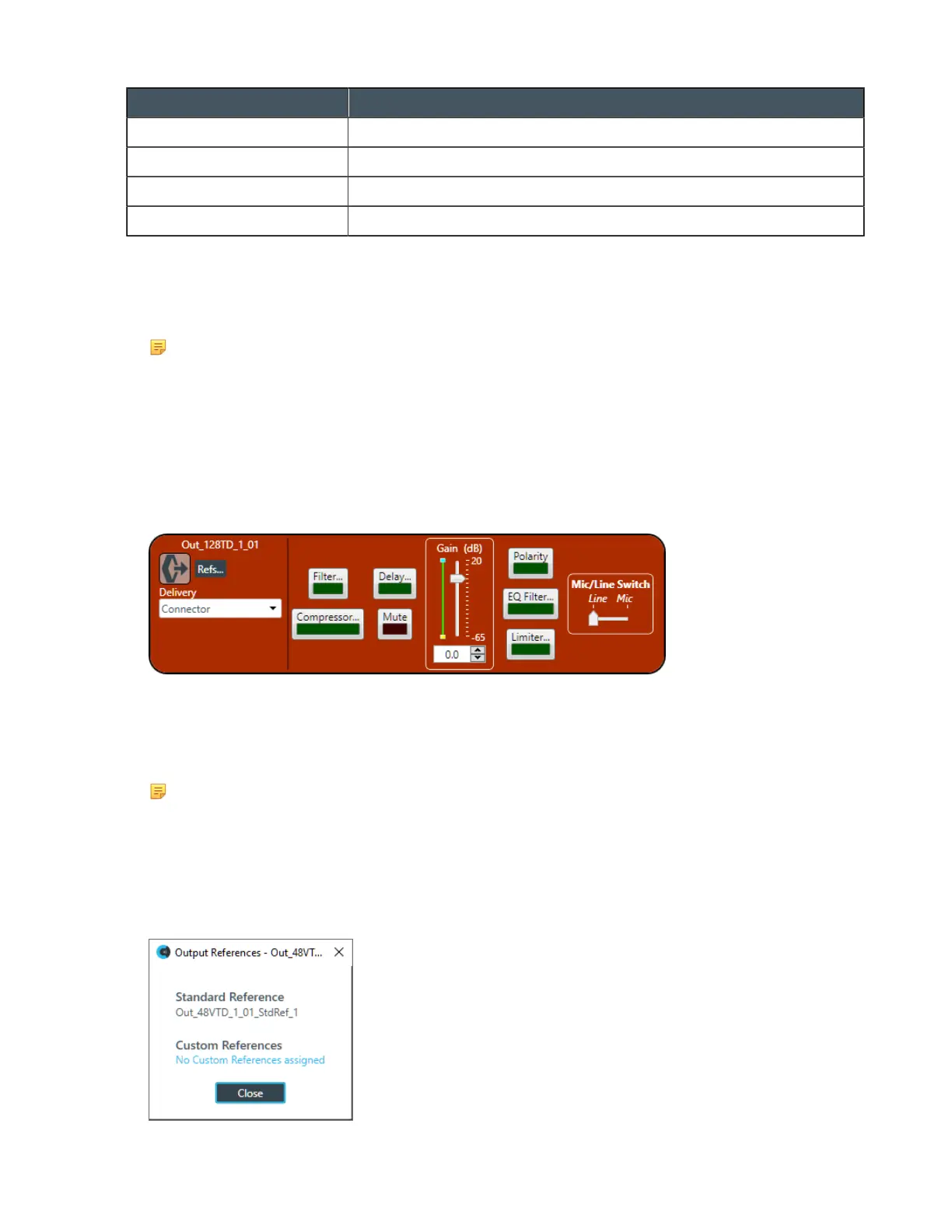
The Mic/Line Output Channel Properties block appears:
Digital Output
6. If you have added any Dante channels from the same device to the current partition, you can use one of
the Dante channels as a digital output by selecting the corresponding Dante channel from the Delivery
drop-down menu.
Note:
Once you have associated a Mic/Line Output channel with a Dante channel, you should perform
all routing using the Mic/Line Output channel, rather than the Dante channel.
References
7. To view any references (standard or custom) associated with this channel, click Refs.
The References dialog box appears, showing any existing reference assignments:
CONSOLE AI User Manual









 To Next Page