CONSOLE AI | Adding Devices (CP2) | 128
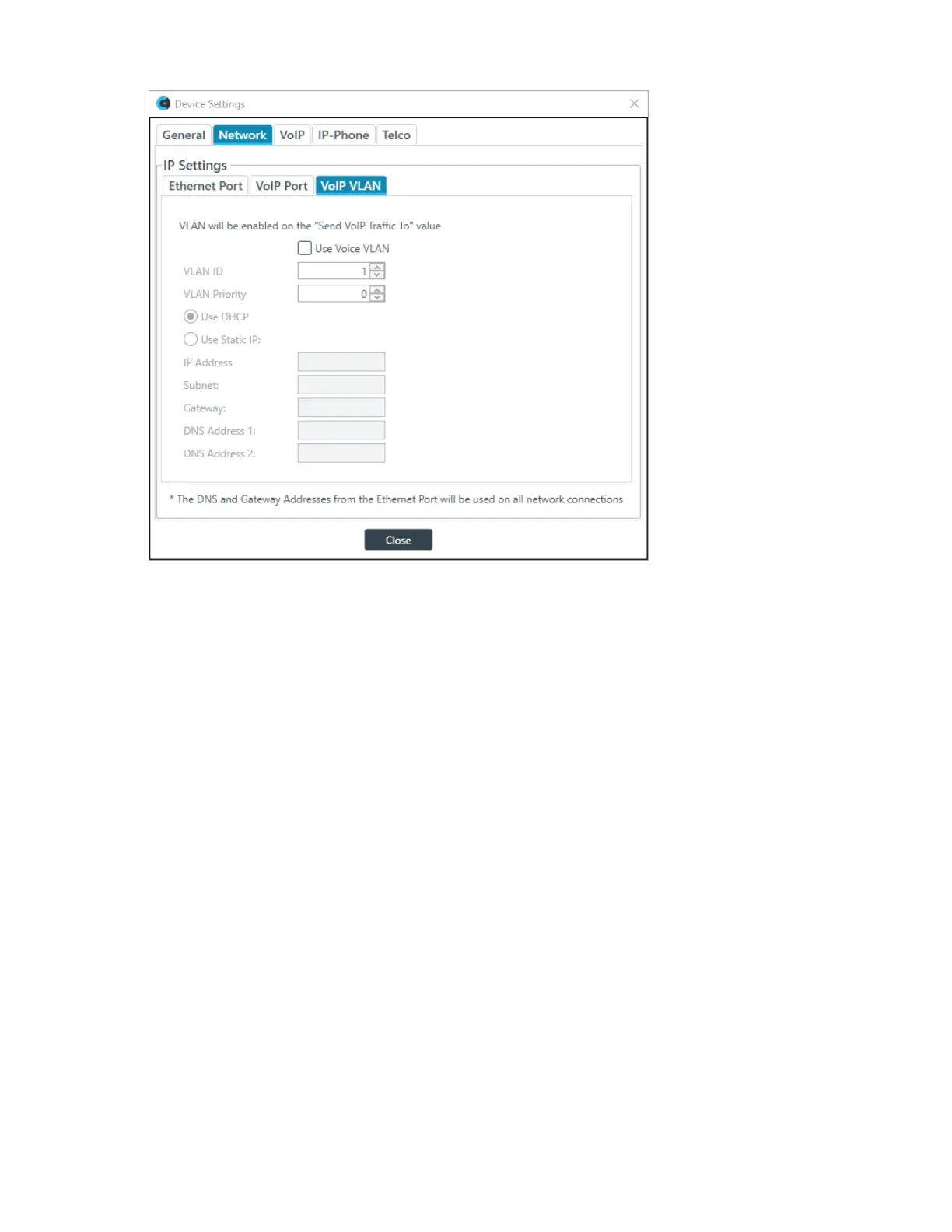
9. (Optional) Change any of the settings (described in the table below).
Option Description
Use Voice VLAN Whether to configure the VoIP connection as a VLAN network.
VLAN ID The VLAN ID number (1-4094).
VLAN Priority The VLAN priority value (0-7).
Use DHCP Select to use DHCP to automatically configure network
settings for the device.
IP Address (Static IP only) When using a static IP address, specify the IP address.
Subnet Mask (Static IP only) When using a static IP address, specify the subnet mask.
Gateway (Static IP only) When using a static IP address, specify the gateway address.
DNS Address 1 (Static IP only) When using a static IP address, specify the primary DNS
server.
DNS Address 2 (Static IP only) When using a static IP address, specify the secondary DNS
server.
10.If you are done changing the CP2 device settings, click Close.
You can also change other device settings, as described in the following topics:
• Changing CP2 Device Settings - General
• Changing CP2 Device Settings - VoIP
• Changing CP2 Device Settings - IP Phone (VoIP/SIP)
• Changing CP2 Device Settings - Telco
CONSOLE AI User Manual









 To Next Page