CONSOLE AI | Adding Devices (CP2) | 131
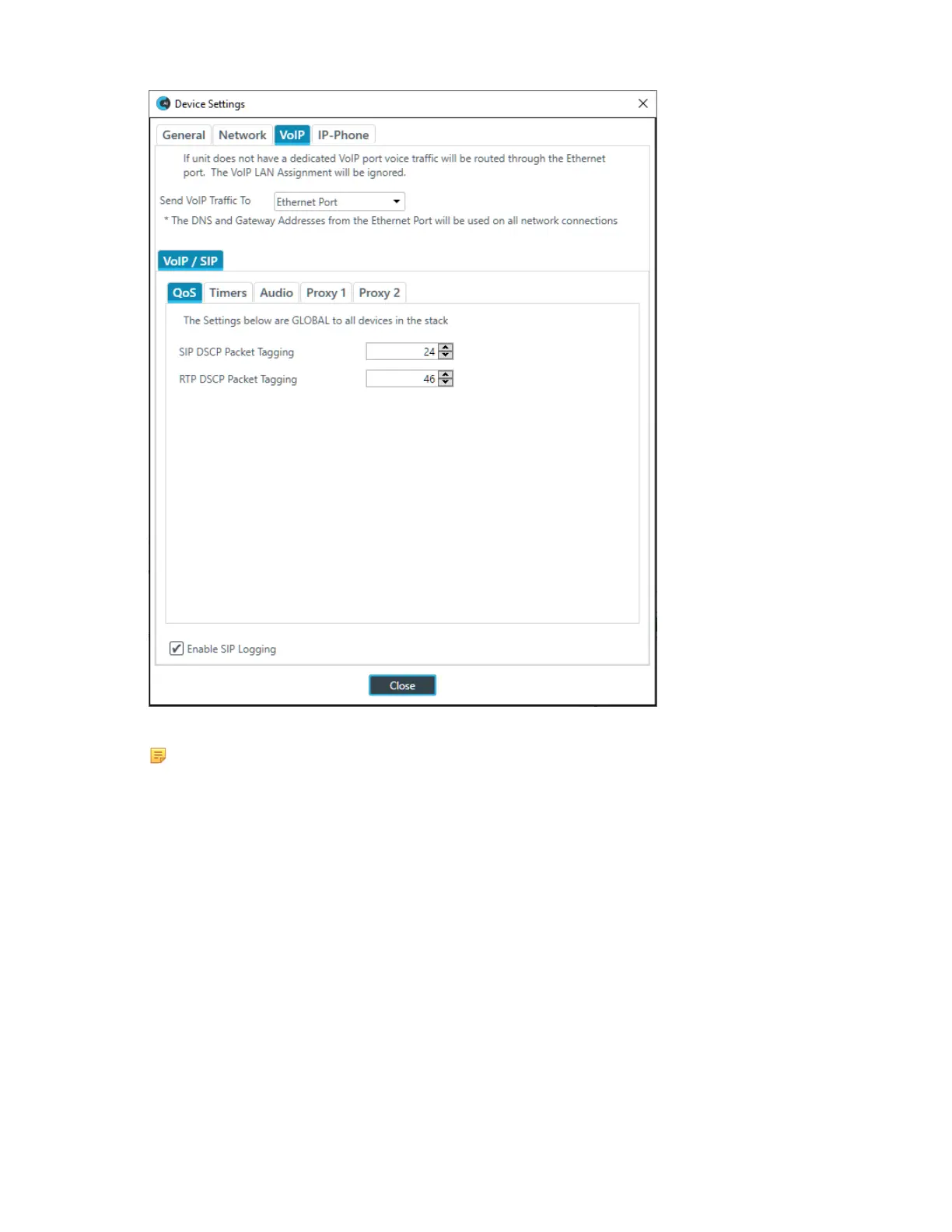
4. Specify whether to send VoIP traffic over the Ethernet port or the VoIP port.
Note:
This applies only if you have a device with both an Ethernet Port and a VoIP port on the back of
the device; not all VoIP-capable CP2 units have both ports.
VoIP/SIP Settings
5. (Optional) Change any of the settings on the QoS tab (described in the table below), used to specify the
QoS settings.
Option Description
SIP DSCP Packet Tagging Quality of Service priority level for SIP packets (1-63) as a
decimal value. Default: 24 (Best Effort). These packets are
used for VoIP signaling.
ClearOne recommends using 24 for this value if you want to
elevate the priority of VoIP calls on the network. However,
you should consult your network admin for a detailed
recommendation.
RTP DSCP Packet Tagging Quality of Service priority level for RTP packets (1-63) as
a decimal value. Default: 46 (Express Forwarding). These
packets are used for VoIP audio.
CONSOLE AI User Manual









 To Next Page