CONSOLE AI | Adding Devices (CP2) | 136
Option Description
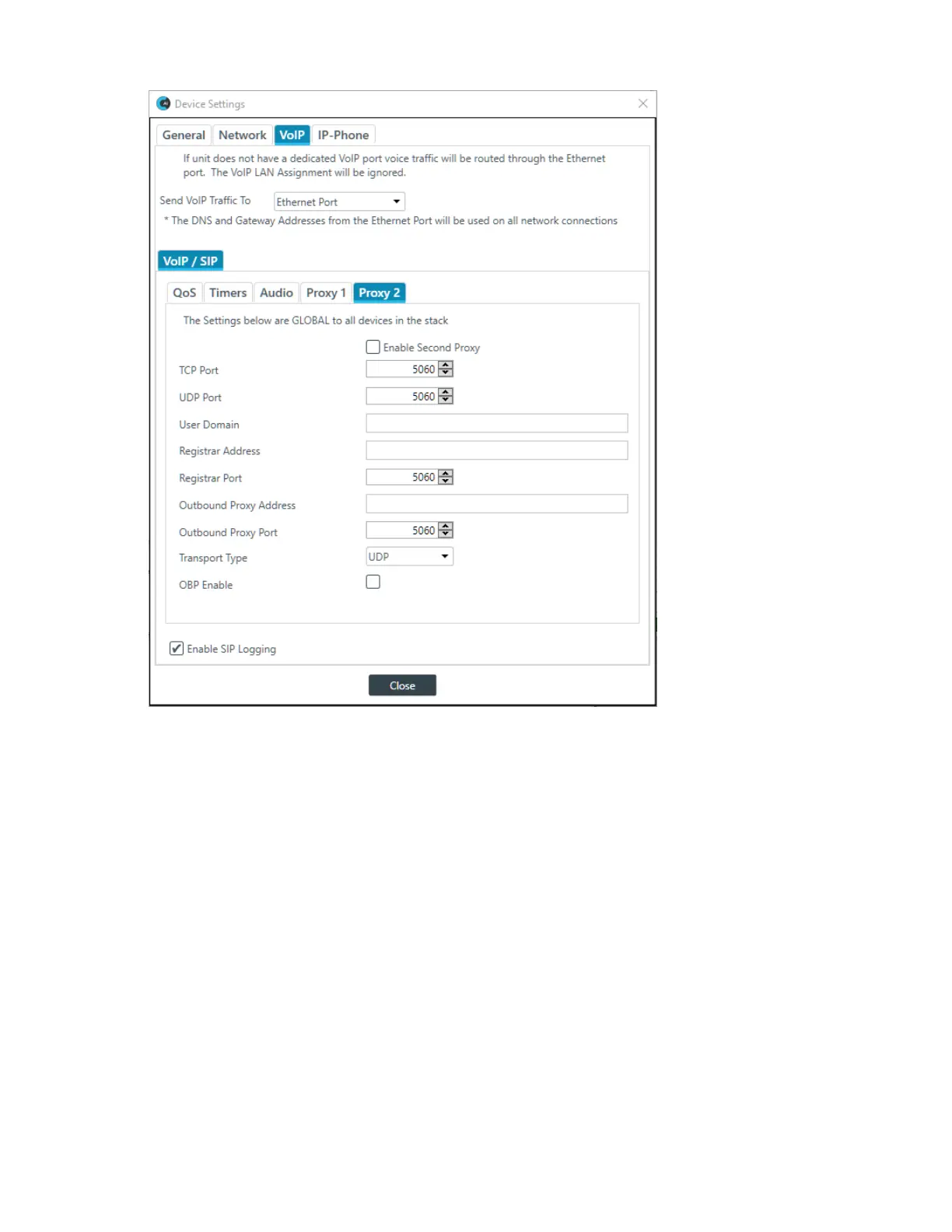
Enable Second Proxy (Proxy 2 only) Whether to use a second proxy. Default is deslected.
TCP Port The TCP port to use for a proxy connection. Applies only if
Transport Type is TCP. Default is 5060.
UDP Port The UDP port to use for a proxy connection. Applies only if
Transport Type is UDP. Default is 5060.
User Domain User domain.
Registrar Address The address of the proxy server.
Registrar Port The port to connect to on the proxy server. Default is 5060.
Outbound Proxy Address The address of an outbound proxy (if applicable).
Outbound Proxy Port The outbound proxy port (if applicable). Default is 5060.
Transport Type Whether to transport the signal via TCP or UDP. Default is
UDP.
OBP Enable Whether to use an outbound proxy. Default is Off.
9. If you are done changing the CP2 device settings, click Close.
CONSOLE AI User Manual









 To Next Page