CONSOLE AI | Adding Devices (CP2) | 140
The tabs shown on this dialog box depend on the type of device. All devices have General and
Network tabs. Devices with VOIP capability have VoIP and IP-Phone tabs. Devices with Telco
capability have a Telco tab.
3. Select the IP-Phone tab.
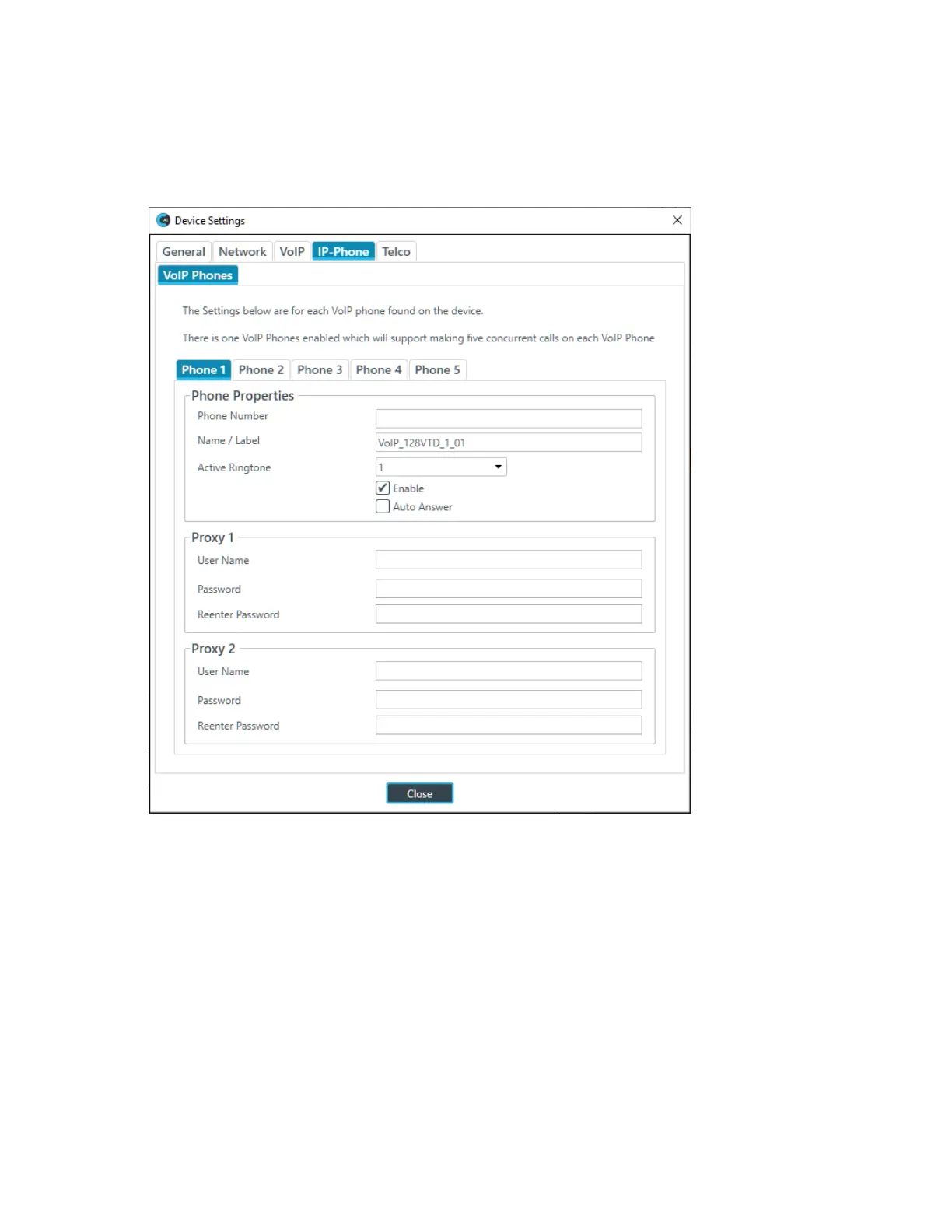
The IP Phone VoIP Phones settings appear:
4. (Optional) Change any of the settings on the Phone 1, Phone 2, Phone 3, Phone 4, or Phone 5 tabs (as
described in the table below).
Option Description
Phone Number The number for the respective VoIP phone.
Name/Label The channel name/label for this phone (user agent).
Active Ringtone Which ringtone to use for this phone.
Enable Enable this SIP phone (user agent).
Auto Answer Whether to automatically answer incoming calls to this phone.
Proxy 1 User Name The user name for the first proxy server.
Can use at least 64 characters, and possibly more depending
on what language you’re using.
Proxy 1 Password The password for the first proxy server.
CONSOLE AI User Manual









 To Next Page