CONSOLE AI | Adding Devices (CP2) | 148
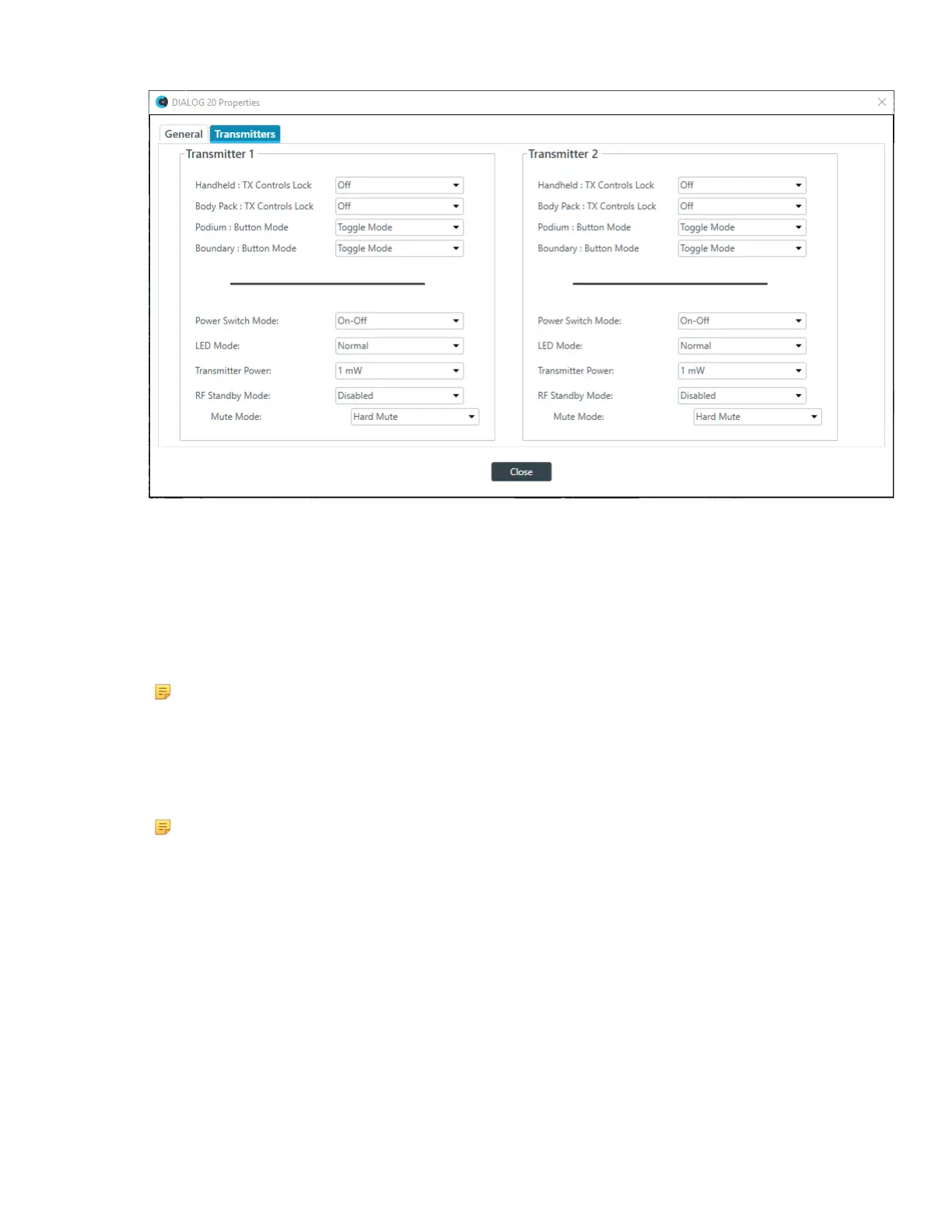
6. (Optional) Change any of the settings (described in the table below).
Option Description
Handheld: Tx Controls Lock Locks the control buttons on hand-held transmitters so that
end users cannot change parameters.
Body Pack: Tx Controls Lock Locks the control buttons on beltpack transmitters so that end
users cannot change parameters.
Podium: Button Mode
Note:
Podium mics are also
referred to as Gooseneck
mics.
Choose from:
Toggle Mode: Pushing the button turns the mic on or off.
Push to talk: The mic functions only when the button is
pushed.
Push to mute: Pushing the button mutes the mic.
Boundary: Button Mode
Note:
Boundary mics are also
referred to as Tabletop
mics.
Choose from:
Toggle Mode: Pushing the button turns the mic on or off.
Push to talk: The mic functions only when the button is
pushed.
Push to mute: Pushing the button mutes the mic.
Power Switch Mode Choose from:
On-Off: The switch toggles between on and off.
On-Mute: The switch toggles between on and mute.
On-On: The mic remains on at all times, regardless of the state
of the switch.
Low Cut Toggles a 75 Hz low-cut audio filter.
Transmitter Power The amount of power used by the transmitter: 1mW or 10mW.
CONSOLE AI User Manual









 To Next Page