CONSOLE AI | Adding Devices (CP2) | 151
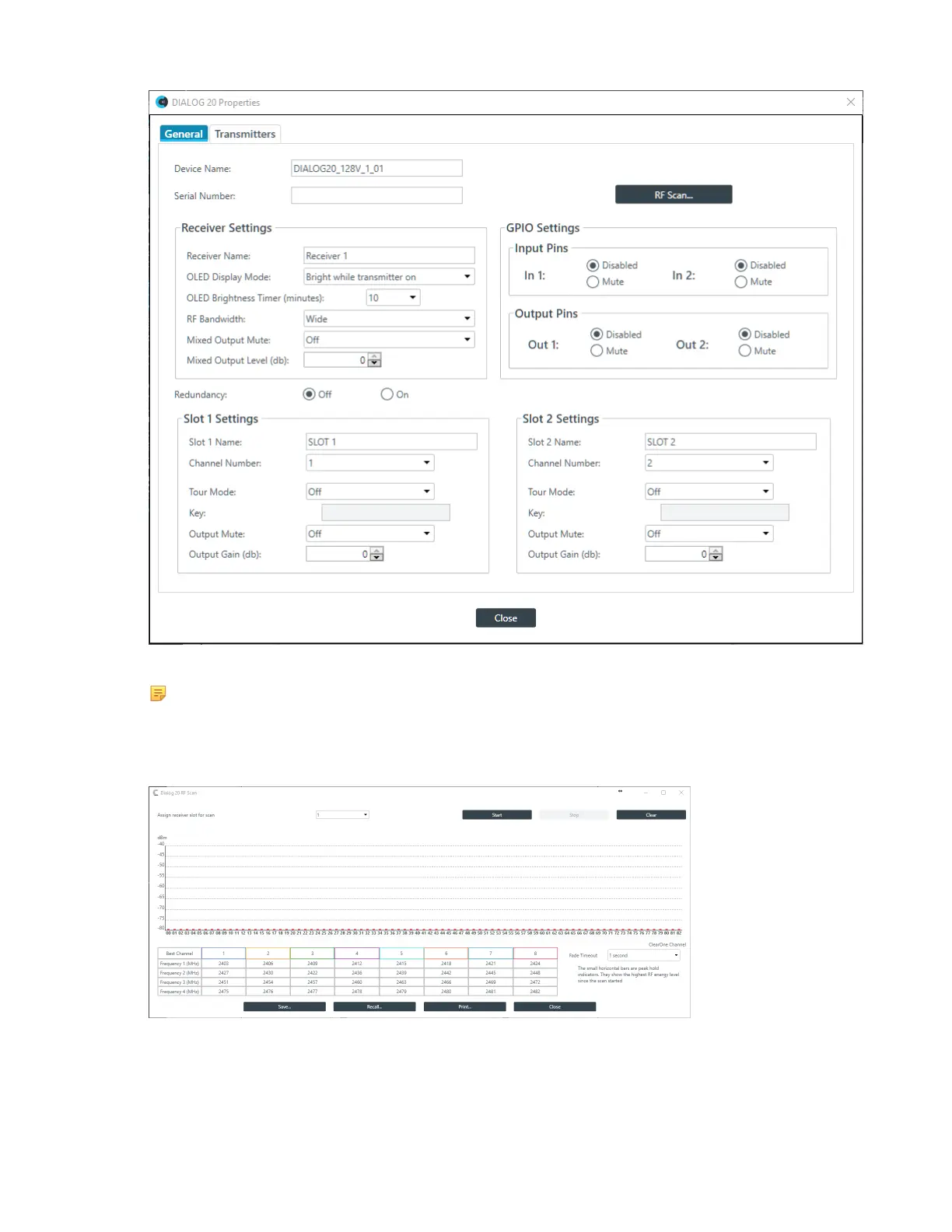
6. Click RF Scan (in the upper right of the dialog box).
Note:
This button appears only if you are connected to a device, so if you don’t see the button, make
sure you are connected to both the CP2 and DIALOG 20 devices.
The DIALOG 20 RF Scan dialog box appears:
7. (Optional) Choose a receiver slot (the drop-down list to the left of the Start button).
8. Click Start to begin scanning.
The scan results appear as strength bars:
CONSOLE AI User Manual









 To Next Page