CONSOLE AI | Managing Channels (CP2) | 202
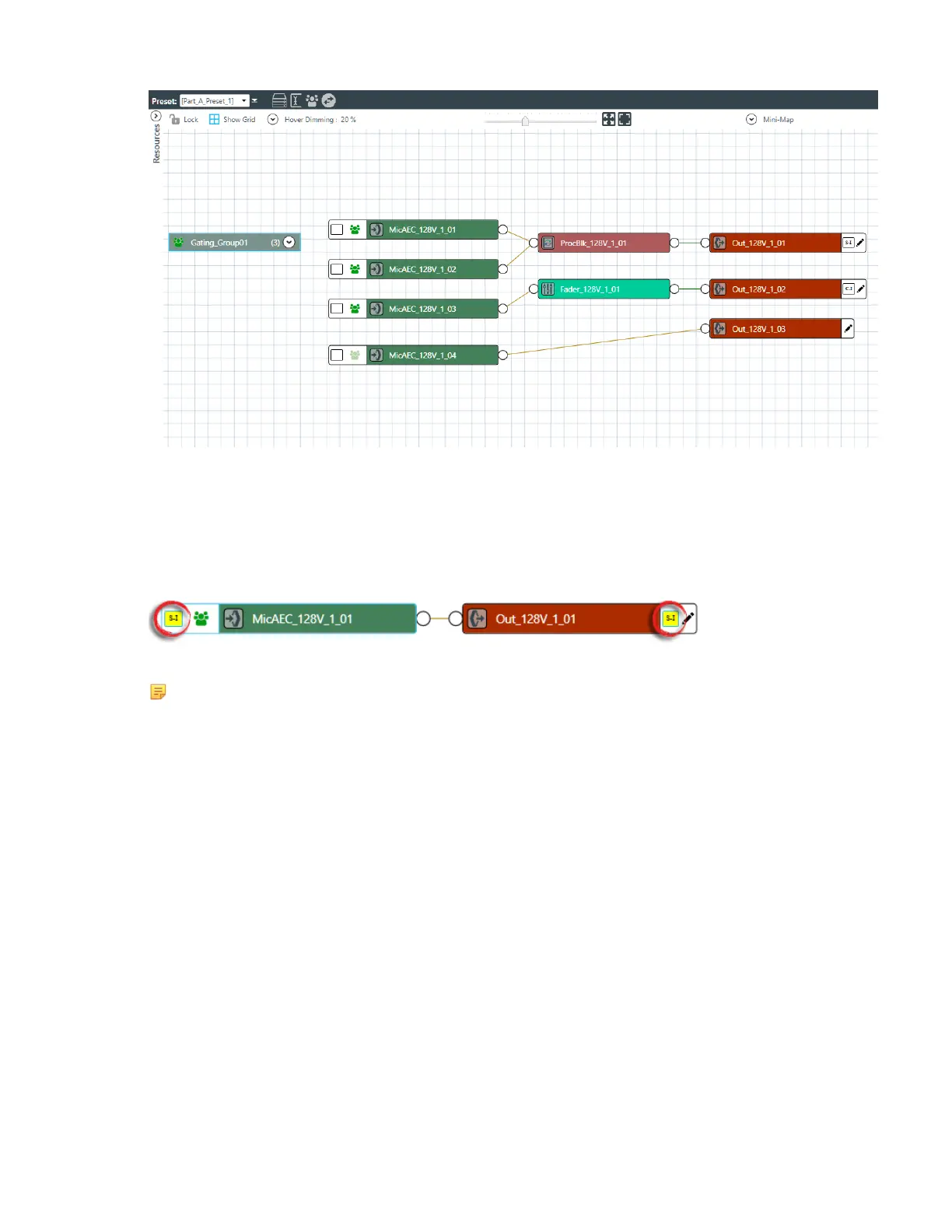
Notice that there are two outputs with unassigned references, one with a standard reference (S-I) and
one with a custom reference (C-I).
3. Choose an input channel you want to assign to the standard or custom reference. Drag a connection
between the empty box at the left side of the input channel and the reference on an output channel.
If you have successfully made a connection, a matching reference box appears on both the input and
output channels and the reference boxes on each turn yellow:
4. Repeat step 3 for each standard or custom reference you want to assign.
Note:
To create custom reference exclusions, you must use MatrixView. See Using MatrixView below.
Using MatrixView
5. From the Navigation Panel, choose MatrixView
™
.
The MatrixView screen appears:
CONSOLE AI User Manual









 To Next Page