CONSOLE AI | Managing Channels (CP2) | 204
The regular matrix, showing channels in the room, appears on the right, while the reference matrix,
which lets you assign references and exclusions, appears on the left.
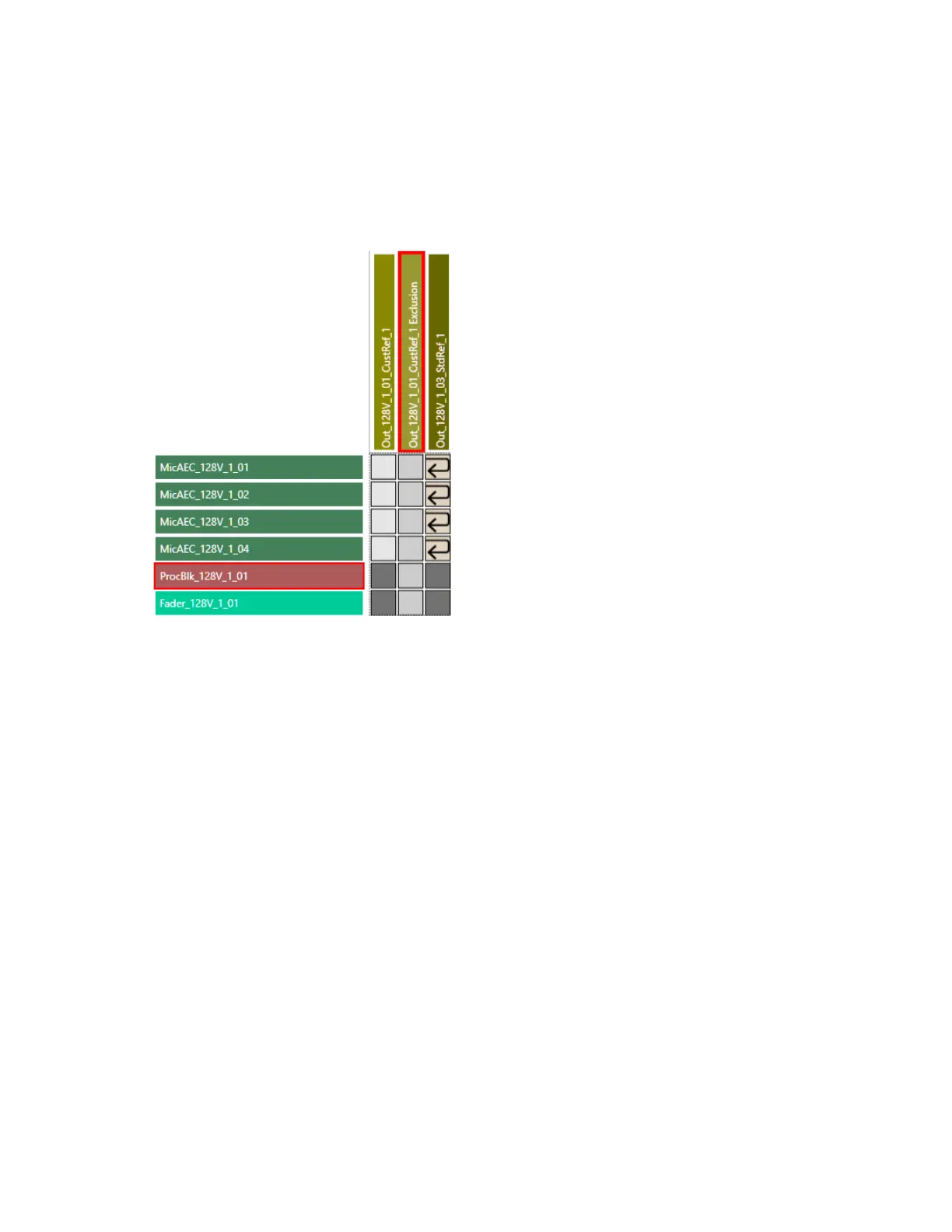
7. To make a reference assignment for a standard reference, find a column (on the left side) that is
labeled as a standard reference (in this case, only one channel is labeled as a standard reference:
Out_128V_1_03_StdRef_1) and click any crosspoints that intersect with input channels you want to
assign as references.
Reference assignment icons appear for each crosspoint you select:
8. To make a custom reference assignment, find a column (again on the left side) that is labeled as a
custom reference and click any crosspoints that intersect with input channels you want to assign as
references.
Reference assignment icons appears, just as in the previous step.
9. To make custom reference exclusions, find a column that is labeled as a customer reference exclusion
and click any crosspoints that intersect with input channels you want to exclude (channels whose sound
you don’t want to exclude from the specified output channel).
Exclusion icons appear for any specified exclusions:
CONSOLE AI User Manual









 To Next Page