CONSOLE AI | Managing Channels (CP2) | 217
Option Description
Maximum Gain The dB value that should never be exceeded.
Target Level (RMS) Target Level sets the dB level for AGC to maintain. Target level is set
using the Root Mean Square (RMS) method to determine the average
magnitude of the audio signal over time.
Response Time The amount of time (in ms) over which the level is averaged before
AGC is activated or deactivated.
Threshold The dB level at which AGC engages.
31.Click Close.
Delay
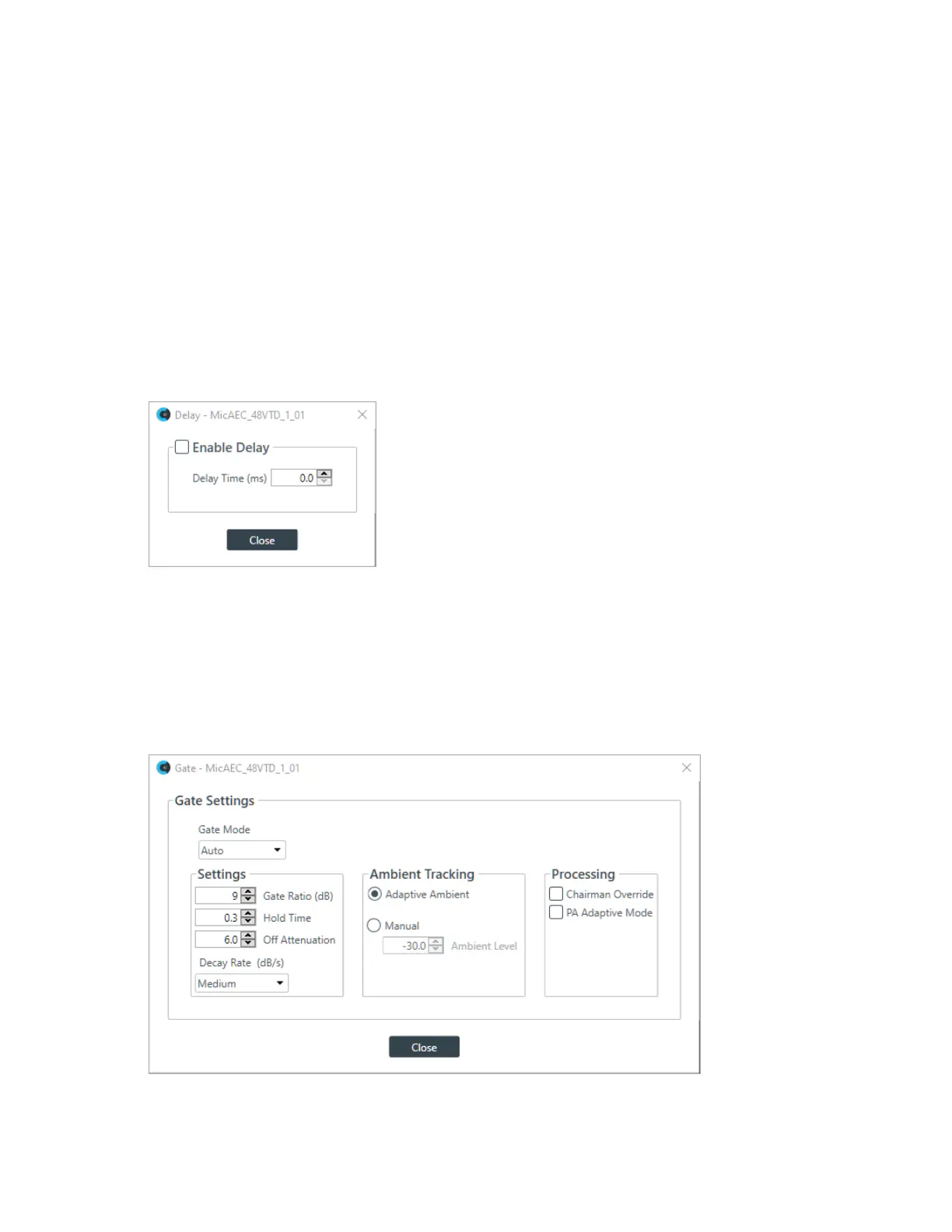
32.To enable or disable a delay for this channel, click the Delay button.
The Enable Delay dialog box appears:
33.Check the Enable Delay check box to turn on the delay.
34.Specify the amount of the delay (in ms) by typing a value in the Delay Time field or using the
incrementer and decrementer buttons next to the field to set a value.
35.Click Close.
Gate
36.To set gating options, click the Gate button.
The Gate Settings dialog box appears:
37.Choose an option from the Gate Mode drop-down list, as described in the table below:
CONSOLE AI User Manual









 To Next Page