CONSOLE AI | Managing Channels (CP2) | 226
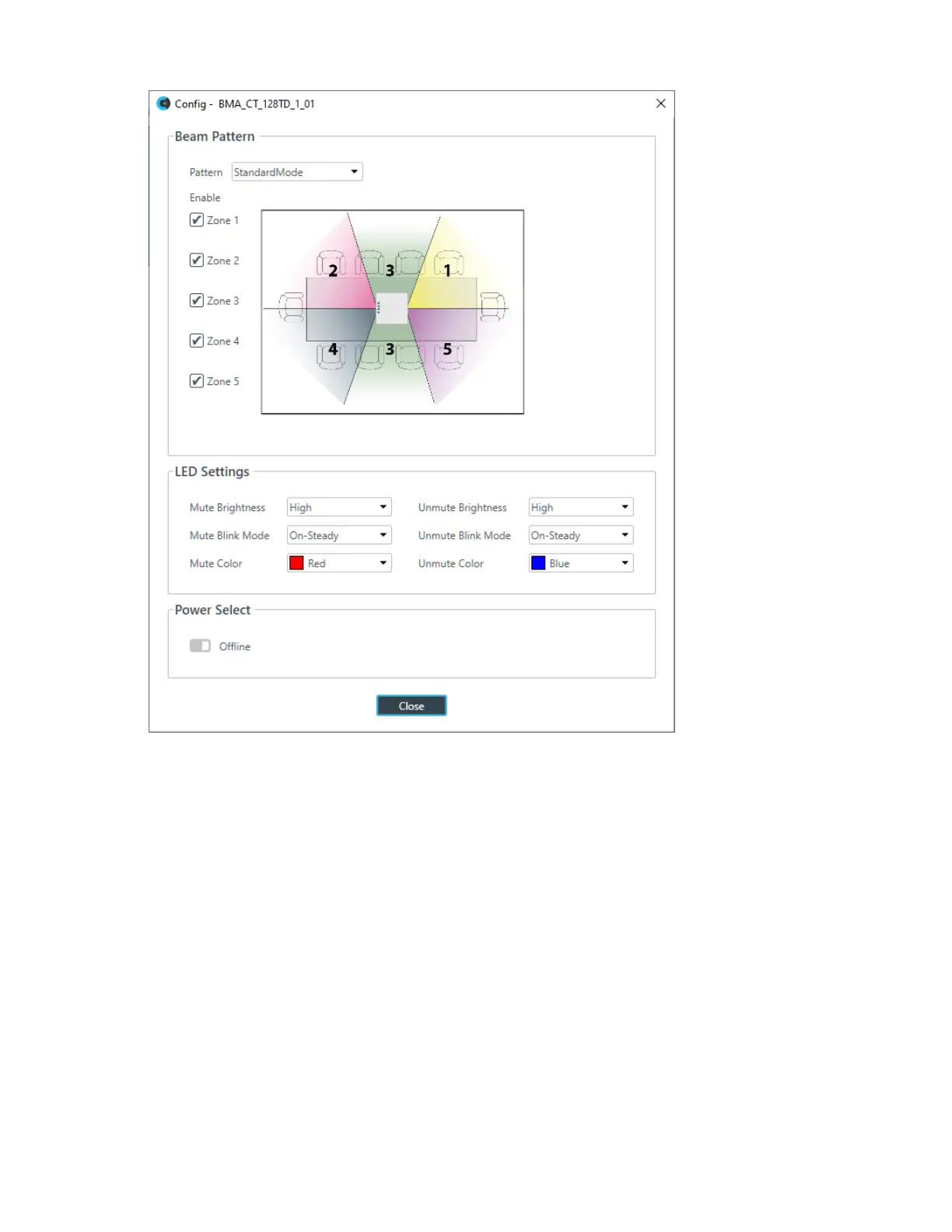
5. (Optional) Change any of the settings, as described in the table below:
Option Description
Pattern Choose from standard or wide angle modes.
Zones Choose which microphone zones are turned on.
LED Settings Configure how the LED lights behave.
Power Select Use to turn the BMA CTH on or off.
Gain
6. You can change the gain in any of the following ways:
• Drag the slider
• Type a value in the text box
• Click the incrementer and decrementer arrows beside the text box to set the value
AEC
7. To turn AEC on or off, click the AEC button (the button changes to light green if AEC is on).
The AEC Settings dialog box appears:
CONSOLE AI User Manual









 To Next Page