CONSOLE AI | Managing Channels (CP2) | 234
Option Description
RF Standby Mode When RF Standby Mode is enabled, the transmitter turns off
the RF output when the transmitter is muted.
Mute Mode Choose from:
Hard Mute: Pressing the mute button mutes the receiver
output.
Logic Mute: When Logic Mute is enabled, the audio output is
not muted when the transmitter’s mute switch is enabled. This
option is used in combination with the GPIO outputs so that
echo cancellers can use the audio as an input and mute the
audio downstream.
10.Click Close to close the Dialog 20 Properties dialog box.
Mute
11.To mute this channel, click the Mute button (the button changes to red if the channel is muted).
Gate
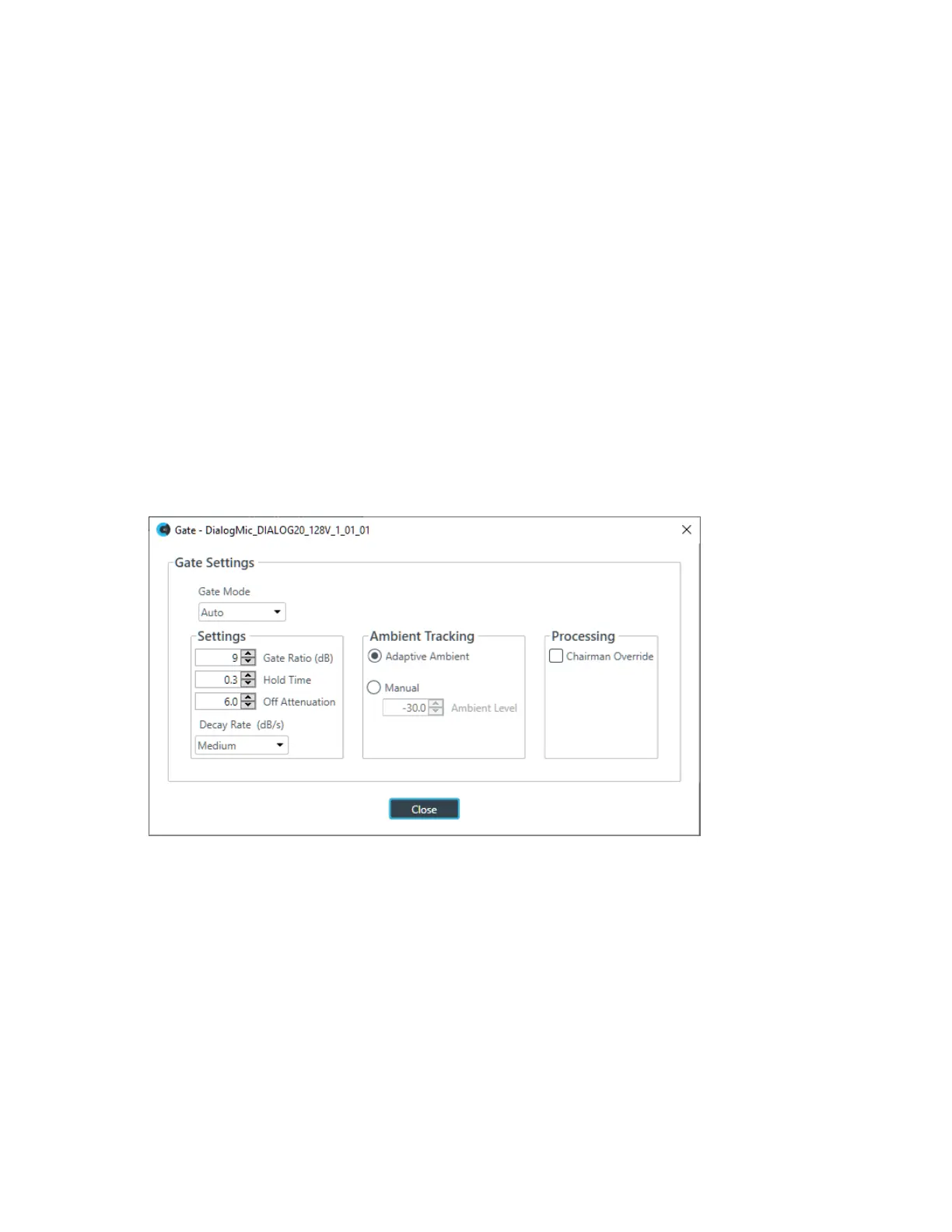
12.To set gating options, click the Gate button.
The Gate Settings dialog box appears:
13.Choose an option from the Gate Mode drop-down list, as described in the table below:
Option Description
Auto The microphone gates on or off automatically, according to the
specified settings.
Manual On The microphone is always gated on.
Manual Off The microphone is always gated off (though the way it turns off is
controlled by the specified settings.
14.(Optional) Change any of the gating settings, as described in the table below:
Option Description
Gate Ratio (Auto Only) How much louder than the ambient level the audio level must be before
the channel automatically gates on. The gate ratio range is from 0 to
50dB. The default is 15dB.
CONSOLE AI User Manual









 To Next Page